How to Use Zombies in Graveyard Keeper 2
Get zombies working, automate workstations and farming, fix idle workers, improve their skills, and resurrect new zombies.
Updated:
Quick Answer
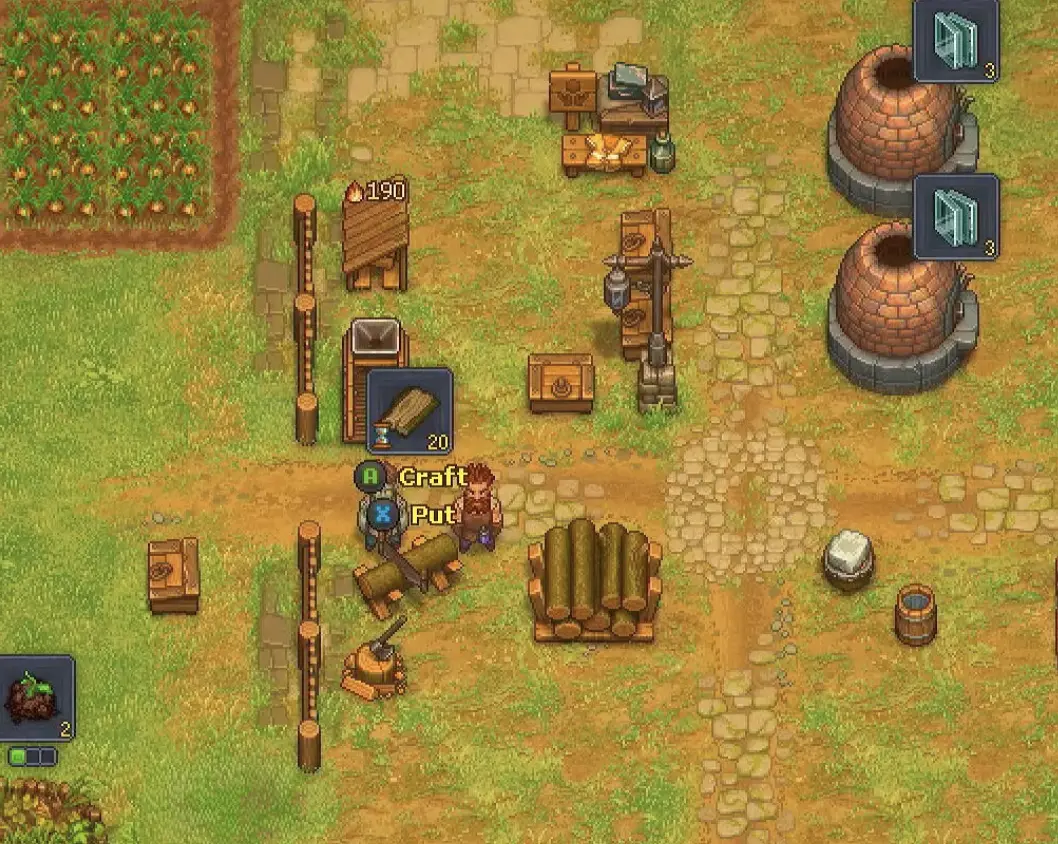
Bring the first two zombies back to the Inquisitor base and assign one to a job you can already perform yourself. Give the worker the required tool, then check its own Mastery before expecting the queued job to start.
For farming, build a Garden Stand, equip a Shovel, and assign crops to the rows with crop signs.
Zombies save a huge amount of routine work, but placing one beside a workstation does not automatically make that workstation run. Each worker has its own Mastery, equipment and perks, while the job itself still needs a valid recipe, materials and somewhere for the output to go.
That is why an idle zombie can mean several different things. One worker may be underqualified, another may be missing a tool, and a farm that ran perfectly yesterday may have simply exhausted its seeds. I get much faster results by checking the job from the worker outward instead of immediately rebuilding the station.
Bring the First Two Zombies Back to the Inquisitor Base
Your first usable zombies arrive during the Plague Doctor and fairy progression. Take both of them back to the Inquisitor base rather than leaving them where the story introduces them.
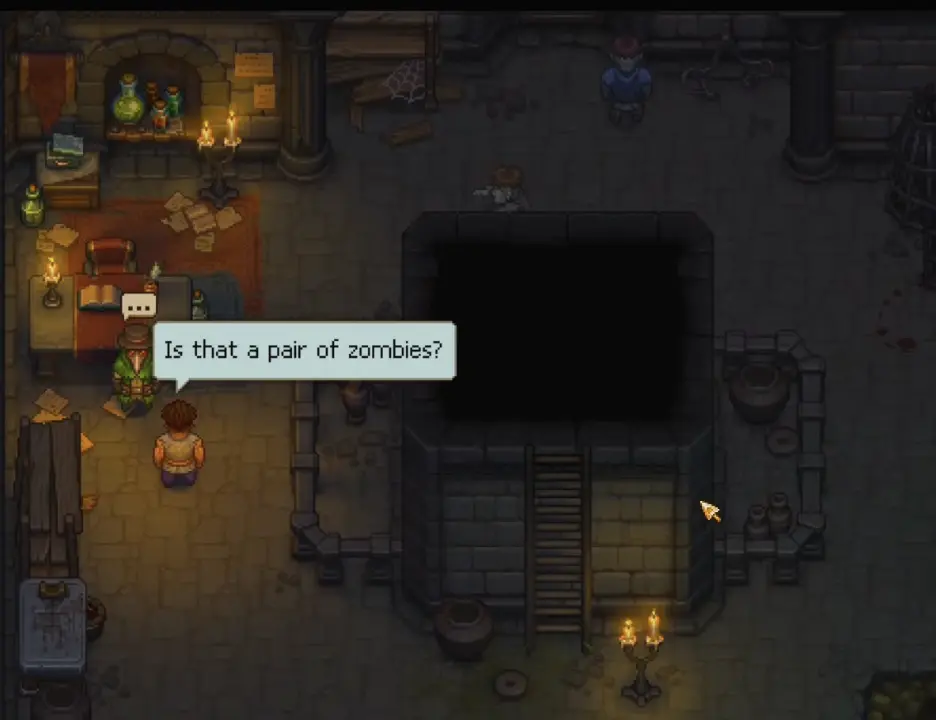
They do not have to perform the same job. Inspect each worker separately because their Mastery, perks and equipment can make one suitable for an activity that the other cannot yet handle.
If this part of the story has not opened for you yet, the missing step is earlier in the underground progression. A locked tower or missing Plague Doctor conversation is handled through the Abandoned Tower route; once the Alchemy Lab is open, the Dream Dust recipe continues that sequence.
Test a Zombie on a Workstation You Already Know Works
The safest first assignment is a workstation where the Keeper can already make the intended recipe manually.
Queue the craft, place the zombie at the station and then inspect the worker if nothing happens. Zombie workers do not inherit the Keeper’s Mastery or equipment, so a recipe that works perfectly for you can still be unavailable to the assigned zombie.
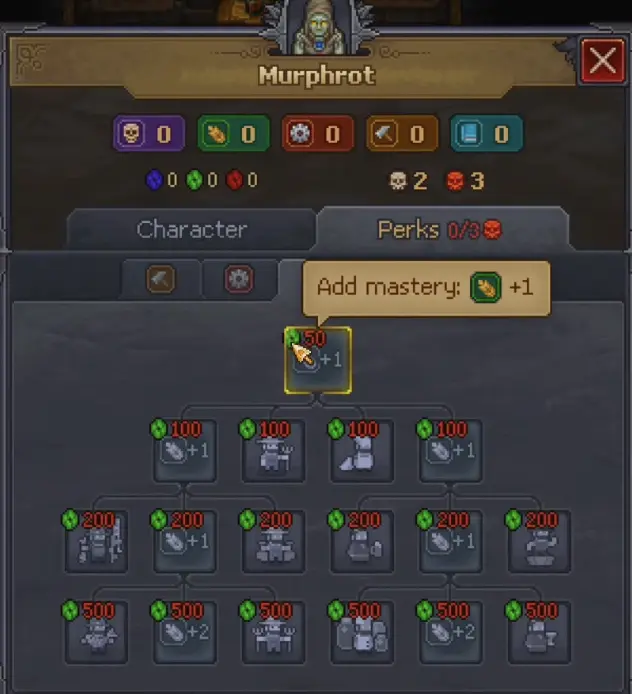
For a job that refuses to start, check these four things in this order:
- Recipe — the workstation must already know the item you want to make.
- Materials — the required inputs need to be available to that production chain.
- Zombie Mastery — the worker itself must meet the job requirement.
- Tool — equip the tool needed by that activity when it raises the worker enough to qualify.
Rebuilding the workstation is rarely the first useful response. When the Keeper cannot perform the recipe either, the blockage sits earlier in the production chain; check the required technology or Mastery in Inspirations, Mastery & Tech Tree.
Give the Worker a Better Tool Before Replacing It
Equipment can be the difference between a zombie that stands idle and one that starts working immediately.
In an early smelting setup, the assigned zombie could not handle the job until it received a Hammer. Equipping the tool supplied the capability it was missing, after which the worker could process the queued craft normally.
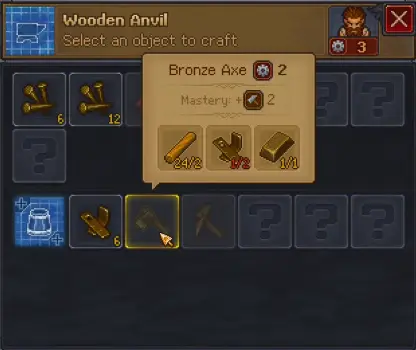
This makes the starter zombies more useful than their initial numbers may suggest. Before deciding that a worker is unsuitable, check whether the correct tool closes the gap.
A worker that starts successfully but stops later has passed this first test. From that point onward, look at whatever keeps the workstation supplied.
Use a Zombie Supplier Station When Inputs Keep Running Out
The zombie performing the craft and the zombie moving materials are doing different jobs.
A worker attached to the workstation handles production. A zombie assigned to a Zombie Supplier Station moves the materials needed by automated workstations, which removes the repeated trip of carrying another batch of inputs yourself.
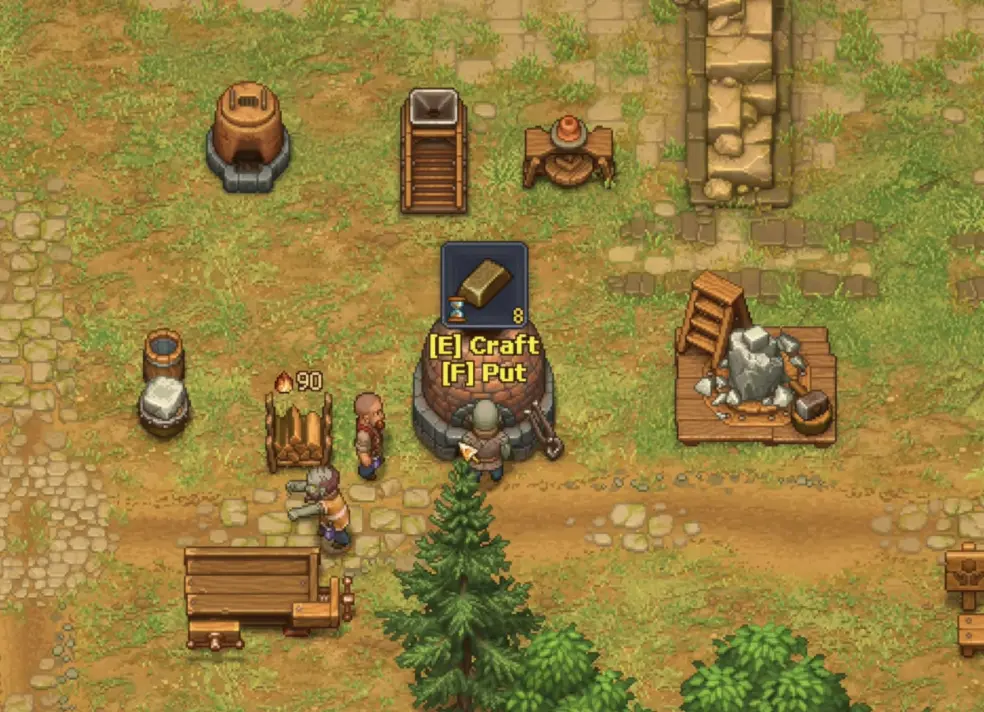
There is little value in adding transport around a workstation whose worker cannot perform the recipe in the first place.
The large underground Factory takes this idea much further with Factory Power, conveyors, a Smithy, Assembly Bench and Warehouse deliveries. Once you are building that production line, use the Factory setup for its machine order and logistics rather than treating it like a normal single-workstation supply problem.
Mining also has its own transport route. The Forest mine uses a Zombie Miner, local storage and a porter; the complete extraction setup is covered in How to Get Iron and Set Up the Zombie Mine.
Zombie Farming Needs a Garden Stand, Shovel and Crop Assignment
Farming does not work by dropping a zombie beside a crop row.
The early Garden Stand requires:
- 2 Bronze Details
- 6 Nails
Build it in the farming area, assign a zombie to the stand and equip that worker with a Shovel. The crop rows then need their own assignments through crop signs, which tell the worker what should be grown in each section.
One working arrangement used Carrots on one row and Beets on another.
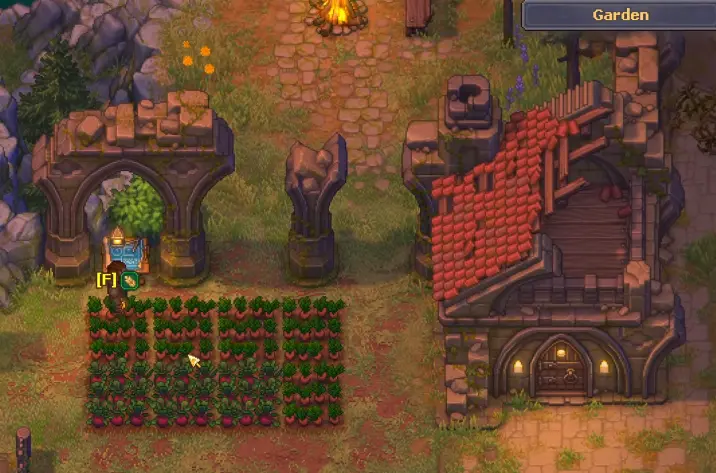
Once those pieces are in place, the zombie can tend the designated rows without the Keeper repeatedly planting them by hand.
Old crops left in a row from before the automation setup can interfere with the new assignment. Clear the row when necessary, then keep each automated section aligned with its crop sign instead of mixing unrelated crops into the same space.
A Farm That Worked Before Can Still Stop When Seeds Run Out
An initial setup failure and a later farming stoppage are not the same problem.
A zombie that has never farmed successfully should send you back to the Garden Stand, Shovel and crop assignment. A worker that has already completed several cycles but suddenly stops deserves a storage check first.
One functioning farm stopped while its row assignment and worker were still correct. Adding Onion Seeds back to the garden storage caused production to resume immediately.
Keep enough seed available for the crops you expect the zombie to maintain. When only one row has stopped while others continue working, inspect that row’s crop sign and seed stock before changing workers.
Let Zombies Specialize as They Gain Their Own Progression
Zombie workers improve through the jobs they perform.
Their individual progression can be spent on more Mastery or job-specific perks. A farming worker, for example, can develop farming improvements such as Better Seeds and Bigger Crop, while a production worker benefits more from capability that keeps its workstation running.
That makes specialization useful. Moving the same zombie between unrelated activities throws away some of the advantage gained from repeatedly developing it for one role.
I usually leave a reliable farmer on farming and a production worker on the station where its tools and Mastery already fit. Reassignment makes more sense when the original job disappears than when another worker is merely a little slower.
Keep Some Work Manual While the Keeper Still Needs That Activity
Automation also changes who receives the benefit of doing the work.
When a zombie takes over an activity, the Keeper is no longer performing those repetitions personally. During farming progression, handing too much work to a zombie can reduce the green progress the Keeper would otherwise earn from doing that work.
The same tradeoff matters whenever an Inspiration or technology requirement expects the Keeper to perform an activity.
I automate the jobs that have already become routine. When farming, woodworking or another activity is still pushing an important unlock, I keep enough of that work manual to finish the progression first and hand the repetitive part over afterward.
Red Skulls Matter Differently for Zombies
A corpse that looks poor for burial can be useful as a worker.
For graves, White Skulls are desirable while Red Skulls work against normal grave quality. Zombie preparation uses Red Skulls differently, so corpses should not be sorted with the same rule once resurrection becomes available.
A body with strong White Skulls and few Red Skulls remains a natural burial candidate. A corpse with useful Red Skull potential can instead be reserved for zombie work.
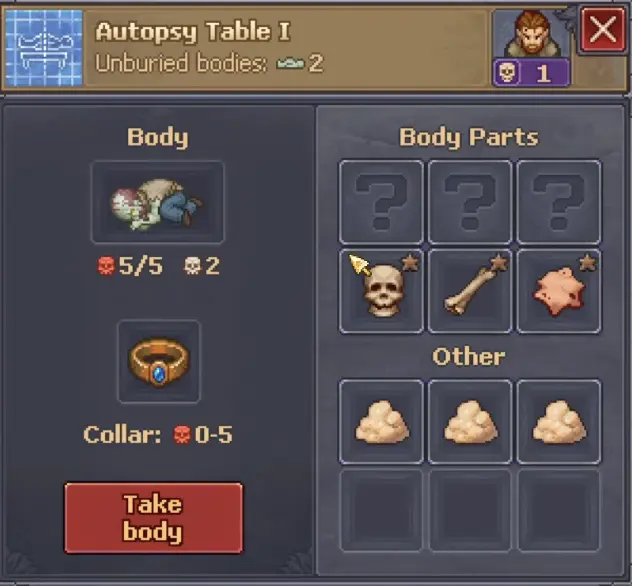
Body parts can change those values. Inspect the effect of a part before removing it from a corpse you intend to resurrect, especially when one change could move the body into the range supported by your current Zombie Collar.
The Bronze Zombie Collar Supports 0–5 Red Skulls
Zombie Collars limit the worker quality that can be supported during resurrection.
The early Bronze Zombie Collar covers 0–5 Red Skulls.
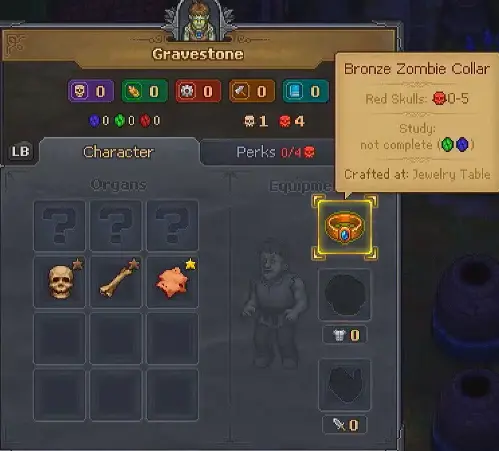
A four-Red-Skull corpse can therefore be worth improving to 5 Red Skulls when a suitable body part is already available. Pushing beyond what the current collar supports gives no benefit for that resurrection attempt.
This is a resource decision as much as a corpse-quality decision. Use the body parts you already have when they produce a useful improvement; do not consume valuable parts chasing a number the available collar cannot support.
Existing Zombies Can Be Improved Later
A weak starter worker does not need to be discarded.
Zombies can be returned to the autopsy table and adjusted with compatible body parts, allowing their Red Skull quality to improve when better parts become available.
That means there is little reason to delay useful automation while waiting for a perfect corpse. Put a serviceable zombie on the job you need now, then improve the body later when the right part actually exists.
Worker experience and corpse quality are separate forms of improvement. The worker’s job progression changes its Mastery and perks; corpse preparation changes the quality of the zombie itself.
Open the Resurrection Room Beside the Morg for More Workers
The first two zombies arrive ready to use, but additional workers require the old Inquisitor resurrection equipment beside the morg.
Clear the blocked section and inspect the room before stockpiling bodies for a system that is not yet operational. The resurrection device also needs electrical power before it can run.
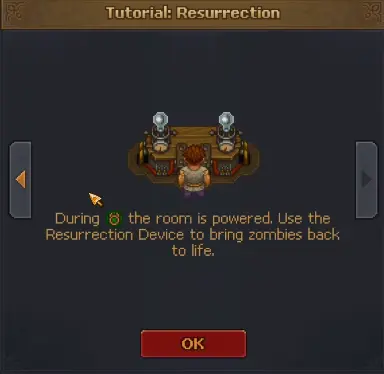
An inactive device is not fixed by adding another corpse or spending more Faith. Prepare the body and required materials, then return when the equipment can operate.
Prepare Every Resurrection Requirement Before Using the Device
A new zombie requires:
- a suitable corpse
- Reanimation Liquid
- Faith
- a matching Zombie Collar
- powered resurrection equipment
Faith is shared with other progression choices, so another worker is not always the best use of it immediately. When Faith is the only thing missing, improve your repeatable supply through Faith, Sermons & Prayers instead of leaving the rest of the resurrection setup unfinished.
The production chain for Reanimation Liquid and other supporting items can also depend on technology or equipment. When an ingredient itself is still uncraftable, solve that missing capability before accumulating more corpses.
Prepare the Corpse Before Waiting for Power
Do the body work first.
Bring the corpse to the Red Skull level you want, match it with the appropriate collar, prepare the Reanimation Liquid and keep the required Faith available. Then use the resurrection equipment when its electrical condition is active.
An early setup can produce a 5/5 Red Skull zombie with the Bronze Collar.
After resurrection, inspect the new worker before assigning it to the same task as an existing zombie. Equip the correct tool and check its own Mastery rather than assuming two workers with similar corpse quality can perform identical jobs.
Resurrect Another Zombie When It Removes a Real Bottleneck
More workers help when there is another repeated task waiting for them.
The first pair can already cover a production role plus farming, transport or another workstation. A third or fourth zombie becomes valuable when a specific job keeps pulling the Keeper away from other work: a furnace queue that needs constant attention, a farm that repeatedly needs replanting, or a material route that forces the same trip every day.
Later town battles create another reason to keep dedicated zombies available. Combat workers use a different setup from normal production zombies, so once you are dealing with squad slots, armor, pikes, bows or battlefield positioning, continue with Battles, Zombie Army & Defenses.
For ordinary work, another resurrection starts paying off when the new worker removes a task you were repeating every day. A zombie standing beside an unused station has not saved any time.