Welcome to Elderfield Quest Guide: Tasks, Failures & Unlocks
Understand the Task screen, Long-Term and failed tasks, empty Task Board, vague objectives, and how quests unlock shops, keys, stock, recipes and routes.
Updated:
Quick Answer
Open Status → Task when an objective stops making sense, then check whether it is a normal task, a Long-Term Task, or something that has already failed. For an active task, look for the last concrete change — a key, new shop stock, recipe, route or NPC instruction — before searching the whole map again.
How the Task Screen Works
Welcome to Elderfield can fill the journal much faster than I can clear it. Farm requests, missing people, strange buildings, shopping errands and dungeon objectives can all sit together even though they are not equally ready to complete.
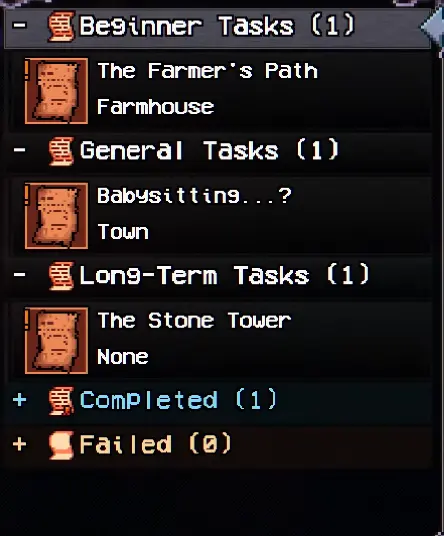
I use Status → Task to see what is active and, more importantly, what kind of problem I am dealing with.
The task list is useful because it separates objectives that look similar on the surface. A crop delivery I can finish this week is not the same problem as a sealed structure that depends on systems I have barely opened.
These are the signals I pay attention to:
| What I See | What It Tells Me | What I Do |
|---|---|---|
| Normal active task | There is usually something I can act on now | Recheck the objective, recent dialogue and new items |
| Long-Term Task | The game can introduce the objective before every requirement is available | Do the steps that are currently possible, then leave it active |
| Failed task | That situation can no longer be completed in the same way | Stop searching for the old trigger and move on |
| Named key or access item received | A previously closed route may now be usable | Return to the location named by the task or dialogue |
| Shop or stock change promised | The real reward may appear after the hand-in | Revisit the shop after finishing the request |
| Objective names a tool, material or stronger area | Another system may be the current blocker | Solve that requirement before returning |
This distinction matters more than trying to complete the journal from top to bottom. Several Elderfield tasks are designed to remain visible while other parts of the game catch up.
Long-Term Tasks Can Appear Before You Can Finish Them
The Stone Tower is one of the clearest examples.
It can enter the task list while I am still dealing with ordinary farming and early town requests. Seeing it there does not mean every part of the Tower is already solvable.
When a Long-Term Task reaches a step with no practical action — a sealed route, an unavailable material, an inaccessible floor or a requirement I have never encountered — I leave it in the journal and keep playing.
That is different from overlooking an ordinary quest item. Rechecking the same locked object every morning does not create the missing progression.
The same situation can happen when a task points toward an area that is technically accessible but far too expensive to survive. If ordinary enemies are consuming all of my healing before I reach the objective, I take that as useful information rather than proof that I need to force another attempt immediately.
Long-Term Tasks are much easier to manage once I accept that visible does not always mean immediately finishable.
Some Tasks Can Fail
The Task screen has a separate Failed category, so not every situation waits forever.
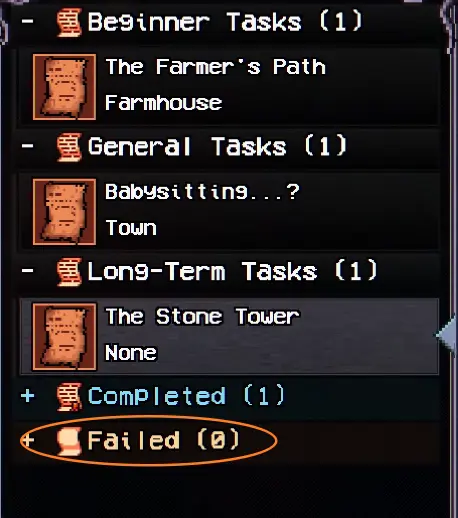
I had a babysitting situation fail after leaving it unresolved. That changed how I treat objectives whose wording makes them sound like something is happening right now.
A missing person, someone actively waiting for help, or a temporary event gets checked before I disappear into a dungeon for several days. A request to grow crops, gather a large material total or investigate a permanent building is much less likely to need the same urgency.
I still do not assume every short quest hides a timer. The useful distinction is the situation itself.
Find Ben Shows How Vague Quest Directions Can Be
Some tasks are difficult for the opposite reason: they are available now, but the journal gives very little navigation help.
Amelia’s Find Ben task tells me who is missing and who started the search, but it does not turn Town into a trail of objective markers.
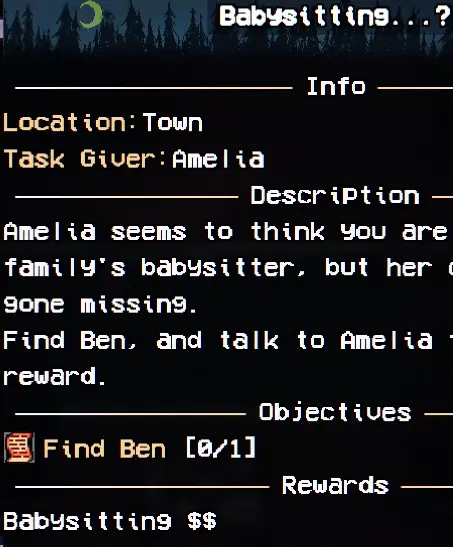
When a task looks like this, rereading the same sentence rarely produces another clue. I think back to what changed when the objective appeared.
Useful clues can include a new key in the inventory, a building that has just become accessible, dialogue naming a district, another NPC connected to the same person, or an item description that points somewhere specific.
This becomes a recurring pattern in Elderfield. The journal often records what needs to happen, while conversations and changes in the world tell me where to begin.
Old Man Jackson’s Build a Wife quest is a larger example because his requests eventually send me through several different areas for specific materials. Once his material chain is active, I follow those concrete requirements instead of searching Town at random.
Why Is the Task Board Empty?
The Task Board can look broken when I first find it because there may be nothing listed.
In my run it simply said:
The task board currently has no listings.
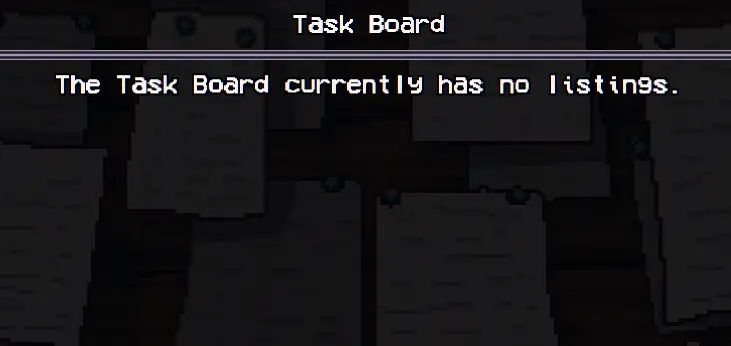
That did not mean I had missed a prerequisite conversation somewhere nearby. NPCs were already giving me more tasks than I could finish.
I leave an empty Board alone and continue with the requests already active. Checking it again later makes more sense than spending half a day talking to every person in Town trying to force a listing to appear.
Quest Rewards Can Change What Is Available in Town
The reward shown at the end of a task is not always the most important thing I get from it.
Some requests change shops, stock or access after completion. Those effects can matter for many hours afterward.
Farmer Hans demonstrates this very early.
His wheat request begins as a basic farming job: grow the crop, harvest it and return. Finishing it leads to Chef Elroy opening his shop.
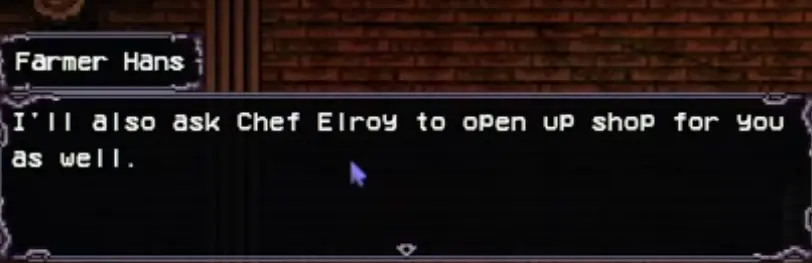
Hans also establishes that later favors can affect what Crawford and Elroy stock.
That is why I pay attention when an NPC promises something persistent after a hand-in. A small pile of gold disappears quickly; a recipe shop, new seeds or expanded stock can solve several unrelated problems later.
When I complete a task that mentions a shopkeeper, I check that shop again instead of assuming the reward ended with the dialogue box.
Giant Skull Chalice Shows How One Task Can Depend on Several Systems
Hans’s Giant Skull Chalice request starts at the farm, but the materials pull the task into mining.
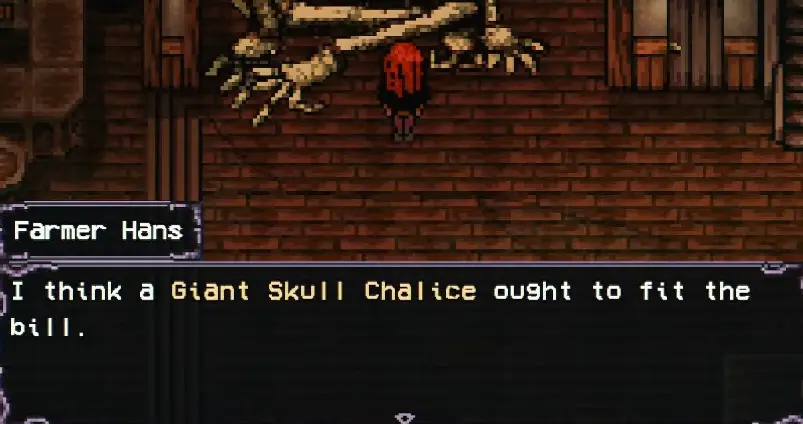
Hans points me toward a proper mine in the Mall food court, and continuing his favors can also change what Crawford sells, including access to Pumpkin Seeds.
This is where I stop expecting every NPC chain to remain inside the district where it started. A farming task can need metal. A crafting request can send me underground. A later favor can depend on a system that looked optional several days earlier.
When mining strength becomes the actual blocker, the pickaxe guide has the Rusty, Basic, Sturdy, Quality and Superior progression. I do not keep circling the same ore node once the interaction has already told me that the tool is too weak.
Keys Are Stronger Clues Than Rumors
Elderfield contains plenty of dialogue about strange places before I can actually do anything useful there.
Receiving a named key is different.
Adrian’s Mall situation eventually gives access to the food-court back offices.
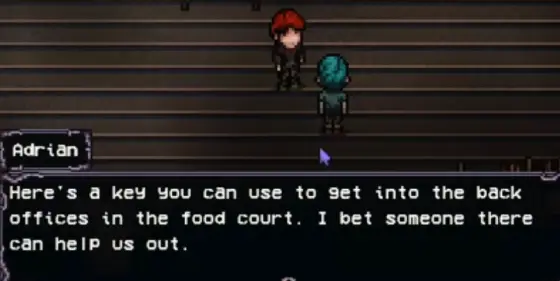
Before that change, the locked office is simply a closed door. Afterward, returning to the same location has a clear purpose.
That is the kind of task update I act on immediately: a key enters the inventory, somebody tells me exactly what it opens, and a previously inaccessible route becomes relevant.
Once I am inside, the Mall walkthrough covers the back offices, Hall Monitor, security route, Administrator and mine. For the task itself, the important clue is the moment access changes.
Unlocking a System Early Can Save a Much Longer Detour Later
Tasks repeatedly cross into systems that initially look optional.
Fishing is introduced as a relaxed activity at the Lakefront, but later requests can ask for specific fish. Mining begins with small material needs and eventually controls whether I can obtain the metals a crafting task demands. Cooking starts as food preparation and later becomes part of NPC requests.
I do not need to master each system the moment it appears. I do want basic access open before another task suddenly depends on it.
For fishing, that means getting Herb’s rod and understanding bait before a quest sends me looking for a named catch. The fishing guide covers the rods, bait, all fish locations, seasonal catches and later fishing areas.
The same principle applies to shops and travel. An unlocked system gives me options; an unopened one turns a simple request into several prerequisite errands.
Several Tasks Can Be Finished During the Same Trip
Once the Mall, Lakefront, Sewers, Greystone and other destinations are active at the same time, travel starts consuming a surprising amount of the day.
Before leaving the farm or Town, I glance through the active tasks and look for repeated destinations.
A Mall trip can combine an NPC conversation, a newly unlocked office, shopping, mining and another objective already pointing into the building. A Lakefront trip can combine Herb’s dialogue with the fish I need for somebody else. A Sewer visit may be worth delaying for a short time if another current task is about to send me underground anyway.
This does not mean I carry every item I own everywhere. I bring what the current objectives actually name, leave enough inventory space for rewards, and make sure a long combat route is not starting with my healing already depleted.
Greystone Estates is a good example of why this preparation matters. A request that sounds like a simple visit can lead into locked rooms and dangerous encounters. When a task sends me there, the Greystone Estates walkthrough covers Carla, Room 8, the Grave Warden, Sledgehammer route and the building’s other major problems.
Do Not Spend Gold on a Guess
Opening more shops also creates more ways to waste money on items that merely look important.
I buy something early when the task or NPC has made the requirement concrete. A named ingredient, a tool that removes the blocker in front of me, or a key item specifically requested by somebody has a clear purpose.
An unusual shop item with no current connection to any objective can wait.
That distinction becomes more valuable as gold starts competing with seeds, food, tool upgrades, bus travel and other useful purchases. Buying every suspicious-looking object in advance is not preparation; it is just moving resources out of my wallet before I know what problem they solve.
What Should I Check When a Task Seems Stuck?
When an objective stops moving, I reconstruct the last few steps before searching another district.
I check whether:
- an NPC gave me a key or another new item;
- a shop has opened or changed its stock;
- a recipe or seed was added;
- dialogue named a building, district or person;
- another task opened access to the same area;
- the obstacle explicitly asks for a stronger tool;
- the task moved into Long-Term Tasks;
- or the situation has already moved into Failed.
This catches many apparent dead ends because the journal does not always repeat every change that happened around the task.
A key sitting unnoticed in the inventory can be more useful than another hour of exploration. A shop that opened after an earlier favor can contain the next requirement. A door that had no purpose yesterday may become important the moment somebody finally gives me access.
When none of those things have changed, I am much less likely to keep forcing the same interaction.
Region Tasks Still Follow the Rules of the Region
Once a task sends me into a major location, the journal usually stops being the only thing that matters.
The objective may be simple while the area itself contains combat checks, keys, tools or navigation problems.
For example, a task sending me into Greystone does not mean every Greystone encounter belongs to that task. The same applies once objectives reach the Mall, Old Woods or Catacombs.
I keep the task goal in mind, solve only the regional blockers that stand between me and that goal, and leave unrelated fights for another visit when necessary.
The Old Woods guide covers its Mill Key, Joggers Club, Mines and Ancient Tree progression. The Catacombs guide covers its hammer requirements, lower floors and dungeon progression.
That separation helps when the journal objective itself is simple but reaching it is not.
The Task Log Does Not Need to Be Empty
Early in the game, the most useful tasks are often the ones that make Elderfield more functional: a shop opens, stock expands, a system becomes available or a key creates a route that did not exist before.
Later, the same journal can hold farming goals, dungeon objectives, seasonal work and Long-Term Tasks at once. Trying to remove every entry before accepting another one only makes those overlapping systems harder to use.
I pay more attention to whether a task has a real action available now.
A temporary situation may need attention immediately. A named key gives me somewhere concrete to return. A new shop changes what I can buy. A Long-Term Task with no usable next step can sit quietly while the rest of Elderfield develops around it.
Once I started reading the journal that way, a crowded task list stopped feeling like a list of unfinished mistakes and became much easier to act on.