How I Choose Online Orders Without Burying My Workbench
How I screen email jobs, choose the orders worth accepting, stop before the backlog gets out of control, and avoid leaving accepted work overdue.
Updated:
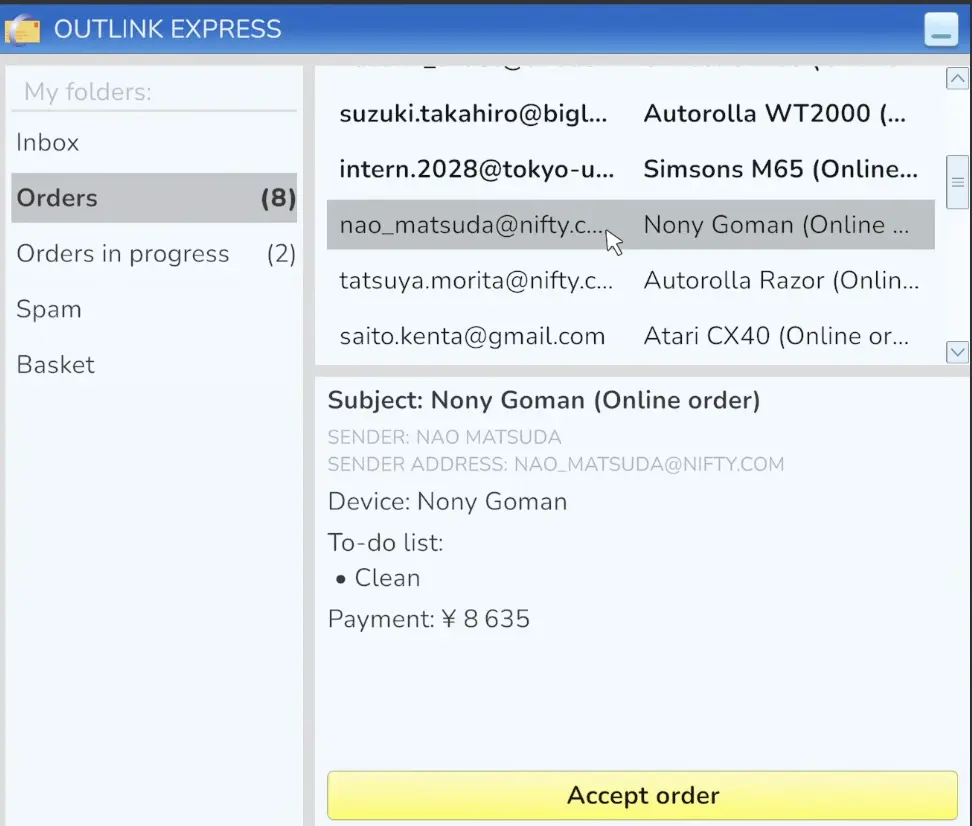
Quick Answer
I do not accept every online order in ReStory. I first read the required services, then compare the payout with how predictable the job looks. Clean-only work on a device I already know is usually safer than a cheap repair with unknown internal damage. Once I already have several jobs in progress, I stop accepting more and clear the oldest work first. I have let an accepted order go overdue, and my shop rating was at 4.9 immediately afterward.
Online Orders are easy to misunderstand when they first unlock.
The inbox fills up.
Every job has a payment attached.
Accepting everything feels like the obvious way to make more money.
That worked until I started filling the repair area with devices I had already promised to finish.
Some were easy.
Some opened into a pile of broken parts.
Some needed an extra service I had not noticed before accepting them.
And eventually one sat around long enough to become:
Overdue order.
Now I treat the inbox as a queue I control, not a checklist I have to clear.
I Read the Required Services Before the Payment
The payment is the easiest number to notice.
It is not the first thing I use to judge the job.
I read what the customer actually wants.
My inbox has shown combinations such as:
- Clean
- Repair
- Paint
- Clean + Repair
- Clean + Paint
- Clean + Repair + Paint
Those do not create the same amount of work.
A clean-only order is relatively predictable.
A repair can hide several broken internals.
Adding paint means another requirement has to be completed before the order is actually done.
One later inbox check gave me very different decisions at the same time:
- one job I skipped because it would force another purchase;
- ¥6,000 for a job I was willing to take;
- ¥30,000 for Clean + Repair + Paint;
- ¥11,000 for Paint;
- ¥10,000 for Clean + Repair;
- ¥10,000 for Clean + Paint;
- ¥40,000 for Clean + Repair.
Those values are examples from my run, not fixed prices for those service combinations.
The important part is how different the risk can be even inside one inbox.
I decide whether the job is worth taking after I understand the service combination.
Clean-Only Jobs Are the Easiest Orders for Me to Judge
If I want predictable online work, cleaning is my first choice.
The device can still take time to open.
Dirt can still hide on the reverse side of parts.
But I know the job is not going to surprise me with five expensive replacement components.
I have seen a clean-only order for:
¥2,000.
I skipped it.
Later, I was comfortable saying I would take simple cleaning work at roughly:
¥5,000 and up
when the device itself was straightforward.
That is not a hidden game formula.
It is simply where the time felt worthwhile in my run.
A familiar device makes the decision even easier.
If I already know how to open and rebuild it, a reasonable clean-only payment is one of the safest ways for me to add another completed email order.
Familiar Devices Are Worth More to Me Than Their Payment Suggests
Two orders can show the same payment and still be very different jobs.
If one is a device I already know, I can estimate the time much more accurately.
I already know:
- how many layers I need to remove;
- where the screws tend to be;
- whether parts hide dirt on the back;
- how the main layers go together again.
That matters.
I accepted a relatively modest controller job because I already knew that controller was quick to rebuild.
An unfamiliar device at the same payment can be a worse order if I spend much longer discovering how it comes apart.
So when I am choosing between several inbox jobs, device familiarity acts like part of the payout.
For model-specific repair problems, I keep those notes in the Device Repair Index.
Repair Orders Are Where the Risk Starts
A repair request does not tell me how many broken parts are waiting inside.
That uncertainty is what makes a cheap repair much less attractive than a cheap clean.
One accepted online job made the problem obvious.
As I opened it, I found:
first broken piece
then:
second
then:
third
then:
fourth
and finally:
five broken pieces.
At that point the order no longer looked like a simple payment attached to a device.
It was a repair with a substantial replacement problem.
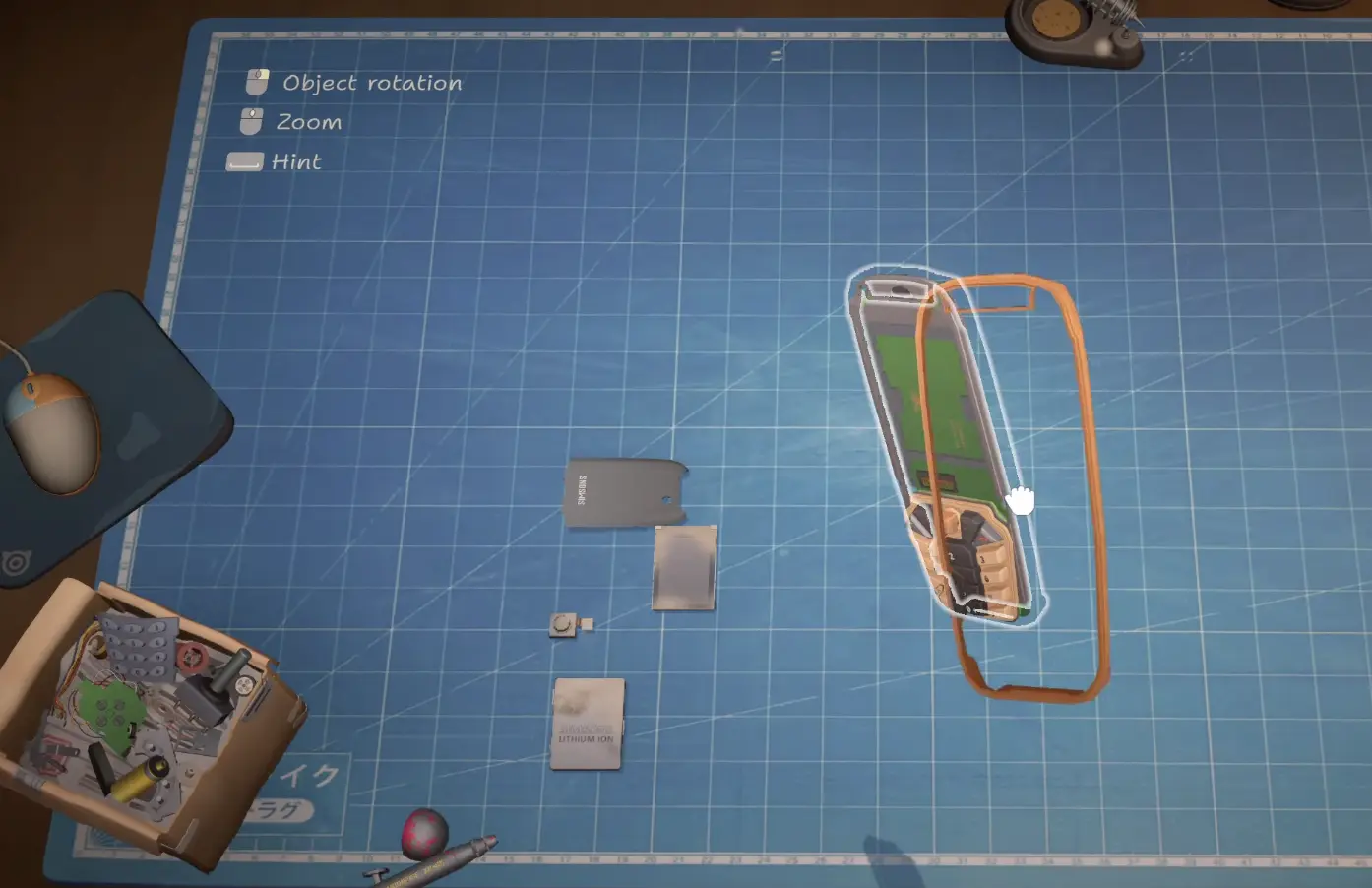
That is also why I do not immediately buy the first replacement part I discover.
I finish the diagnosis first.
The general repair process is covered in the Repair Guide.
The Online Orders decision is simpler:
if the job looked marginal before I opened it, several broken parts confirm that it was a high-risk order.
I Skip Jobs That Need an Extra Purchase Without Enough Reward
Sometimes the inbox itself gives me enough information to reject a job.
During one order check, I saw a request and immediately passed because completing it would require me to buy something else.
That is one of my easiest filters now.
If accepting the job means I also need:
- a service capability I do not currently have;
- another required unlock;
- a paint-related purchase;
- some other expense I did not intend to make;
then I compare that cost with the order before I accept.
I do not buy progression items just to rescue a mediocre email order.
If the purchase is something I already planned to unlock, that changes the decision.
Otherwise the order waits.
The actual order for licenses and upgrades belongs in the Progression Guide.
Paint Jobs Are Fine When I Already Have What They Need
Painting itself does not make me reject an order.
I completed one client paint job for:
¥8,000.
The work was straightforward once I remembered that painting was part of the request.
The problem is when the paint requirement adds an unexpected purchase.
During another job I encountered an Atari-themed palette priced at:
¥7,000.
That is where the order stops being:
Paint for the customer.
and becomes:
Is this one customer payment worth another ¥7,000 unlock right now?
I make that decision before I treat the inbox payment as profit.
The lesson is not to avoid painting.
It is to read the exact service requirement before accepting work whose extra cost I have not planned for.
I Stop Accepting Orders Once the Queue Is the Real Problem
This is the biggest change I made to the way I use Online Orders.
At one point I had accepted enough work that I deliberately stopped doing anything else and focused on clearing the active orders.
That is the signal I use now.
When the current queue becomes the main thing occupying my attention, I stop adding to it.
More available orders do not help me if the old ones are still sitting on the bench.
A crowded queue creates several practical problems:
- I forget which repair needs which part;
- similar loose components are easier to mix up;
- a story job can arrive while several online devices are still unfinished;
- I start prioritizing the newest interesting order instead of the oldest accepted one;
- older work becomes much easier to leave behind.
So my rule is simple:
clear before refill.
I do not keep accepting until the inbox is empty.
I Work the Oldest Accepted Jobs Before Browsing for Better Ones
The inbox will keep tempting me with new work.
That does not make the new job more important than something I already accepted.
When I have several orders in progress, I stop looking for the perfect next payment and start asking:
Which accepted device has been sitting here the longest?
That one moves forward.
This is especially important before I advance another day.
I have learned that a newer, more profitable-looking order can distract me long enough for an older one to become the real problem.
So I separate:
available order
from:
accepted obligation.
The second one gets priority.
I Clear Easy Jobs First When I Need Space
There is one exception to strict oldest-first order.
If several accepted jobs are already sitting on the bench and one is nearly finished, I clear the easy device first.
For example:
- clean-only familiar device;
- repair where I already have the required part;
- device already cleaned and waiting for reassembly;
- paint-only finish.
That gives me physical and mental room to focus on the larger repairs.
I am not trying to optimize every minute.
I am trying to stop six half-finished devices from becoming one giant task.
My preferred backlog flow is:
finish anything that is one short step from completion
→ return it
→ remove it from the queue
→ focus on the oldest complicated job
This works much better for me than opening every accepted device at once.
I Do Not Open Every Repair Just to See What Is Wrong
This is another habit I changed after building a large backlog.
Opening five devices at once creates five piles of parts.
If I am not ready to finish or at least diagnose one of them, there is little benefit in spreading it across the workbench.
So when several orders are active, I try to keep each repair in a meaningful state:
not started
or:
fully diagnosed
or:
ready to rebuild
rather than:
half taken apart because I was curious.
That makes the queue much easier to resume.
It also keeps me from forgetting whether I already ordered a missing component.
I Check Every Requirement Again Before I Mark the Order Done
Online Orders can combine services.
That creates one final failure point.
A device can be repaired and reassembled correctly while the order itself is still incomplete.
I have reached the end of a job and received:
Not all requirements have been met.
The missing requirement was:
Paint.
So before I consider an email job finished, I reread the service list.
If it says:
Clean + Repair + Paint
I verify all three.
I do not assume that a functioning device means the order is complete.
The detailed device workflow stays in the Repair Guide; here I am only checking that the services I accepted are the services I actually delivered.
I Have Confirmed That Accepted Orders Can Go Overdue
This is why I no longer let the active queue grow without limit.
One of my accepted jobs eventually displayed:
Overdue order.
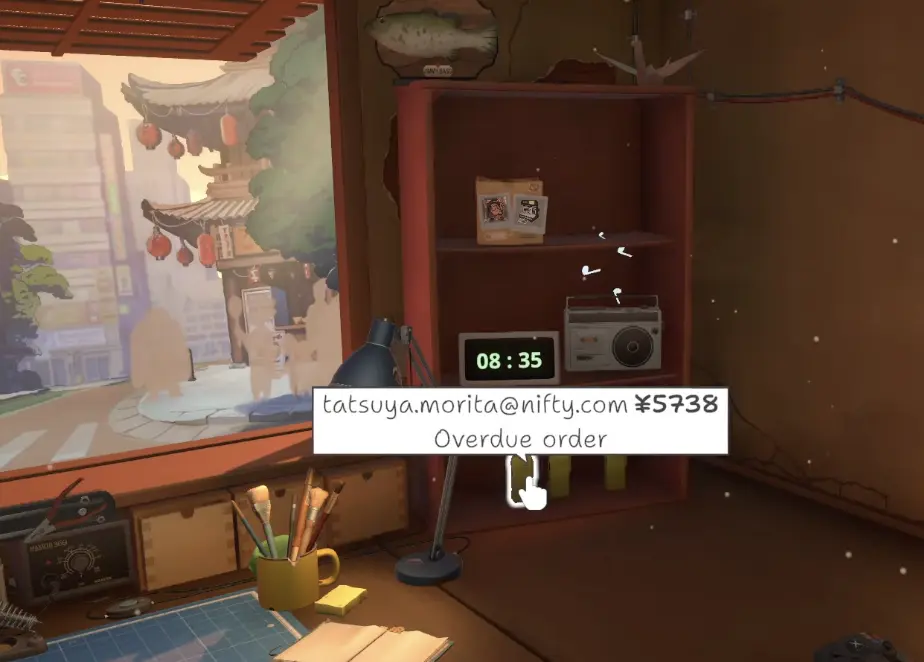
Immediately afterward, I checked my reputation.
It was:
4.9.
That is enough for me to treat overdue work seriously.
I do not turn that one event into a rule that every late order always removes exactly 0.1 rating.
I can confirm what happened in my run:
order became overdue
→ rating was 4.9 immediately afterward.
That is the level of certainty I use.
I Still Do Not Claim One Universal Fixed Deadline From My Own Run
I have confirmed the consequence.
I have not independently reproduced one universal:
every Online Order expires after exactly X days
rule across multiple orders.
So I do not build my route around an unverified timer.
Instead, I use a behavior that works regardless of the hidden threshold:
do not repeatedly advance days while older accepted work is still unfinished.
If I am about to end the day and a job has already been sitting in progress, I move it up the queue.
That is safer than relying on a deadline I have not personally reproduced.
If I later verify the exact timer consistently across several orders, this is the first section I would update.
Closing the Shop Does Not Mean I Have to Stop Repairing
Closing customer traffic and ending the day are not the same thing.
I can close the shop and continue using the workbench.
That gives me a useful cleanup period when I already have a queue.
Instead of immediately going to sleep, I can use the quieter period to finish accepted devices without adding more walk-in work.
This is particularly useful when I am trying to avoid carrying an old Online Order into another day.
I use closing time as:
stop incoming distractions
rather than:
stop working immediately.
I Keep Doing Online Orders Because the Long-Term Counter Is Much Larger
I do not accept every order.
I also do not abandon the system completely.
There is an achievement for:
25 completed email orders.
I reached that during normal progression.
Then I checked the list and found the much larger target:
100 completed email orders.
That changed how I think about skipping work.
I still reject poor jobs.
But when an easy, familiar, reasonably paid order appears, I would rather complete it during normal progression than save all 100 completions for a grind later.
The detailed completion planning belongs in the Achievements Guide.
For this page, the takeaway is simply:
selective does not mean inactive.
I keep taking good Online Orders.
I stop taking bad ones just to make the inbox smaller.
My Online Order Filter Now
Before I click Accept, I ask:
What services does the job require?
Clean is more predictable than repair.
Do I know the device?
Familiar devices are easier to price in time.
Does the request force another purchase?
If yes, the payout needs to justify it.
How risky is the repair?
Unknown internal damage makes a small payment less attractive.
How many orders are already in progress?
If the queue is already the problem, I stop.
Then, after accepting:
finish older jobs before repeatedly advancing days;
clear easy near-complete work to make room;
keep each opened device in a meaningful state;
recheck every requested service before returning it.
That is the system that made Online Orders useful for me.
Not accepting everything.
Not ignoring them.
Just keeping the queue small enough that every accepted job still has a clear path back off my workbench.