Alchemy Factory Building Tool: How I Build Floors and a Second Floor
If walls, floors or a second floor seem impossible to build, the missing step is usually the Workbench. I use the Building Tool upgrades first, then plan support, stairs and floor openings before moving production upstairs.
Updated:
Quick Answer
Go to the Workbench if full floors and walls are missing. Building Tool Level 2 is the important early upgrade for proper construction. When I start the second floor, I place its support and staircase route before filling the area with machines, because an unsupported section can fail and conveyors cannot simply pass straight through a completed floor.
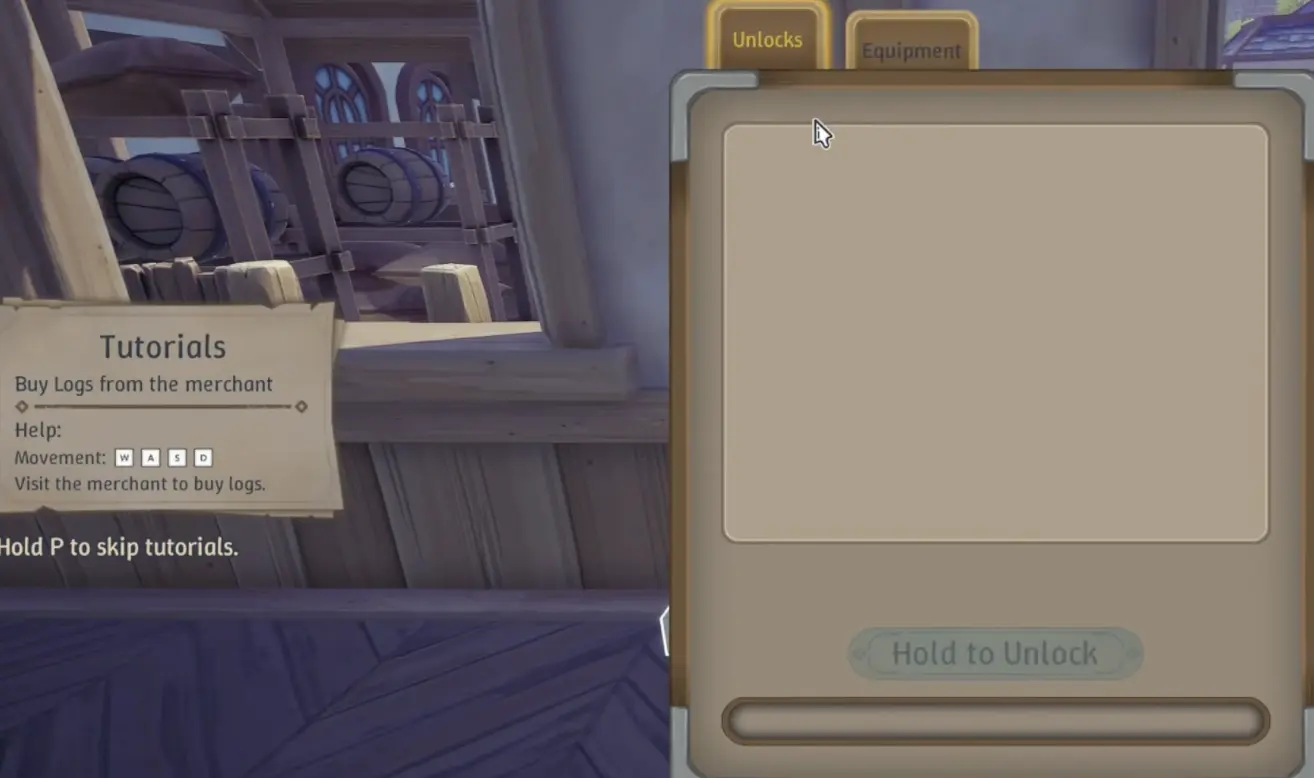
Floors and Walls Are a Workbench Unlock, Not a Research-Tree Problem
The first time I wanted to rebuild the starter shop, I spent too long looking through normal research.
That was the wrong place.
Alchemy Factory 1.0 separates a lot of factory technology from personal and construction progression. Production machines still come through the Research Tree, while the Workbench is where I look for equipment and building-related upgrades.
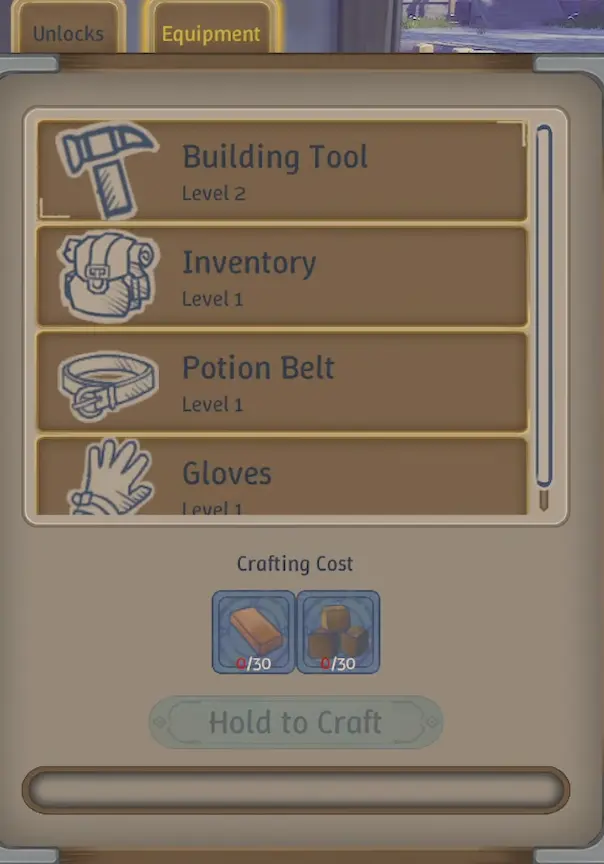
That includes the Building Tool alongside character-side upgrades such as Inventory, Gloves and the Potion Belt.
This is especially easy to miss after a new Alchemy Level opens several research nodes at once. A locked building piece can look like another recipe gate even though the answer is sitting on the Workbench.
Building Tool Level 2 Is the Upgrade I Need for Proper Floors and Walls
The starter building gives me enough construction freedom to experiment, but not enough to turn the shop into the multi-story factory I actually want.
The important breakpoint is Building Tool Level 2.
After that upgrade, I can work with the full floor and wall pieces needed for a serious expansion.
If I have just upgraded it and still cannot find the pieces, I do not immediately assume the upgrade failed.
I leave the Workbench and reopen the normal build menu.
That is where the new construction pieces appear.
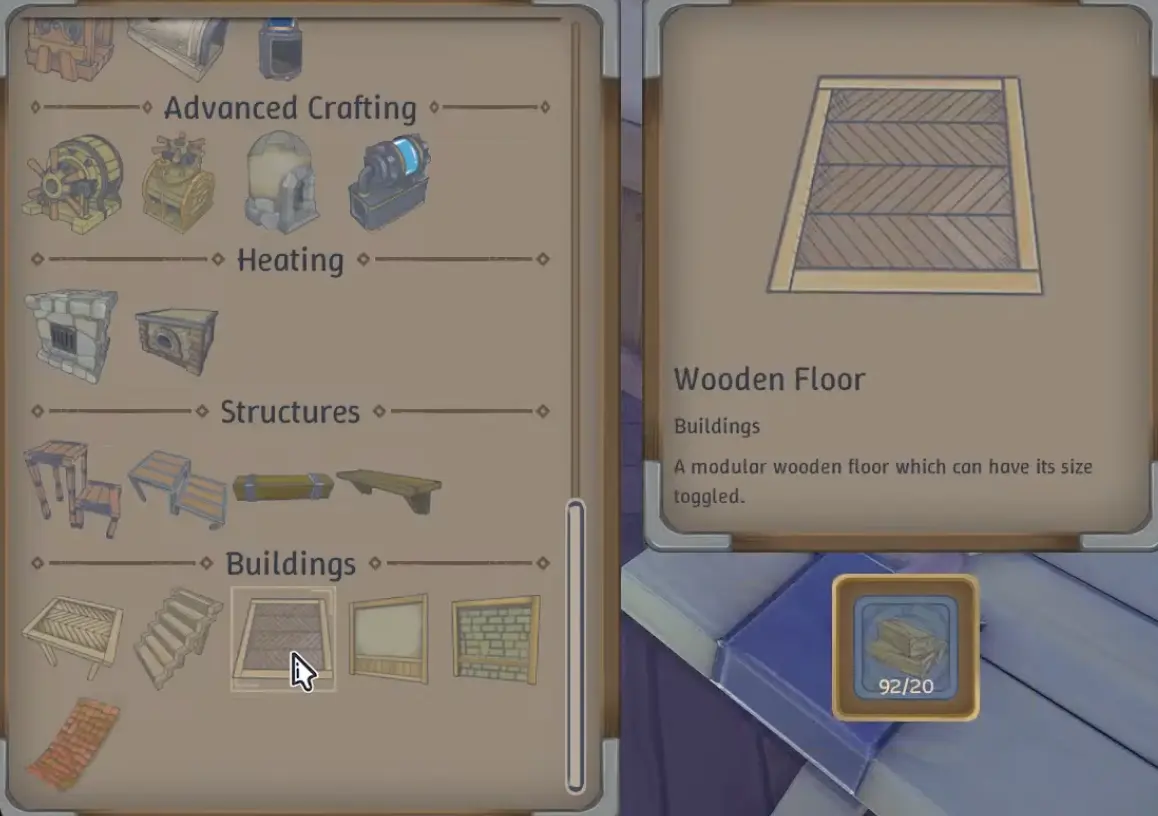
That distinction sounds minor until I have spent several minutes reopening research because I expected the Workbench itself to turn into the building interface.
Walls Are Structural Support, Not Just Decoration
This was the part I misunderstood when I began extending the second floor.
I initially treated walls as something I could place later once the production layout was finished.
That assumption causes trouble.
Upper flooring needs support, and walls can provide that support. I was able to extend sections that looked fine, then discovered the problem only after trying to remove the wall underneath.
If that wall was the only thing supporting the section above it, removing it affected the floor.
So I no longer build the entire upper level first and decorate underneath afterward.
I decide where the structural lines will go before the machines.
That changes the order of the build:
- establish the supported footprint;
- confirm the floor can extend where I want it;
- reserve access for stairs and vertical logistics;
- only then start placing permanent production.
It costs almost nothing to move an empty wall.
Moving a working production chain because I need support where the machines are sitting is much more annoying.
Pillars Let Me Support a Larger Floor Without Filling It With Walls
Later Building Tool progression adds pillars, and that is when larger open production floors become easier to design.
The useful discovery was not simply that pillars exist.
It was how they behave in the layout.
When I was testing a larger section, the floor became workable once a pillar was touching the area that needed support. That gives me a way to keep production space more open instead of building continuous walls underneath every expansion.
The practical difference is significant.
A wall can divide a room and affect how I want belts, shop traffic or machines to pass through it.
A well-positioned pillar gives me structural support without turning the lower floor into a maze.
I still treat support as something that has to connect sensibly downward. One pillar somewhere in the building does not make every unsupported section valid.
Do Not Remove a Wall Until You Know What It Is Holding Up
One of my more useful tests was also one of the easiest mistakes to make.
I built more flooring, moved a wall that seemed inconvenient, and then realized that wall had been the only support for part of the upper section.
The floor did not behave the way I expected once that support disappeared.
That is why I now check the section directly above a wall before dismantling it.
If the wall is structural, I first:
- add another wall;
- add a pillar where possible;
- or shorten the unsupported span.
Only after the replacement support works do I remove the original piece.
This matters most during a live factory rebuild, where the temptation is to clear the old interior as quickly as possible. The wall that looks like useless starter architecture may currently be holding up the floor where the new factory is running.
I Leave a Stair Opening Before Finishing the Floor
Another mistake is much easier to create than to fix:
building a complete upper floor and only afterward asking how I am supposed to get up there.
The staircase needs actual room.
Trying to force a compact turn into whatever corner happens to remain gave me far more placement trouble than simply reserving the route in advance.
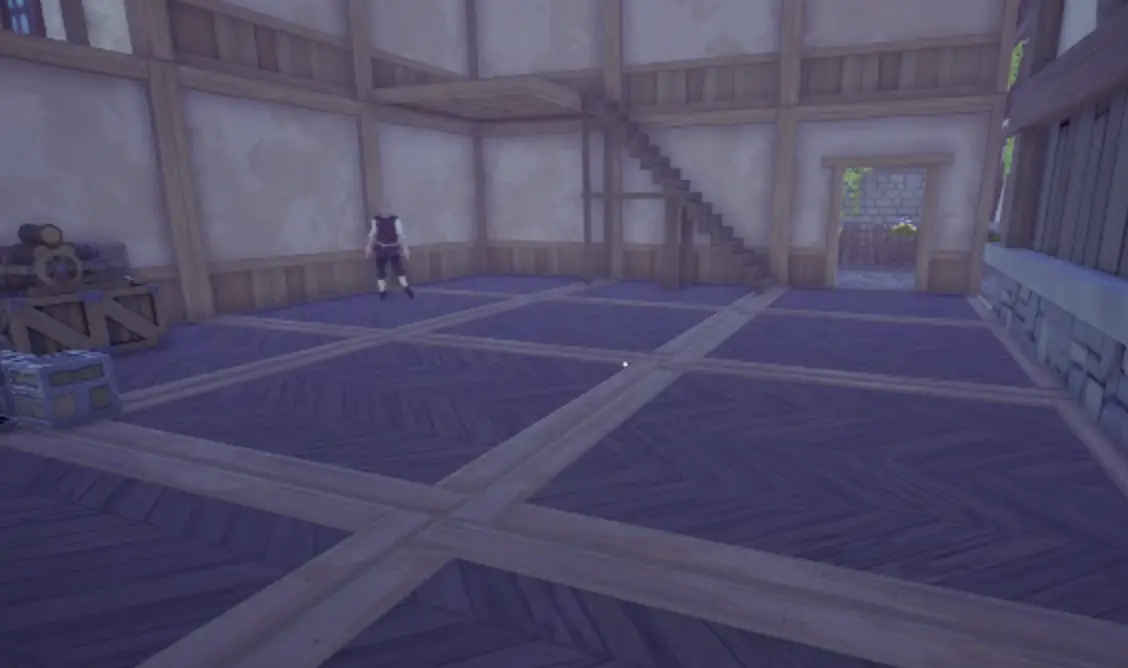
A useful approach is to leave a deliberate gap in the upper floor, finish the staircase, then shape the remaining floor around that access point.
I would rather sacrifice a few tiles of production space than rebuild half the second floor because the only staircase position collides with belts and machines.
Conveyors Cannot Just Pass Through a Completed Floor
This is the second-floor problem I wish I had tested earlier.
I wanted to move resources vertically and tried routing directly through the floor.
It did not work.
A completed floor is an actual obstacle to that route. If I need belts, materials or access moving between levels, I have to design around the floor rather than assuming I can punch a conveyor straight through it afterward.
That means I leave intentional transfer areas.
Depending on the section, I can:
- preserve a floor opening;
- route toward the stairs or an edge;
- offset the upper connection;
- or use another logistics method to move goods between floors.
The important part is deciding that before the floor becomes crowded.
A vertical factory is not just a horizontal factory stacked twice. The connection between the two levels has to be part of the layout.
My First Second Floor Is a Functional Shell, Not a Finished Factory
Once floors and support are working, I resist the urge to immediately migrate everything upstairs.
A working ground-floor production line is still valuable while I am building.
So I use a staged rebuild.
First I put down enough supported flooring to create usable space.
Then I establish the stairs and transfer points.
After that, I move one complete production chain and let it run long enough to expose any missing input, output or storage connection.
Only then do I dismantle the old version.
This temporarily uses more resources because both the old and new sections can exist at the same time.
It is still safer than demolishing a working line and discovering that the rebuild requires a material that line used to produce.
I Separate Floors by What They Need to Do
Once the factory grows past a small platform, vertical expansion starts working best when each area has a reason to exist.
During my rebuild, Stone was becoming large enough that it made sense to consider giving it a dedicated floor rather than spreading Stone Crushers, Grinders and storage through several unrelated production areas.
That does not mean every resource needs its own floor.
The useful question is:
Which chain is large enough, busy enough or interconnected enough that moving it together will simplify the rest of the factory?
Stone can qualify because so many later recipes depend on it.
A compact Iron section may still fit beside another system.
The shop can remain downstairs while production and restocking routes move overhead.
This is the point where the extra floor starts doing more than giving me raw square footage. It gives me a way to separate systems that were becoming difficult to troubleshoot because they were physically tangled together.
The Levels 5–7 guide covers the progression decision behind that rebuild—Steel, Advanced Fertilizer and the larger mid-game production chains are what make the extra space worthwhile.
New Logistics Unlocks Can Change a Floor I Have Not Finished Yet
There is one reason I avoid filling the second floor immediately after unlocking it.
The same part of progression starts giving me better logistics options.
Filter Splitters can change how I handle mixed outputs. Faster Grinders can change how many machines a line needs. Other transport options can make an old belt route unnecessary.
If one of those upgrades is already close, I would rather leave a section unfinished for a little longer than build an enormous permanent layout around equipment I am about to replace.
The structure can still go up.
I just avoid locking every machine position until I know which version of the production line is going to live there.
That was especially useful when Steel became relevant, because Steel-supported equipment changed how I wanted to arrange the new floor.
A Blueprint Is More Useful After the First Block Actually Works
Alchemy Factory also has a blueprint-style copy system for repeated layouts.
I do not use that as an excuse to duplicate a line before I know whether the first one is good.
The order that makes sense to me is:
build one block → test the ratios and routing → fix it → then copy the proven version.
That is much better than reproducing the same bad belt angle or storage mistake several times and discovering the problem after every copy is already connected.
For a large rebuild, this is also a reason to stop thinking in terms of moving every machine individually. Once a production block has a clean footprint, repeating that footprint elsewhere can save a lot of rebuilding work.
I Stop Upgrading the Building Tool When the Current Structure Works
I do not chase every Building Tool upgrade just because another tier exists.
For the early construction problem, Level 2 is the major breakpoint because it gives me the floors and walls needed to move beyond the starter structure.
I continue when the factory itself gives me a reason:
- the second floor needs cleaner structural support;
- I want a larger open production area;
- another story is becoming useful;
- or the current support rules are limiting the layout I actually want.
Until then, more production capacity usually matters more than construction options I have no immediate use for.
That is the distinction I keep throughout the factory:
unlock enough building freedom to solve the current layout problem, then go back to making the factory work.