Town to City Beginner Guide
A practical Town to City beginner guide covering first town setup, roads, food stalls, workers, warehouses, happiness, traits, research, building movement, and early mistakes.
Updated:
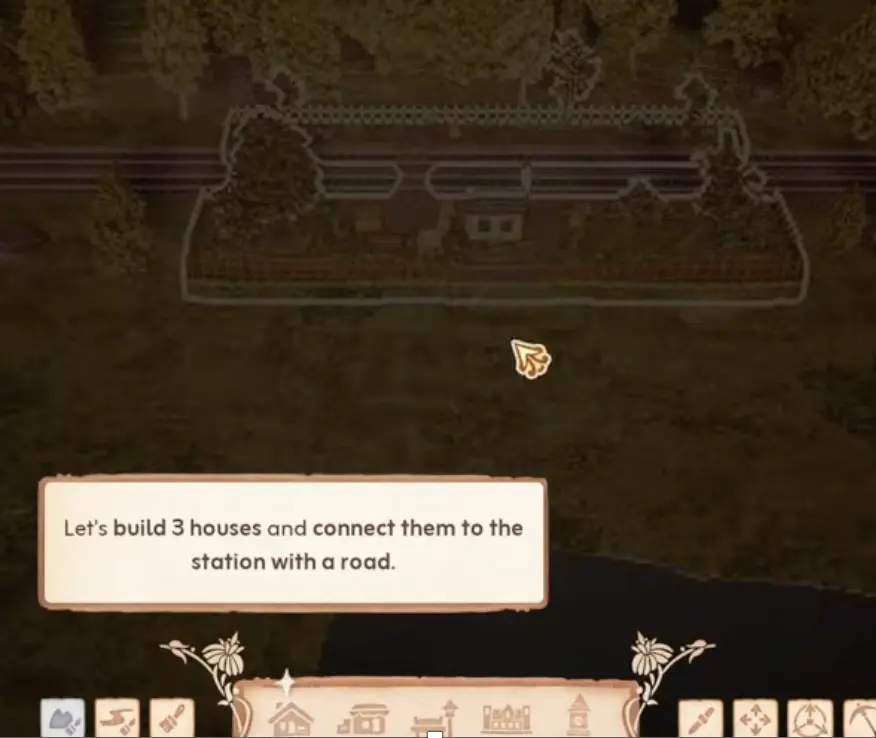
Quick Answer
For your first Town to City run, build a small working block before expanding: houses, road, food stalls, workers, warehouse, decoration, 60%+ happiness, then Research Center. Your first major growth target is 50 residents with stable happiness. Do not spam houses, duplicate shops, or rush research before the first service chain works.
Beginner Goal: Build a Stable First Block
Town to City gives you freedom, but the opening is not random. Your first town works best when you build in dependencies:
houses → roads → food → workers → warehouse → happiness → research → expansion
If one link is missing, the town can look correct but still fail.
Quick Start Checklist
| Order | Goal |
|---|---|
| 1 | Build three houses near the station. |
| 2 | Connect the houses with a clean road. |
| 3 | Assign arriving families to homes. |
| 4 | Add two different food stalls. |
| 5 | Assign workers to those stalls. |
| 6 | Build and staff a warehouse. |
| 7 | Add home and work decoration. |
| 8 | Keep average happiness at 60% or higher. |
| 9 | Build the Research Center. |
| 10 | Add houses only after services keep up. |
Scan this first. Each section below explains why the step matters and how to fix it if it breaks.
Early Stage Requirements
The first important growth gate is not just “build more stuff.” You need population and happiness together.
| Early goal | What it means |
|---|---|
| House 50 residents | This is your first major population push. |
| Keep 60%+ happiness | New families only keep arriving while average happiness stays high enough. |
| Check the objective panel | Later stage requirements change, so read the current goal before expanding. |
Step 1: Use Roads to Keep the First Block Readable
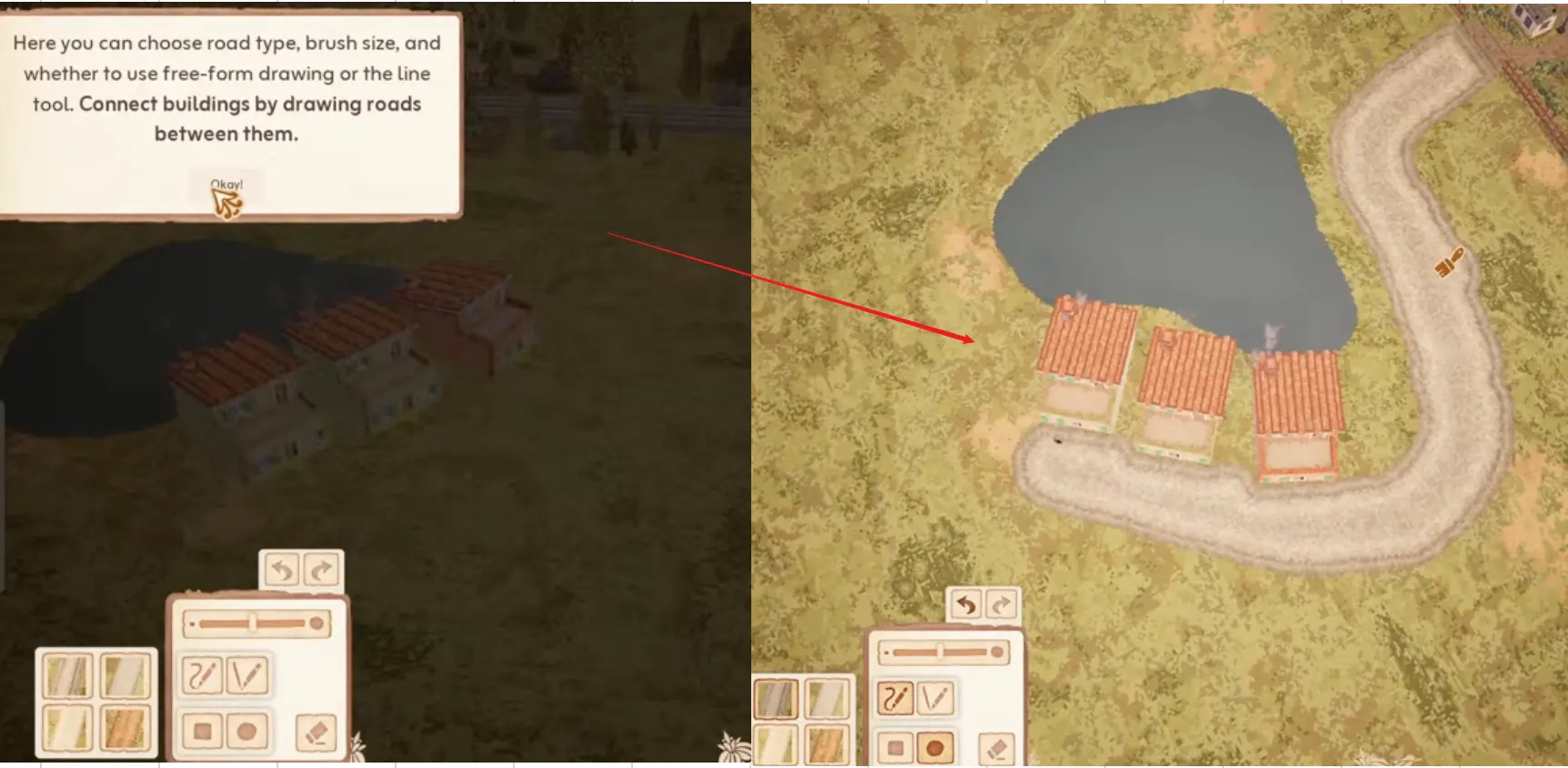
The road tool lets you choose road type, brush size, free-form drawing, or line drawing. Use that freedom carefully.
A natural road looks good, but your first block should still be easy to read. If the first road becomes messy, food stalls, warehouses, and decorations become harder to place.
| Road choice | Beginner habit |
|---|---|
| Near station | Keep first houses close to arrivals. |
| Simple curve | Make service placement easy. |
| Enough space | Leave room for stalls and decoration. |
| No huge spread | Avoid stretching the first warehouse. |
Step 2: Food Comes Before More Houses
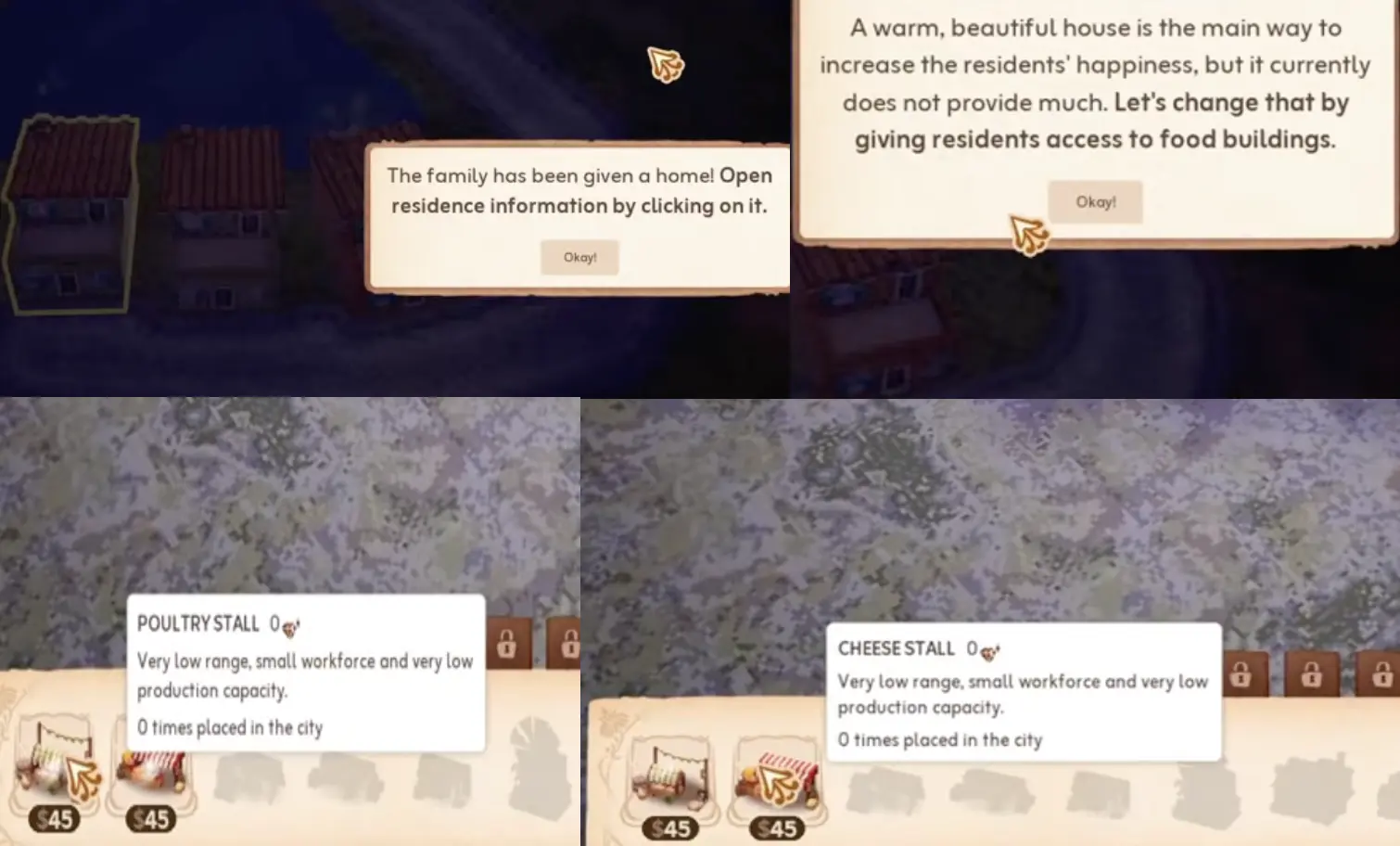
A house is not enough by itself. Early families need food buildings to raise happiness.
Start with basic food stalls, then add variety when possible. More houses can wait until the first families are actually served.
| If you see… | Do this |
|---|---|
| House happiness is low | Add food access first. |
| Only one food option | Add a second food type when possible. |
Step 3: Market Stall Not Working — 3-Step Diagnosis
This is one of the most common early problems. Do not solve it by randomly moving buildings.
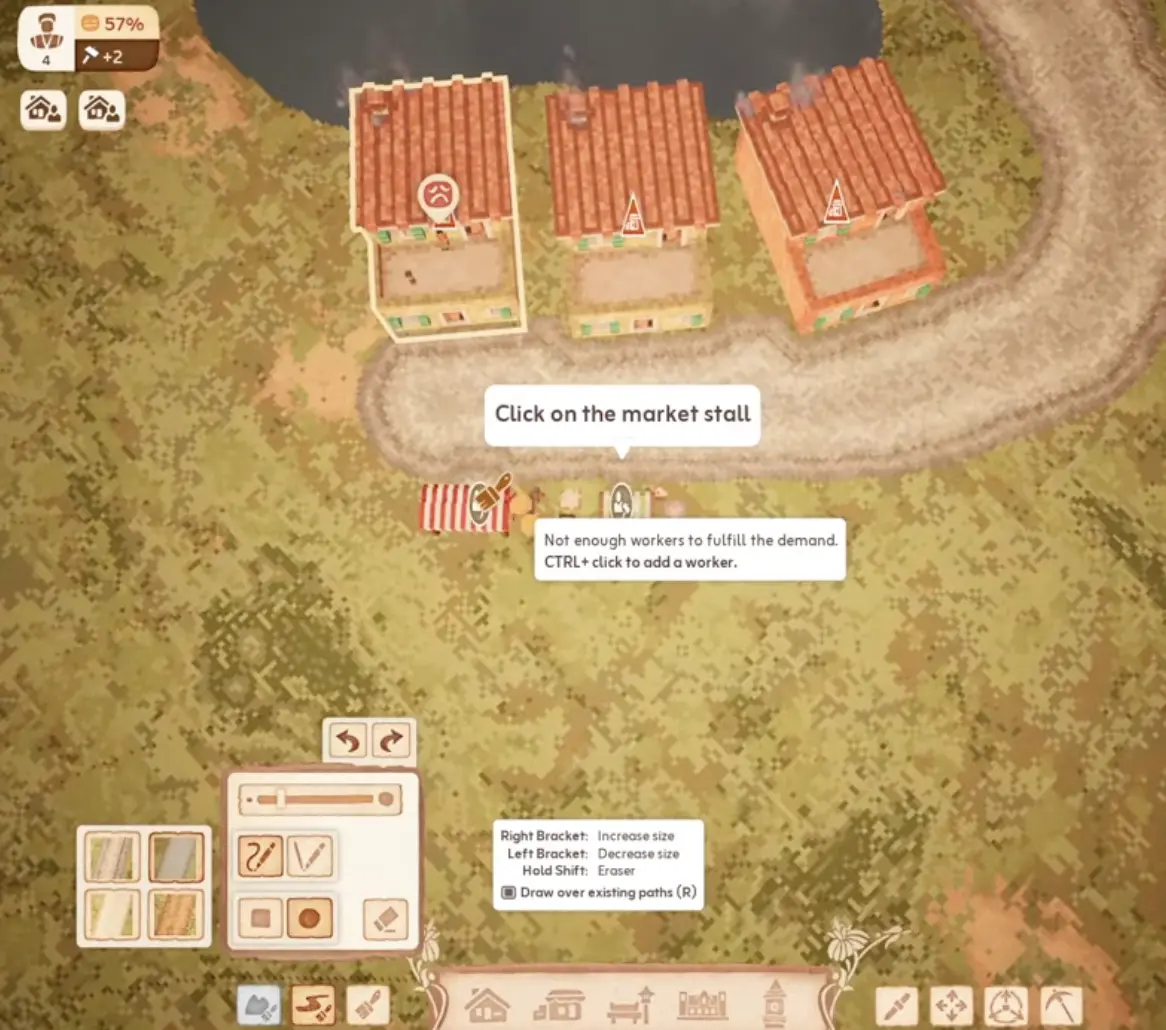
Click the building that needs labour, then use the labour slot panel to assign workers. Buildings with no assigned workers cannot do their job properly, even if the placement looks correct.
| Check | Fix |
|---|---|
| 1. No workers | Add a worker to the stall. |
| 2. No warehouse support | Build or staff a warehouse. |
| 3. Bad coverage | Check whether the homes actually connect to that service. |
Use this before you rebuild your first shopping area.
For how to read building connections and warehouse range, see Step 4 below.
Step 4: Understand Warehouse Range and Connections
Warehouses have limited practical coverage. A shop may need warehouse support even if the building is already placed.
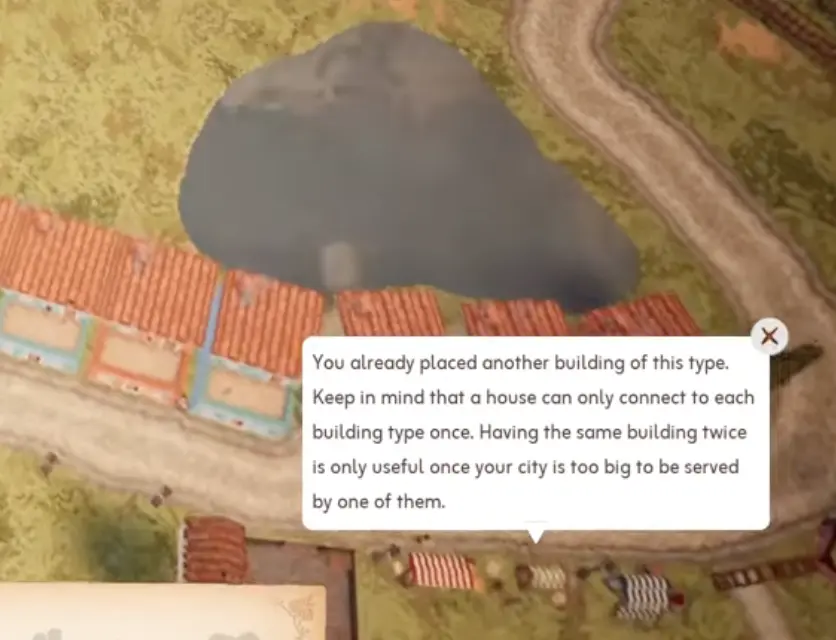
Select a building to see which homes, shops, or services it connects to. Use the visible connection lines, warning icons, and building panels to confirm what is actually being served.
| Warehouse issue | First fix |
|---|---|
| Warehouse can’t transport | Check distance, road access, and workers. |
| Shop cannot sell | Check warehouse support. |
| New district is far away | Add a local warehouse. |
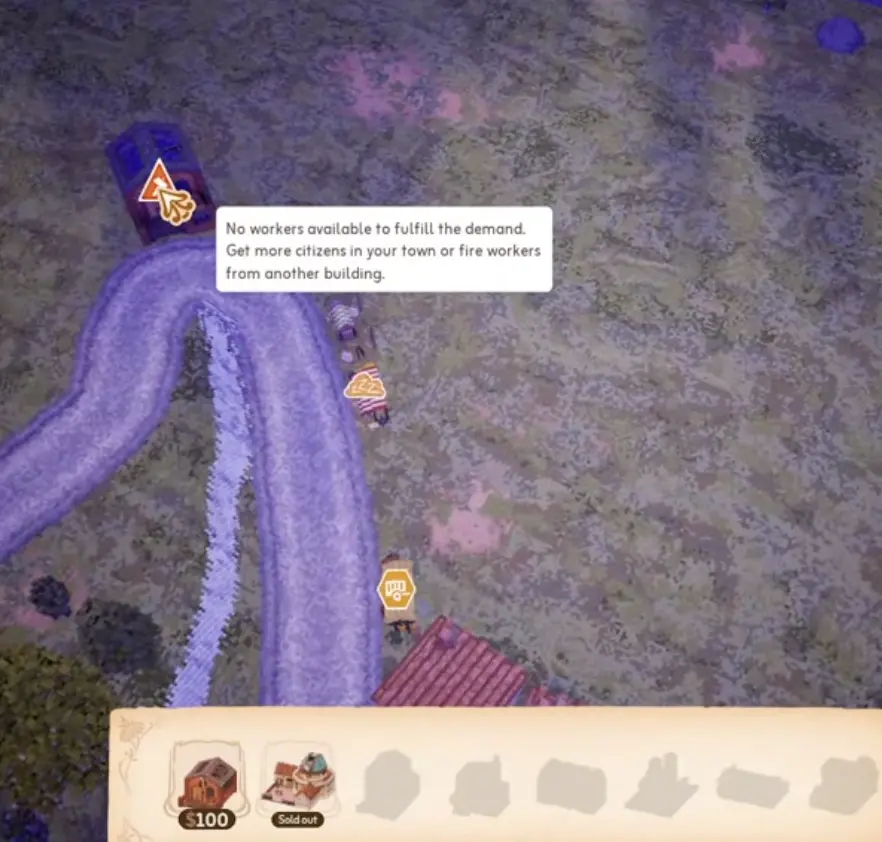
| No workers available | Pause expansion and reassign labour. |
Step 5: Duplicate Buildings Do Not Always Help
A house can only connect to each building type once. That means placing two of the same service beside the same homes may not double the benefit.
Duplicate buildings are useful later, when a separate area needs its own local service.
| Situation | Best move |
|---|---|
| Small first block | Staff the first service instead. |
| Same homes already served | Do not duplicate the same service type. |
| New district far away | Add a local copy there. |
Step 6: Keep Happiness Above 60%
The key early rule is simple:
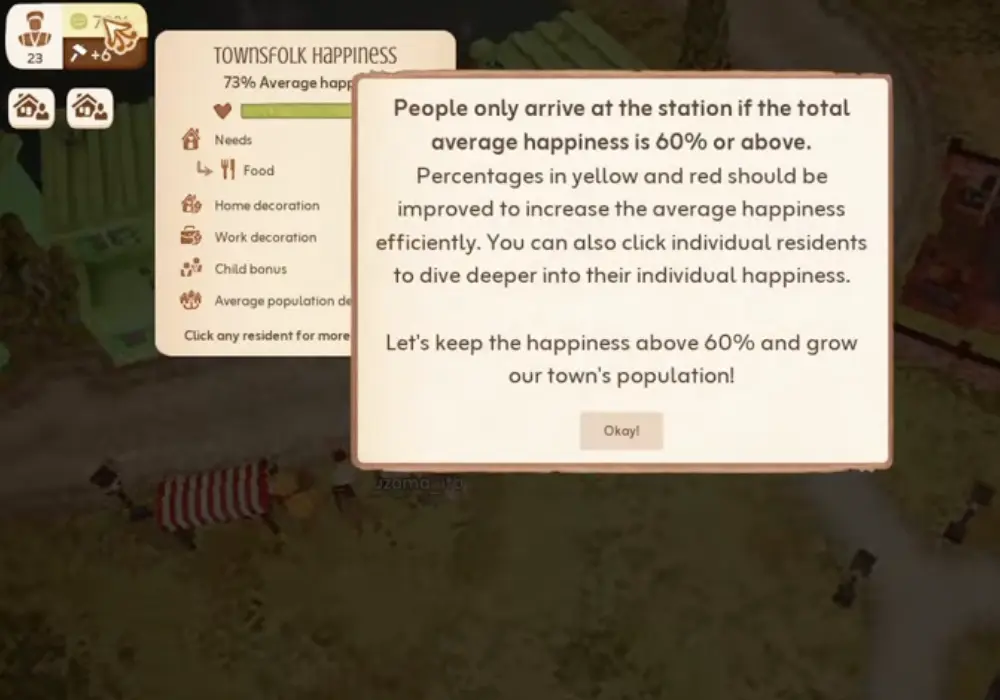
People only arrive at the station if total average happiness is 60% or above.
Families Not Arriving: 5-Step Diagnosis
| Step | Action |
|---|---|
| 1 | Check if average happiness is below 60%. |
| 2 | Fix red categories first. |
| 3 | Fix food, services, and warehouse support. |
| 4 | Add home and work decoration. |
| 5 | Add new houses only after the average recovers. |
Use this when growth stops even though you still have money and space.
Step 7: Family Traits and Preferences
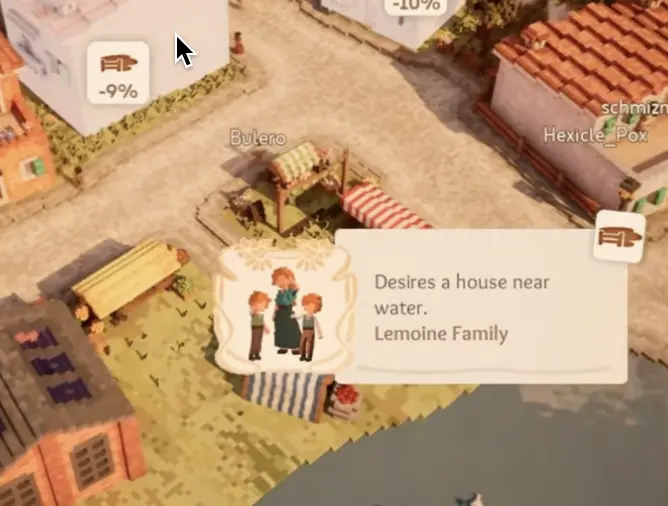
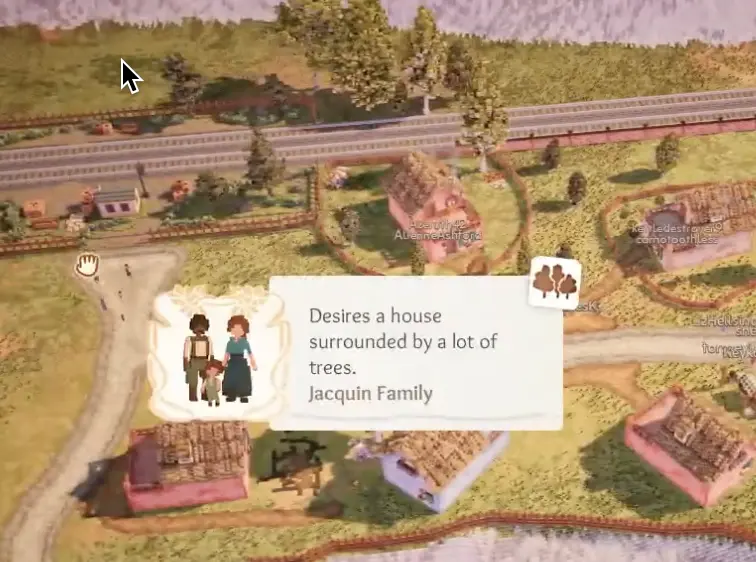
Not every family wants the same house. Some families have preferences, such as living near water, trees, flowers, farm decoration, or a specific service.
If you satisfy the preference, that household can become much easier to keep happy. If you ignore it, the family may drag down local happiness even when the rest of the town looks fine.
| Preference type | Beginner response |
|---|---|
| Near water | Place the family beside a lake, river, or coast. |
| Near trees | Use tree-heavy streets or small groves. |
| Flower decor | Put them in decorated residential blocks. |
| Farm decor | Save them for farm-style areas if possible. |
| Near a shop | Place them near the requested service type. |
Step 8: Use Home and Work Decoration
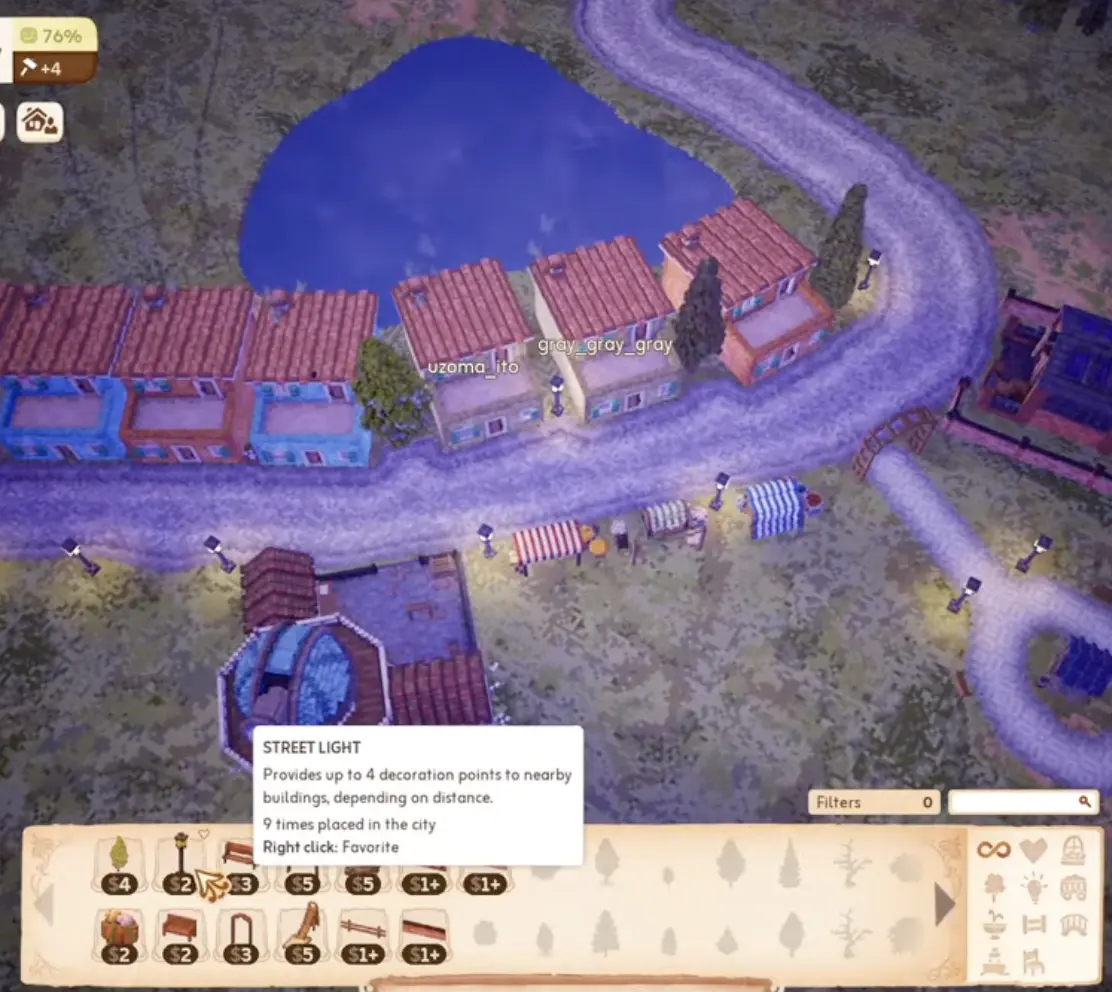
Decoration is not only for houses. Workplaces can matter too.
If work decoration is low, add lamps, walls, plants, or small decorative clusters near shops and warehouses.
| Area | Good early decoration |
|---|---|
| Homes | Trees, flowers, benches, lamps. |
| Food stalls | Lamps and small planted corners. |
| Warehouse | Walls, lights, greenery. |
| Dense blocks | Open space and small parks. |
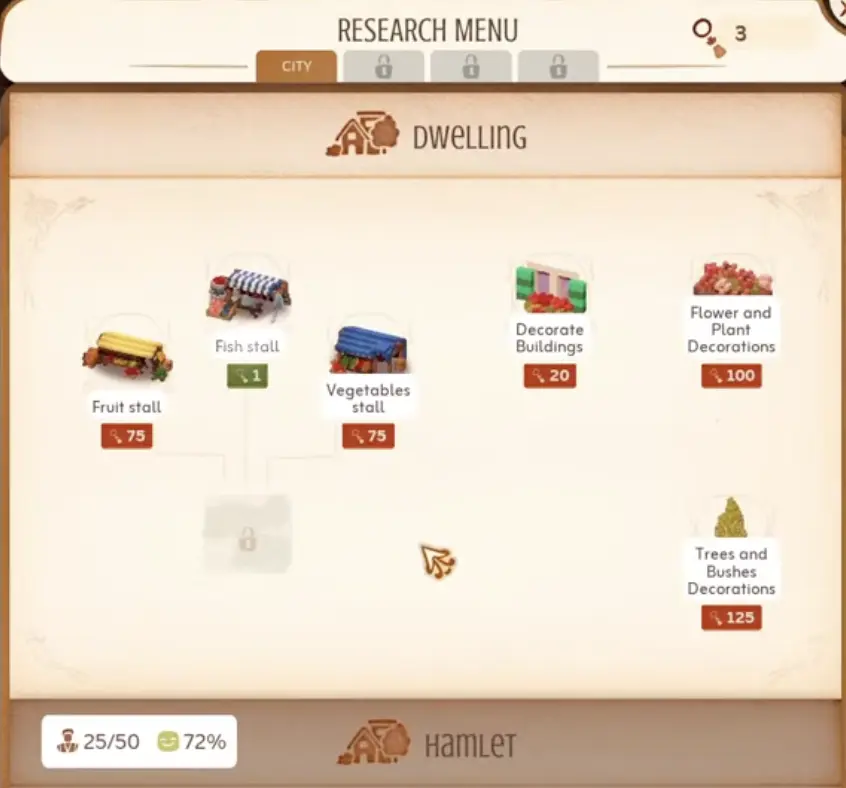
Step 9: Research Center Logic
The Research Center unlocks better services, but it also uses workers.
More research workers means faster research point generation, but those workers are no longer staffing food stalls, warehouses, or other essential buildings. Early on, research is good only after the first block is stable.
| Research choice | Beginner priority |
|---|---|
| New food stalls | High, because food helps happiness. |
| Basic decorations | High, because home/work scores matter. |
| Service improvements | Good after the first block works. |
| Road upgrades | Useful once warehouse transport grows. |
| Adding more workers to Research Center | Only after food stalls and warehouse are fully staffed. |
Step 10: Move Buildings Instead of Rebuilding Everything
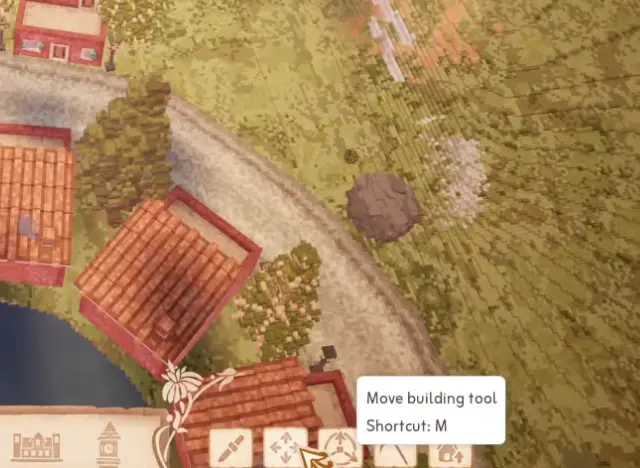
Town to City is forgiving. If your layout is wrong, you can use the move building tool instead of deleting the whole block.
This matters because new players often overcommit to their first layout, then panic when the town needs a better warehouse position or a cleaner service street.
| Problem | Better move |
|---|---|
| Warehouse too far | Move it closer or add a local one. |
| Shop in awkward spot | Move it near the homes it should serve. |
| House blocks road space | Nudge it before drawing a new road. |
| Trait family is misplaced | Move the family or adjust the house location. |
When to Add More Houses
Add houses only when the current block is stable.
| Before expanding, check… | Good sign |
|---|---|
| Happiness | Average is 60% or higher. |
| Food | Stalls are staffed and connected. |
| Warehouse | Shops can sell reliably. |
| Workers | You have room for new jobs. |
| Traits | New families have suitable homes. |
Recovery Table
| Problem | Fix |
|---|---|
| Families stopped arriving | Restore 60%+ average happiness. |
| Market stall or shop cannot sell | Check in order: assign workers → add warehouse support → check coverage. |
| Duplicate service does nothing | Check one-connection-per-building-type logic. |
| Warehouse can’t transport | Check range, road, and worker coverage. |
| No workers available | Reassign labour or grow slowly. |
| Trait family unhappy | Move them near the preferred feature. |
| Research is slow | Add research workers only after services work. |
| Layout feels wrong | Use the move building tool. |
FAQ
What should I build first in Town to City? +
Build three houses, connect them to the station, add two food stalls, assign workers, build and staff a warehouse, add basic decoration, keep happiness above 60%, then build the Research Center.
How many residents do I need for the first Town to City upgrade? +
Your first major growth goal is to house 50 residents while keeping happiness stable. Use 60% average happiness as the key early threshold because families only arrive when your town average is at least 60%.
Why are families not arriving in Town to City? +
Families stop arriving when total average happiness drops below 60%. Open the happiness breakdown, fix red or yellow categories, then check food, services, workers, warehouse support, decoration, and density.
How do I assign workers in Town to City? +
Click the building that needs labour, then use its labour slot panel to add workers. Shops, warehouses, and the Research Center all need assigned workers before they can do their job properly.
Why is my market stall not working? +
A market stall can fail for three common reasons: it has no workers, it has no warehouse support, or it is not usefully connected to the homes that need it.
What do family traits or preferences do? +
Some families prefer specific surroundings, such as living near water, trees, flowers, farm decoration, or certain shops. Try to place them where their preference is satisfied instead of treating every house as identical.
Can I move buildings in Town to City? +
Yes. Use the move building tool when your layout is wrong instead of demolishing everything. Also check your keybinds for the move shortcut in your current version.