Teamfight Manager 2 Beginner Guide
A practical Teamfight Manager 2 beginner guide covering your first season, roster checks, recruitment types, training, finance, facilities, player status, scouting, transfers, drafting, and objectives.
Updated:
Quick Answer
For your first season in Teamfight Manager 2, do not start with a tier list. Start with your roster, budget, and role problems. Identify the weak lane, choose the right recruitment channel, train players around their role, protect player condition, and build a draft that can survive early objectives before chasing greedy late-game comps.
First Season Goal
Your first season is not about building the perfect team immediately. It is about surviving the early schedule without locking yourself into bad contracts, bad training habits, or a draft style your roster cannot play.
A good first season usually has four goals:
- Find the weakest role before spending money.
- Decide whether that role needs a starter, prospect, or temporary fix.
- Train players based on role and long-term value.
- Avoid financial decisions that block your next move.
Step 1: Review the Five Roles First
Teamfight Manager 2 is built around clear role responsibility. A player who looks strong on paper may still be wrong for the position you need.
| Role | Beginner management priority | What to check first |
|---|---|---|
| Top | Stability, side-lane pressure, frontline value | Can this player survive without constant help? |
| Jungle | Tempo, objective control, map impact | Can this player support Serpen and Morgard plans? |
| Mid | Lane control, roaming, decision-making | Can this player help both sides of the map? |
| Bot | Damage, scaling, carry reliability | Can this player become a real win condition? |
| Support | Peel, engage, protection, team stability | Can this player make the carry easier to use? |
Step 2: Identify the Weakest Starter
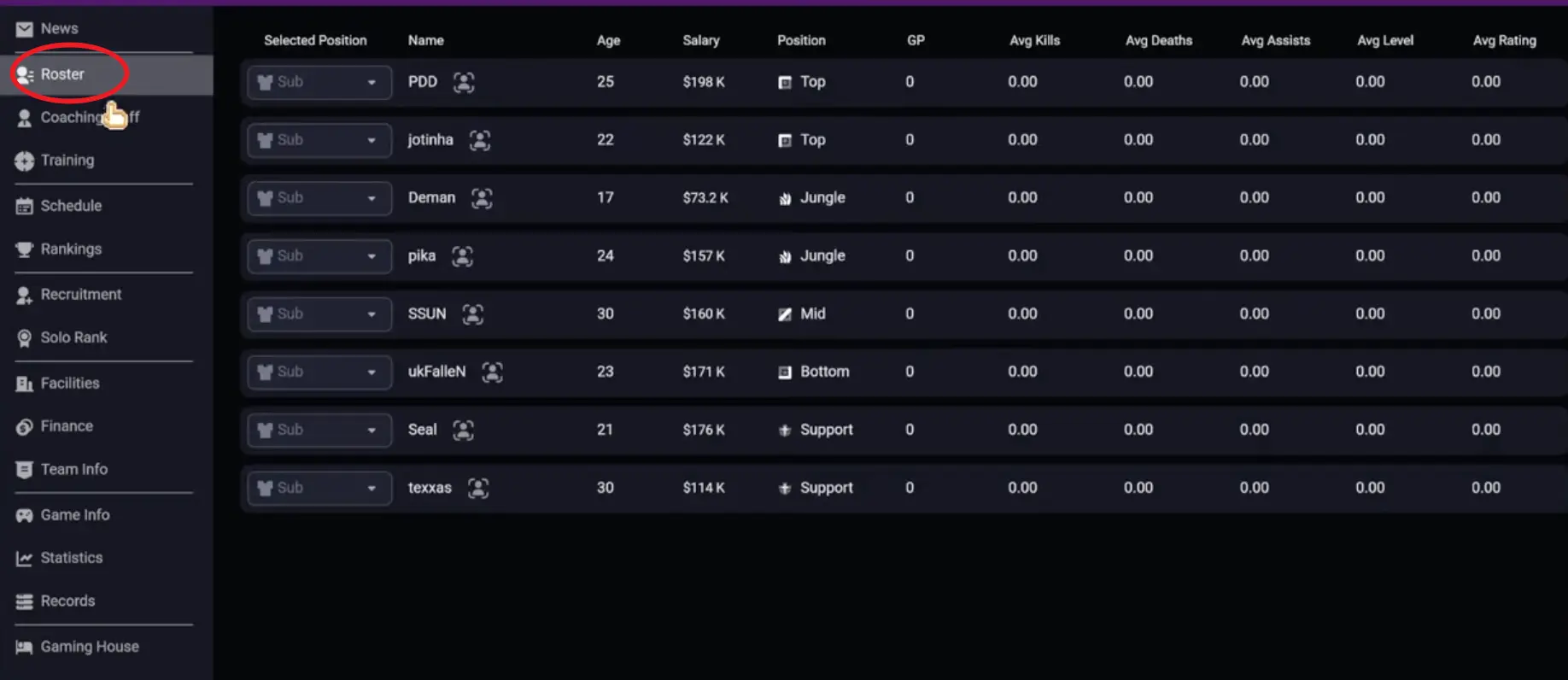
Before opening recruitment, rank your starters by risk.
Use this quick check:
Obvious weak role
Scout this role first. A weak starter can ruin otherwise good drafts.
Young but flawed player
Train them if the weakness is fixable and they have enough upside.
Old or expensive weak starter
Look for a replacement instead of investing too much training time.
Strong carry role
Draft and recruit around this player if they can realistically win games.
A first-season plan becomes much easier once you know which role is the problem.
Step 3: Understand Recruitment Types
Do not treat every recruitment option as the same system. Each channel has a different cost, speed, and reliability profile.
| Recruitment type | What it is | Speed | Cost profile | Main value |
|---|---|---|---|---|
| Local Talent | A low-cost way to look for nearby or lower-profile players. | Fast to medium | Usually cheaper | Adds depth, backups, or budget prospects. |
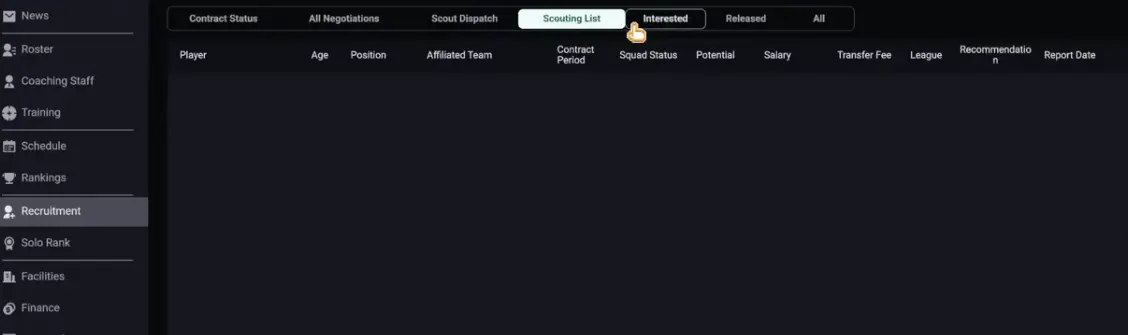
| Scout Dispatch | A targeted search using filters such as role, age, region, fee, salary, or stats. | Medium | Depends on filters and market | Finds a specific role profile instead of random players. |
| Rising Star | A long-term development target with future upside. | Slow | Can be efficient long-term | Gives you a future starter if you can wait. |
| Veteran | An experienced player who can stabilize a role now. | Fast | Often higher salary or lower growth value | Fixes urgent role problems and adds reliability. |
Use this table to understand what each recruitment channel is. The actual decision comes later, after you know your roster problem and budget.
Think of recruitment channels as tools:
- Local Talent is for cheap options and roster depth.
- Scout Dispatch is for targeted role searches.
- Rising Star is for long-term development.
- Veteran is for immediate stability.
Step 4: Set Realistic Growth Expectations
Prospects need time. A young player with upside should be treated as a project, not a guaranteed upgrade.
| Player type | What to expect | Best use |
|---|---|---|
| Immediate starter | Helps now, but may cost more | Fixes a role that is losing matches |
| Rising Star | May need multiple seasons before top-level impact | Develops behind a stable starter |
| Backup | Covers stress, rotation, and role depth | Protects the roster from fatigue or emergencies |
| Veteran | Provides short-term reliability | Stabilizes a weak or mentally shaky role |
A Rising Star can be a great signing, but only if you have a plan for training, playing time, and patience. If you expect them to carry immediately, you are likely using them wrong.
Step 5: Match Training to Role and Timeline
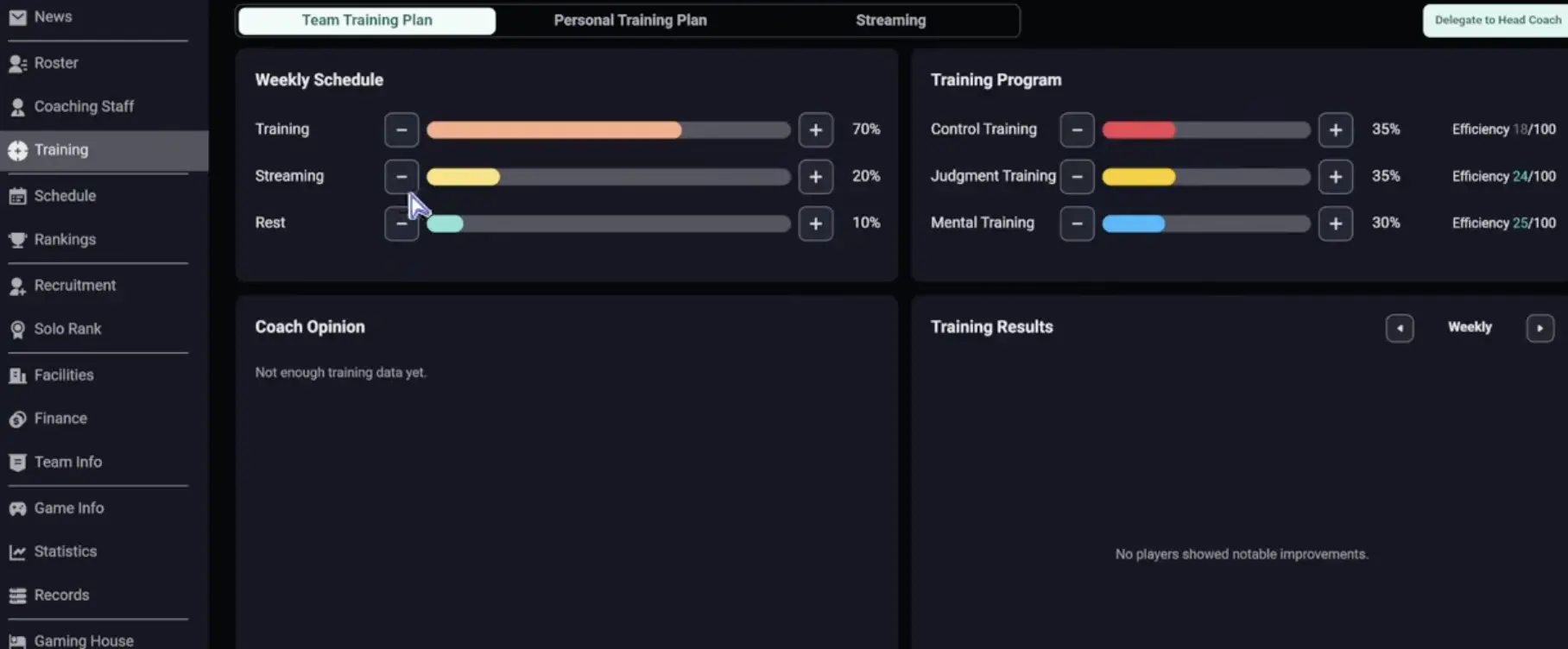
Training should answer one question:
What does this player need to become useful for my team?
| Player situation | Training direction |
|---|---|
| Young carry prospect | Mechanics first, then decision-making and focus |
| Jungle prospect | Map impact, decision-making, objective-related growth |
| Support player | Mental, teamwork, shot calling, protection or engage value |
| Mid player | Mechanics, decision-making, roaming, and stability |
| Veteran starter | Maintain reliability; do not over-invest in low-growth areas |
| Mentally unstable player | Mental, focus, and stress control before high-risk carry duty |
Step 6: Manage Player Status, Stress, and Focus
Player condition matters because a good roster can still play badly if stress, focus, or mental stability is poor.
Use these signals as draft and management warnings:
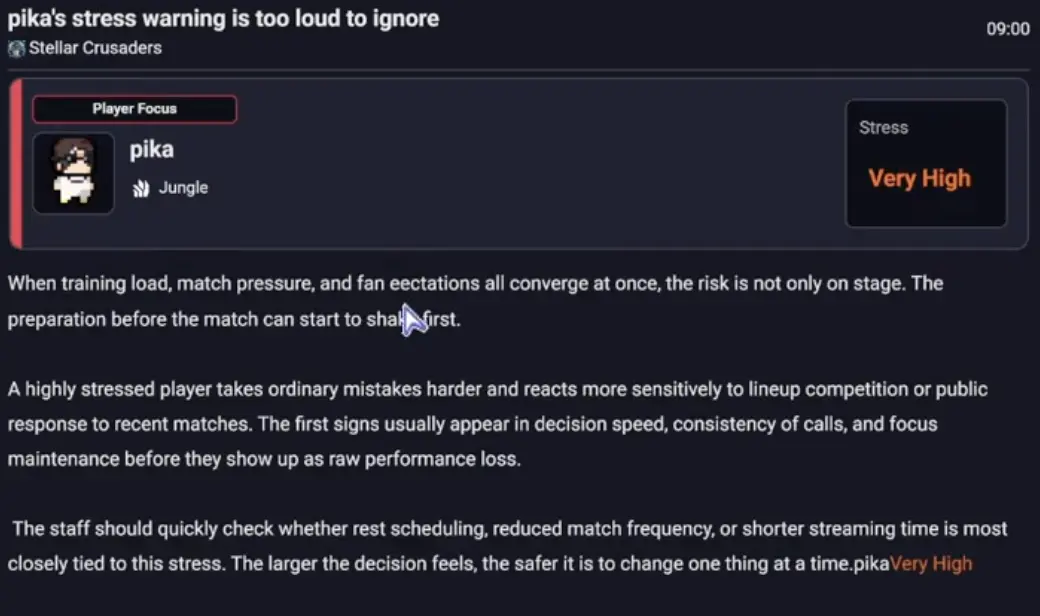
High stress
Reduce pressure where possible. Avoid making that player the only win condition.
Poor focus
Avoid fragile carries or champions that need perfect positioning.
Low mental
Avoid drafts that require calm early losses before scaling.
Repeated mistakes
Check whether the issue is training, role fit, player condition, or the champion assignment.
Ways to handle status problems:
- Rotate players if you have usable backups.
- Lower pressure on unstable players in draft.
- Avoid putting stressed players on the only carry.
- Use training that supports mental and focus weaknesses.
- Upgrade recovery, dormitory, or comfort-related facilities if your build offers them.
- Do not stack high-intensity training and match pressure without checking condition.
Step 7: Learn the Finance Basics Before Transfers
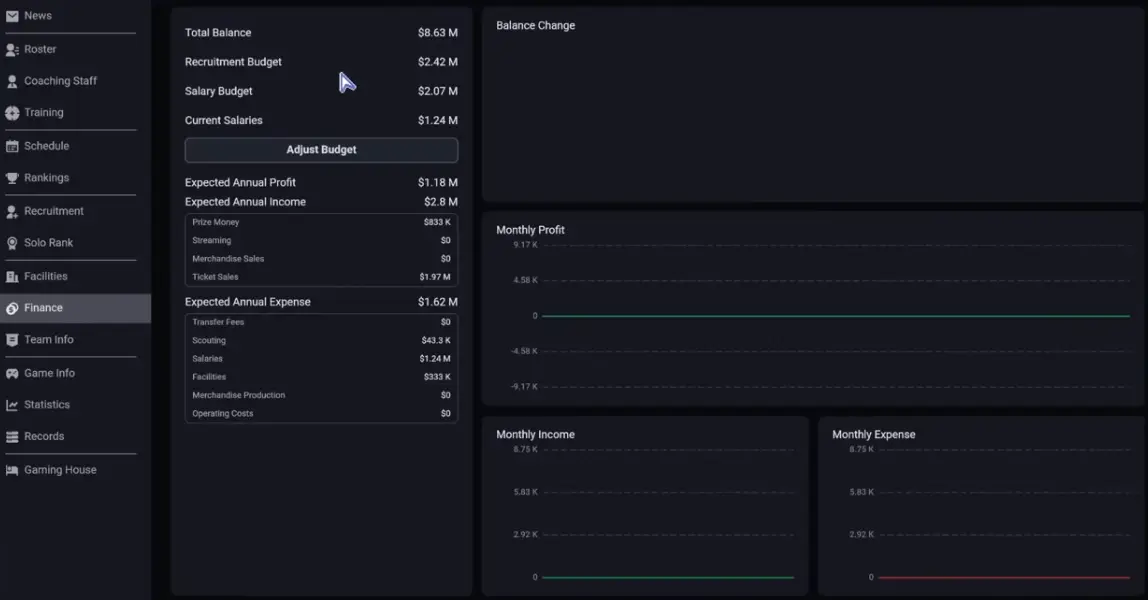
Transfers are not only about the fee. Your team’s money comes from several systems, and your future budget matters as much as the player you want right now.
Before signing anyone, check:
Transfer budget
Can you afford the player fee without blocking future moves?
Salary budget
Can you afford the contract across the season?
Sponsors and income
Future income can help, but do not spend money you do not control yet.
Prize and match rewards
Winning helps finances, but risky spending before results can backfire.
Bonuses
Win bonuses and clauses can make a deal look cheaper than it really is.
Facility costs
Every transfer competes with upgrades, scouting, and long-term development.
Step 8: Use Facilities to Fix Your Bottleneck
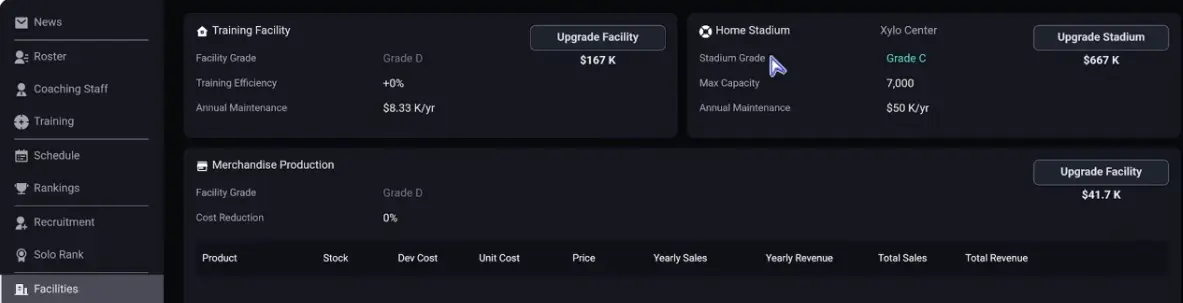
Facility upgrades should follow your bottleneck. Do not upgrade randomly.
| Upgrade priority | When to choose it | Why it helps |
|---|---|---|
| Training facilities | You have young players or Rising Stars | Speeds up long-term development |
| Dormitory / recovery | Stress or player condition is hurting performance | Helps stabilize the roster |
| Recruitment or scout slots | Your roster has multiple weak roles | Gives you more chances to find the right player |
| Analysis / strategy tools | Draft or match decisions are the main issue | Helps improve preparation and review |
| Commercial / income upgrades | You are stable but budget-limited | Supports future transfers and salaries |
A simple beginner upgrade route is:
- Training facility if you have prospects.
- Dormitory or recovery if stress is already causing problems.
- Recruitment/scout capacity if the roster has multiple holes.
- Income upgrades once the team is stable enough to benefit later.
Step 9: Scout With a Specific Target
Scouting should start after you know the role, timeline, and budget.
Good scouting targets sound like this:
- “I need a starting mid who can stabilize lane.”
- “I need a jungle prospect with objective upside.”
- “I need a cheaper support who can protect my carry.”
- “I need a bot backup because my carry is stressed.”
- “I need a Rising Star for next season, not this week.”
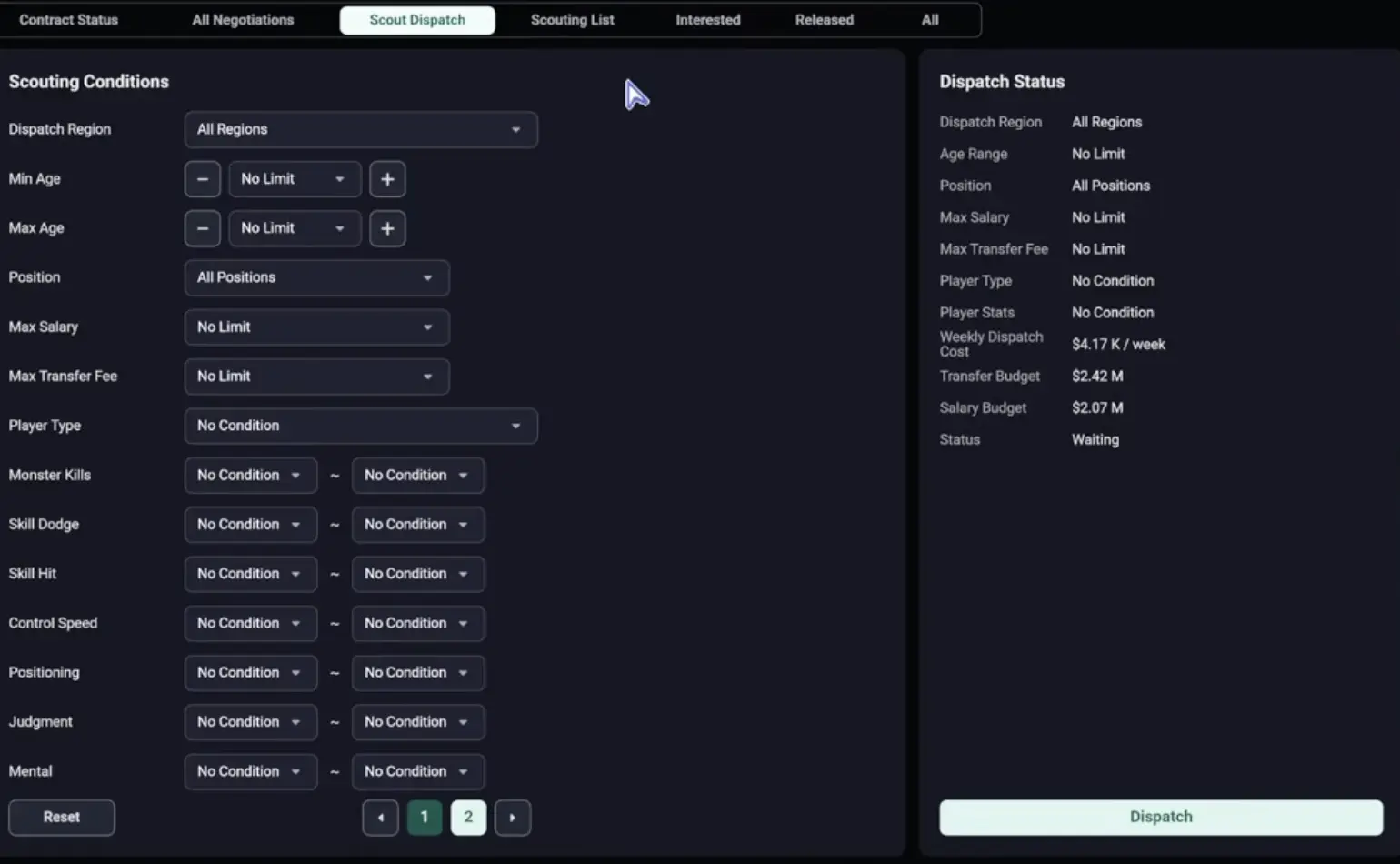
| Filter | Beginner use |
|---|---|
| Role | Search the position that can lose you matches |
| Age | Younger for prospects, wider range for starters |
| Region | Use familiar regions when teamwork or language risk matters |
| Transfer fee | Stay inside real buying power |
| Salary | Avoid contracts that break future flexibility |
| Key stats | Match stats to role: carry, jungle, support, or mid need different strengths |
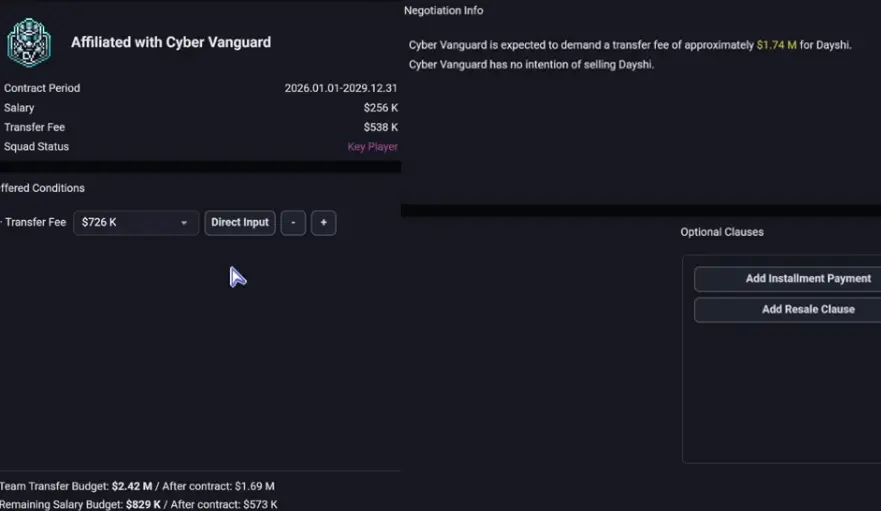
Step 10: Choose Transfer, Training, or Waiting
Once you know the weak role, budget, and player timeline, choose the action. This section is not about defining recruitment channels; it is about deciding what to do next.
| Current situation | Best next move | Why |
|---|---|---|
| A starter is clearly losing games now | Sign an immediate starter or veteran | Training may be too slow for an urgent role problem. |
| A young player has upside but is not ready | Train and protect them | They need time, role fit, and safer matchups. |
| The role is stable today but weak long-term | Search for a Rising Star | You can develop a future starter without forcing them in immediately. |
| The market is too expensive | Wait, use Local Talent, or narrow Scout Dispatch filters | Bad contracts can hurt more than one weak role. |
| Salary budget is tight | Avoid long contracts, high bonuses, and luxury veterans | Salary pressure blocks future roster moves. |
| Multiple roles are weak | Avoid spending everything on one player | You need flexibility for the second and third fix. |
| Player condition is the real problem | Reduce stress, rotate, or upgrade recovery | A transfer will not fix poor condition management. |
| You cannot find the right profile | Improve recruitment/scouting capacity | The issue may be search quality, not roster need. |
Use this table after roster review. It tells you whether the next move should be a signing, training, waiting, or a facility/status fix.
Step 11: Prepare a Simple Draft Plan
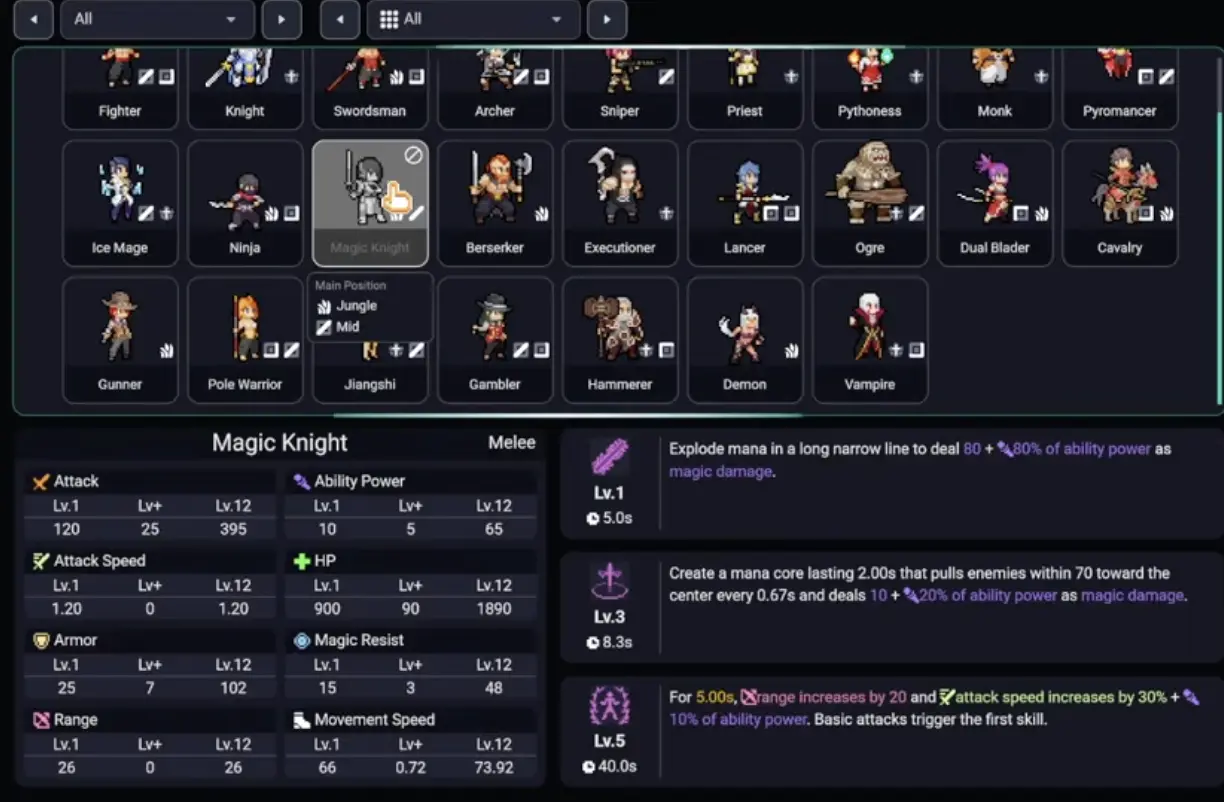
Beginners do not need a perfect tier list. You need one clear win condition.
| Draft question | Why it matters |
|---|---|
| Who is the main carry? | Prevents five disconnected picks |
| Who protects the carry? | Avoids fragile damage-only comps |
| Who starts fights? | Gives the team a way to force good fights |
| Who contests Serpen? | Connects draft to early objective control |
| Who handles Morgard decisions? | Prevents random late-game objective flips |
| What happens if the carry dies? | Forces you to add secondary damage or backup plans |
Step 12: Treat Serpen and Morgard as Timing Checks
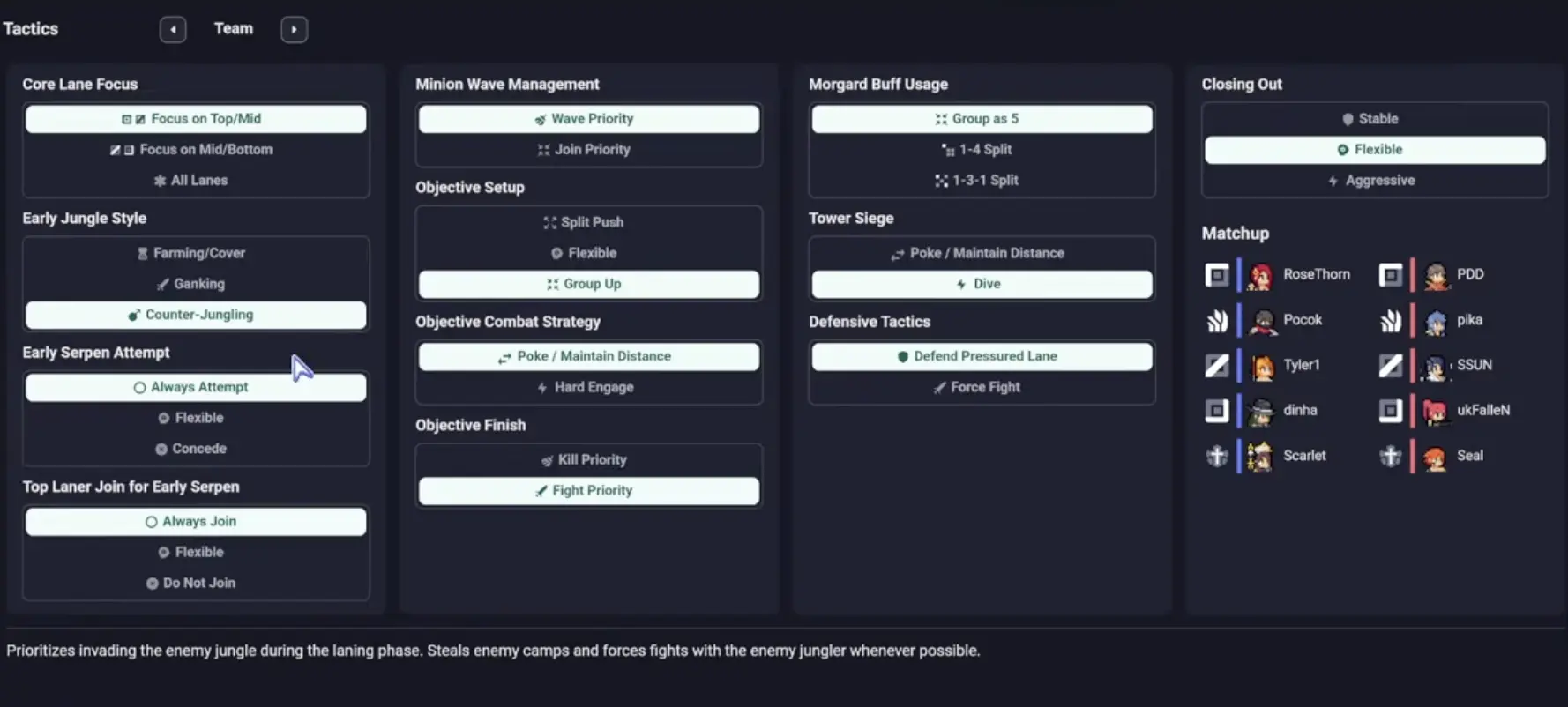
Serpen and Morgard should not be random fights. They are timing checks for your draft, lane priority, and jungler position.
Fight Serpen
Do this when your jungler is nearby, lanes can move, and your comp has enough early damage or control.
Delay or trade Serpen
Do this when your comp is scaling, lanes are late, or the enemy has the better early 5v5.
Force Morgard
Do this when your carry, frontline, jungler, and key crowd control are ready.
Avoid Morgard
Do this when your carry is split, your jungler is late, or your comp needs a pick before fighting.
First Season Roadmap
Use this as a practical first-season timeline. The exact calendar can vary by league, schedule, and save settings, so treat the weeks below as anchors rather than strict dates.
Week 1 / Before the first official match
Rank your five starters by risk
Find the role most likely to lose the first match. Do this before scouting or changing the draft plan.
Set training by role
Give prospects development work, starters problem-solving work, and unstable players mental or focus support.
Check player condition
Avoid making a stressed or low-focus player the only win condition in your first draft.
Weeks 1–3 / First match block
Choose one recruitment target
Use Local Talent for cheap depth, Scout Dispatch for a specific role, Rising Star for the future, or Veteran for immediate stability.
Protect salary flexibility
Do not spend the whole budget before you know whether another role is also weak.
Record the first recurring match problem
Track whether losses come from draft, jungle tempo, player condition, or a specific weak starter.
Weeks 4–7 / Early adjustment window
Make the first real roster decision
Transfer, train, wait, or upgrade facilities based on the problem that repeated most often.
Upgrade the biggest bottleneck
Choose training, recovery, recruitment, or income upgrades based on what is blocking progress.
Stabilize the starting lineup
Avoid constant swaps unless the replacement clearly solves a role or condition issue.
Week 8+ / Mid-season review
Review whether the first fix worked
Check if the weak role, stress issue, or draft problem improved after your first adjustment.
Update your Personal Tier List
Mark safe picks, trap picks, and champions your roster cannot support.
Plan the next-window move
If a Rising Star is still not ready, keep training them. If a starter is still failing, prepare the next transfer or veteran option.
Beginner Decision Table
Use this when you are stuck and need the next action.
| Situation | Next action |
|---|---|
| One starter is clearly weak | Scout that role first |
| A player is young with upside | Train before replacing |
| A role is losing games right now | Look for an immediate starter or veteran |
| Salary budget is tight | Avoid expensive transfers and bonuses |
| Stress keeps appearing | Rotate, reduce pressure, or upgrade recovery |
| You have prospects | Prioritize training facilities |
| You cannot find good players | Improve scouting or recruitment capacity |
| Draft keeps losing early objectives | Check jungle and lane priority before changing the whole roster |
| Carry scales but still loses | Add peel, frontline, or secondary damage |
| You keep changing everything after losses | Fix one clear issue at a time |
Common Beginner Mistakes
Scouting Before Understanding the Roster
This leads to random signings. Review the five roles first, then search for the one role that actually needs help.
Using the Wrong Recruitment Type
A Rising Star does not fix an urgent starter problem. A Veteran does not solve long-term development. Pick the channel that matches your timeline.
Expecting Prospects to Carry Immediately
Young players need training, role fit, and time. If your team needs wins now, use a starter while the prospect develops.
Spending the Budget on One Player
One expensive signing can block facility upgrades, backup plans, and future role fixes.
Ignoring Player Condition
Stress, focus, and mental stability should affect training, rotation, and champion assignment.
Upgrading Facilities Randomly
A facility upgrade should solve a bottleneck. Training helps growth, recovery helps stability, recruitment helps roster search, and income helps future spending.
Drafting Too Greedy
A late-game comp still needs enough early structure to reach late game. If your first objective plan is bad, scaling may never happen.
Fighting Every Objective
Serpen and Morgard should match your draft timing. Fight when ready, delay when weak, and trade when forcing is bad.
What to Read Next
If you understand the first-season flow but still lose in draft, read the ban/pick guide next. If your problem is Serpen, Morgard, invade timing, or jungle pressure, read the jungle guide. If your roster feels too weak to execute any plan, read the scouting and transfer guide before spending your budget.
FAQ
What should I do first in Teamfight Manager 2? +
Start by reviewing your roster. Identify your strongest player, weakest starter, best prospect, and most unstable role before changing training, scouting, or drafting.
Which recruitment type should beginners use first? +
Use Scout Dispatch when you need a specific role upgrade, Local Talent when you need cheap depth, Rising Star when you can wait for development, and Veteran when you need immediate stability.
How long does a Rising Star take to become useful? +
Treat a Rising Star as a long-term project. They may need multiple seasons of training and controlled playing time before they can compete with top starters.
What should I upgrade first? +
Upgrade the system that fixes your biggest bottleneck. Training facilities help player growth, dormitory or recovery upgrades help status and stress, and recruitment upgrades help you find better players.
Should I spend big on one player early? +
Only if that player fixes your biggest role problem and the salary still leaves room for the rest of the roster. One expensive signing can create bigger problems if it blocks future fixes.
How should beginners draft? +
Draft around one clear win condition. Make sure the comp has enough damage, control, frontline or peel, and a realistic Serpen or Morgard plan.