Why My Next Mission Isn't Appearing in YAZS 1.0
When a mission looks missing or stuck, I check the Mission Log, prerequisites, arena, mode and required leader before wasting another run.
Updated:
Quick Answer
When my next mission looks missing, I check:
Briefing Room
→ Mission Log
→ whether I already accepted and failed the mission
→ required arena and mode
→ required team leader
→ whether the previous Survivor mission is actually complete
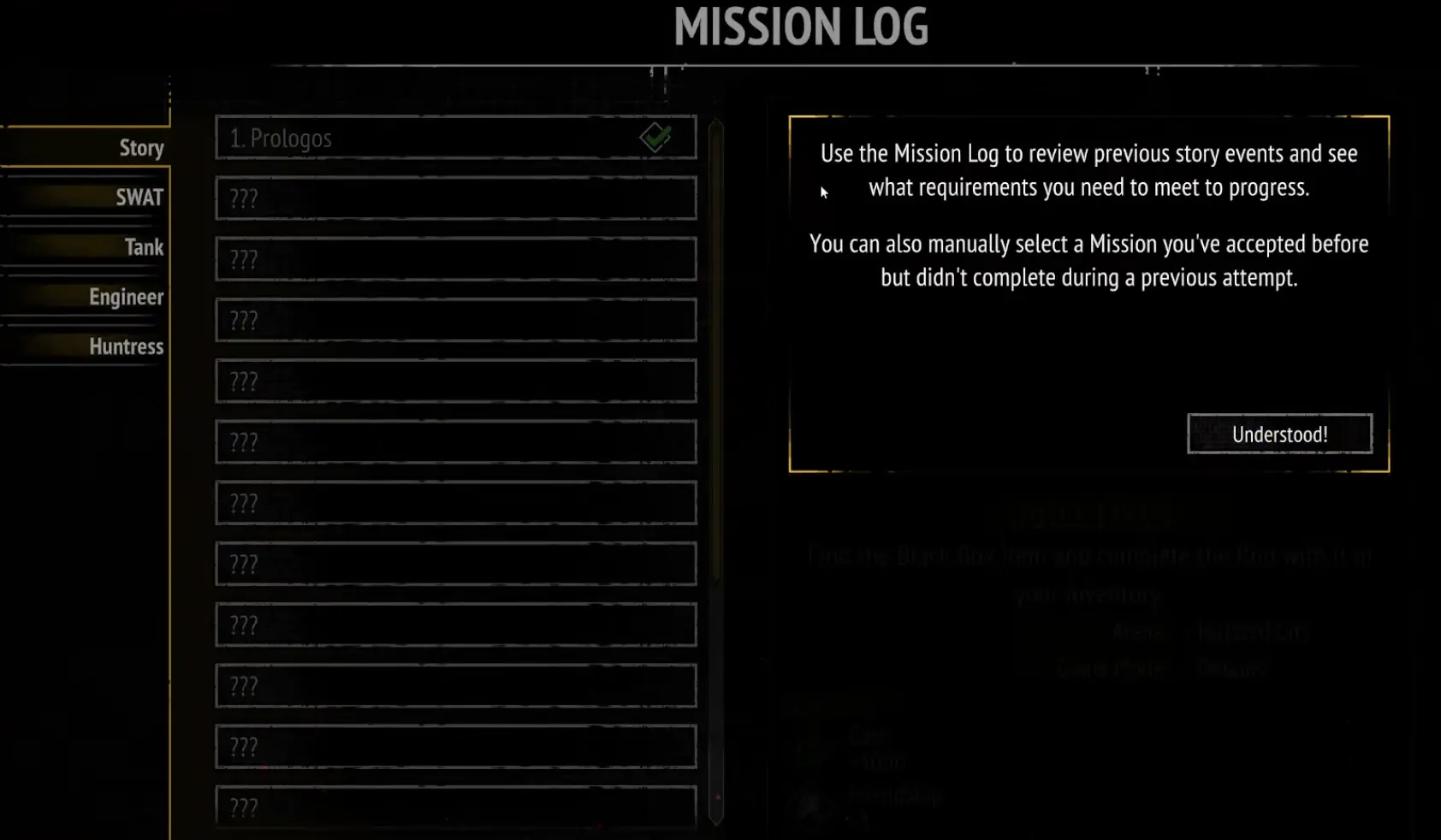
If I already accepted a mission and failed it, I reselect it from the Mission Log instead of waiting for the Briefing Room to offer it again.
If I am waiting for Repeatable Missions, I finish that Survivor’s main mission chain first.
When mission progression stops looking obvious, I do not launch another run just to see whether something changes.
That is usually the most expensive way to troubleshoot it.
A full attempt can take long enough that I want to know exactly what I am testing before I press Play.
Most of the mission problems I have run into fall into one of four groups:
- I already accepted the mission and forgot it was still incomplete;
- the mission requires a different arena or mode;
- the mission expects a specific Survivor to lead;
- the next part of the mission chain has not actually been unlocked yet.
So I work through those possibilities first.
I Return to Camp Before Starting Another Run
The first place I go is the Survivors’ Camp.
The two screens I care about are:
Briefing Room
and:
Mission Log
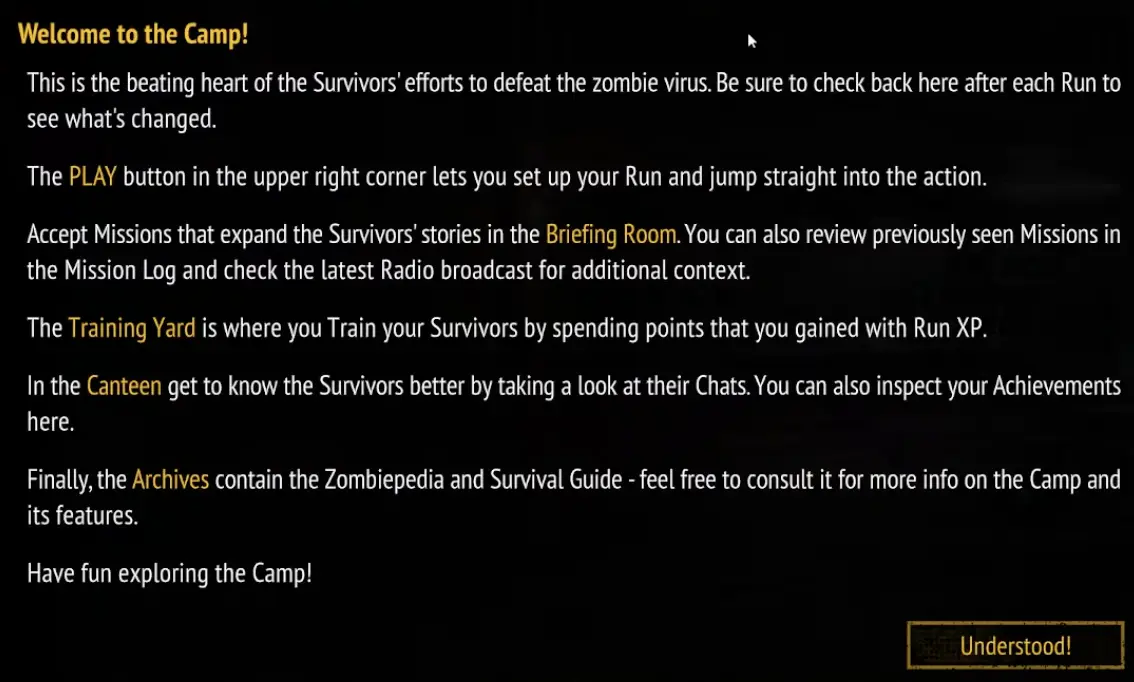
I do not assume that an empty or unchanged Briefing Room means:
the game wants another random clear.
Sometimes the mission I need is already sitting in the Mission Log.
That is why the Log comes before another run.
I Separate a Missing Mission From a Failed Mission
This is the first distinction I make.
I have never seen the mission
Then I look for a prerequisite.
Something earlier in the chain may still be incomplete.
The required arena or mode may not be available yet.
A Survivor’s previous story mission may still be unfinished.
I already accepted the mission once
Then I do not wait for it to reappear as a new offer.
I open the Mission Log.
The game allows me to manually select a previously accepted mission that I did not complete.
That means:
failed mission
does not mean:
wait until the Briefing Room gives it back.
This one check can save an entire unnecessary run.
I Read the Mission Log Before Guessing at Progression
The Mission Log is also where I look when I know something should be happening but cannot see why it has not happened yet.
I use it to answer:
- What mission did I last accept?
- Is that mission still incomplete?
- Is there another requirement before the next story step?
- Does the mission point toward a specific arena?
- Does it specify a game mode?
- Is there a Survivor requirement?
I would rather get one concrete answer there than reconstruct the story order from memory.
This is especially important after a run that unlocks several things at once.
A new arena, a new mode and a new mission appearing around the same time does not mean they are all interchangeable progression choices.
I follow the mission requirement.
I Check the Arena and Mode Separately
A mission can be unlocked while my run setup is still wrong.
Those are two different problems.
The first question is:
Do I have the mission?
The second is:
Am I launching the kind of run the mission requires?
A mission may specify:
- an arena;
- a game mode;
- both.
If I ignore that and enter whatever content I was already planning to farm, the objective can remain untouched even though the mission itself is active.
So before pressing Start, I confirm:
mission
→ arena
→ mode
I do not assume the newest unlocked map is automatically where the story wants me next.
I Check Whether the Mission Is Forcing My Leader
Survivor missions can also change team selection.
There were runs where the game did not give me the same freedom to choose a leader that I had during normal play.
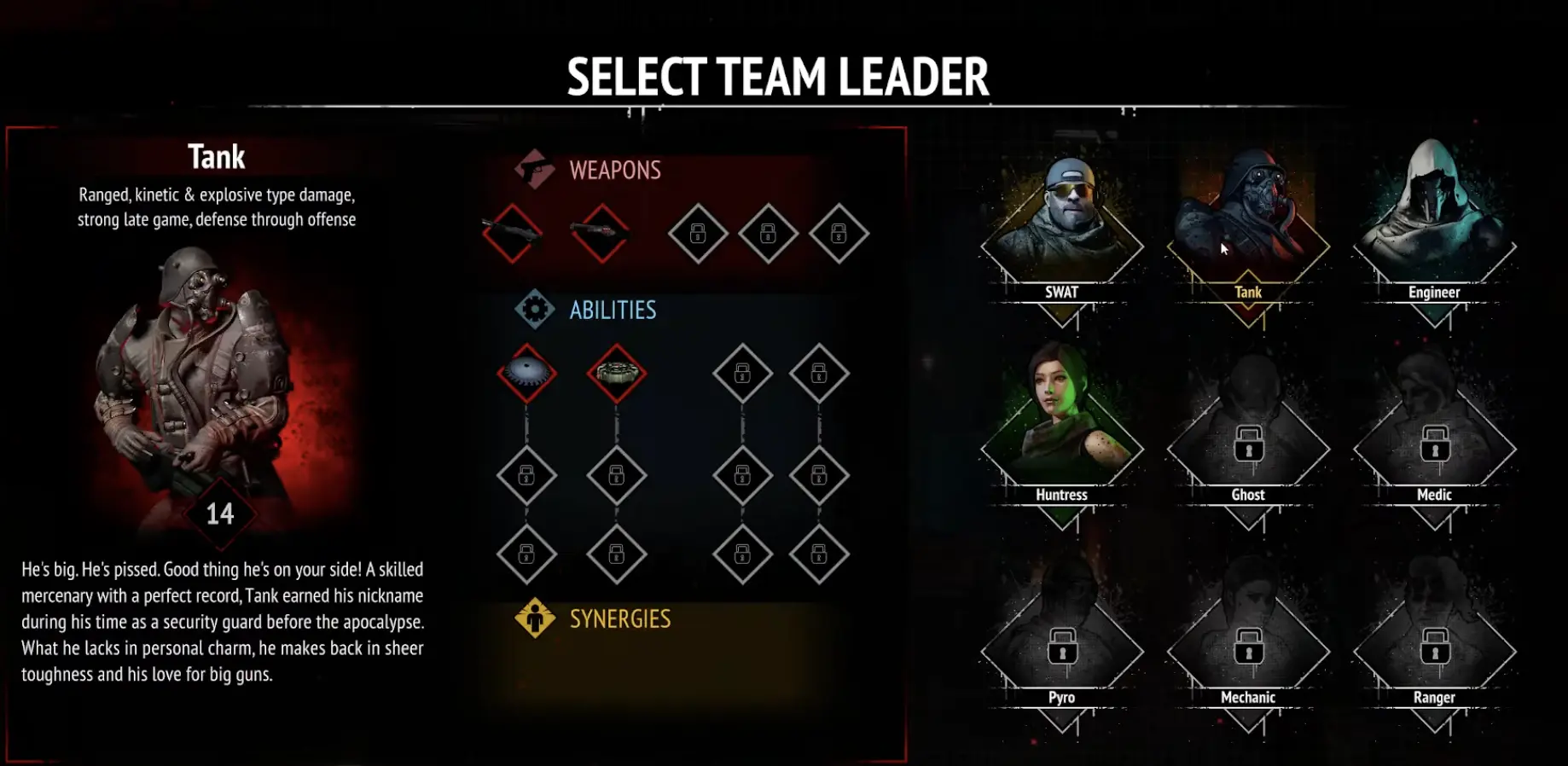
So if a Survivor mission is not behaving the way I expect, I check the leader before changing anything else.
I do not:
- restart the game;
- swap random squad members;
- repeat the arena with the same wrong leader.
I verify the mission requirement.
If it expects a specific Survivor, that character goes into the required role first.
Then I build the rest of the team around them.
Surviving the Run Does Not Prove the Mission Was Valid
Another easy trap is finishing a run and thinking:
I survived, so why didn’t the mission complete?
Survival may not be the objective.
One early mission asks for:
three Killing Frenzy timed power-ups
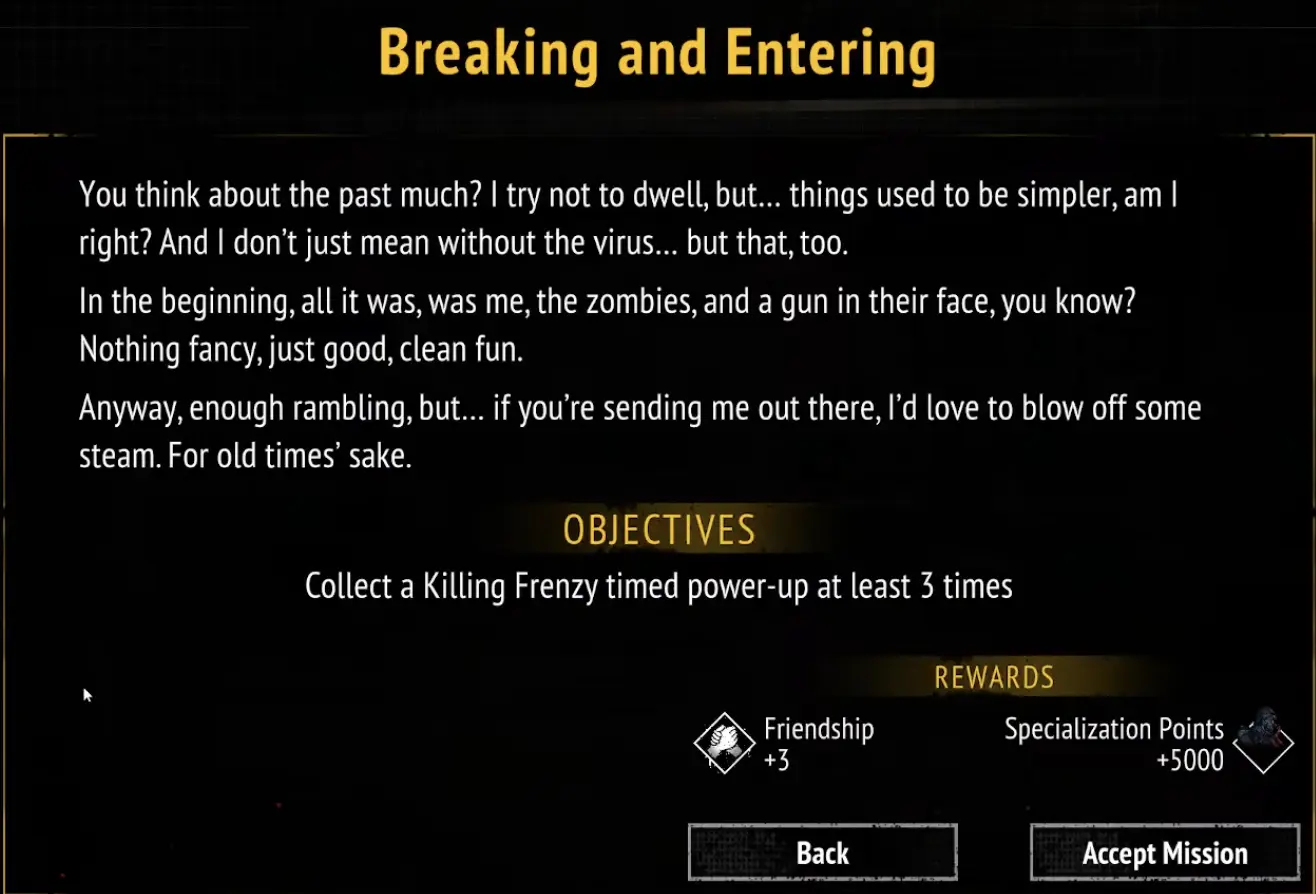
That means a completely successful combat run can still be a failed mission attempt.
Before launching, I make sure I know:
what must actually count during the run?
If the objective says three pickups, I track three pickups.
If it says different chests, I do not assume repeating the same chest interaction satisfies it.
If it requires an item to remain in my inventory, I do not replace that item before the run finishes.
The objective wording matters more than whether the build looked successful.
I Check Whether the Account Can Perform the Requirement
Sometimes the mission is active, the arena is correct and the leader is correct, but the account still cannot comfortably perform what the objective asks.
A Ghost mission gave me the clearest example.
The condition involved rerolling five different Item Chests.
At that point, my available reroll capacity was not enough to make the attempt straightforward.
That is not fixed by running the same mission again unchanged.
It is an account progression problem.
So when a mission looks stuck, I also ask:
Do I actually have enough access to the mechanic this objective requires?
That can matter for:
- rerolls;
- weapon paths;
- specific Survivor access;
- other account systems tied to the objective.
If the answer is no, I improve the missing function first.
I do not spend another full run proving the same limitation a second time.
I Do Not Confuse Mission Setup With a Bug
There is a point where progression looks broken simply because several requirements overlap.
For example, I can have:
- the mission accepted;
- the wrong leader selected;
- the wrong mode chosen;
- and the correct arena unlocked.
From the outside, that can feel like:
the mission is not progressing.
But the mission is fine.
The setup is not.
That is why I do not call something bugged until I have checked every explicit requirement the game gives me.
Most of the time, one condition explains the problem.
Repeatable Missions Do Not Appear Immediately
Repeatable Missions have their own progression condition.
They are not something I expect to see from the beginning of a Survivor’s story.
I first complete that Survivor’s main mission chain.
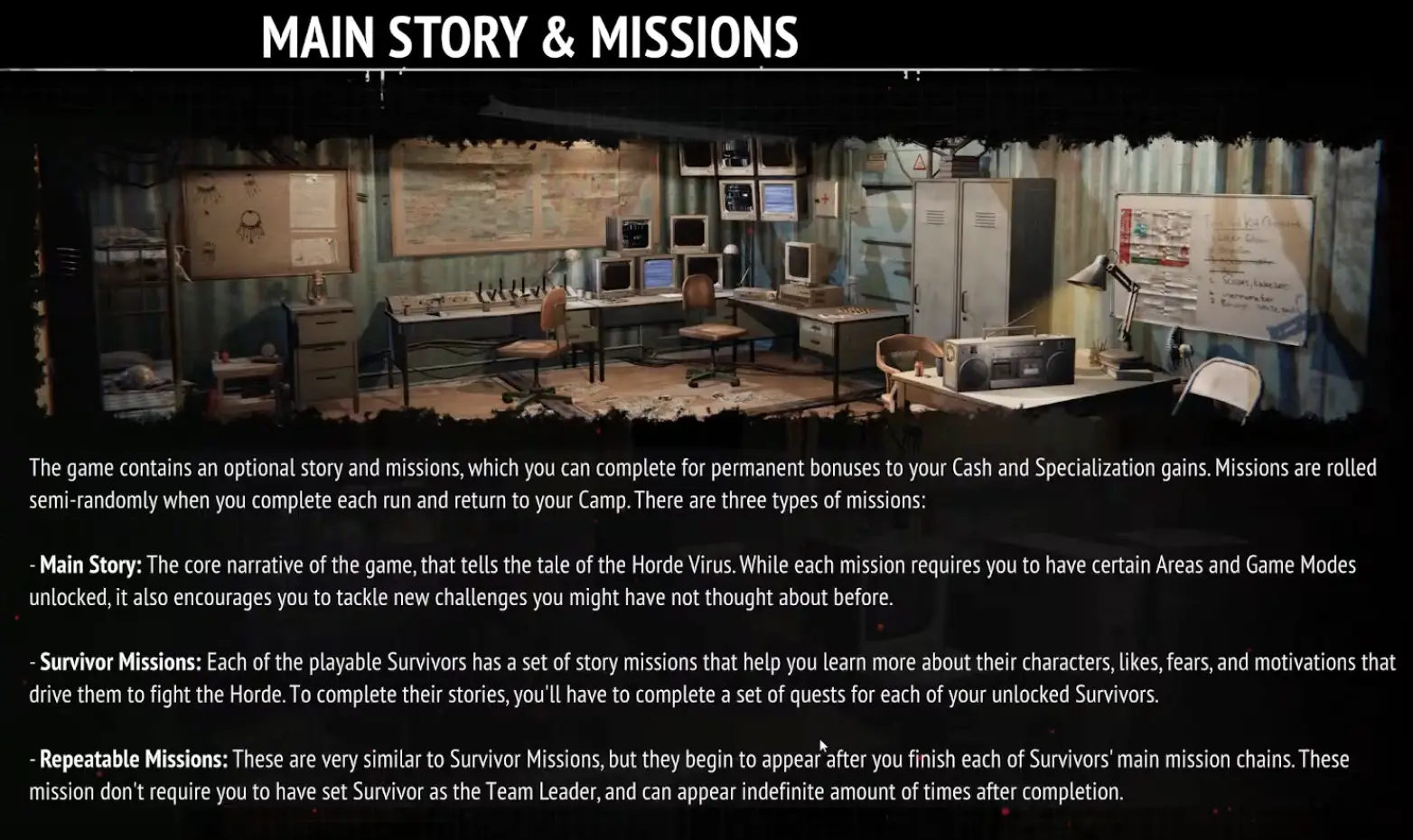
So if Repeatable Missions are not appearing while I still have unfinished Survivor story content, I stop troubleshooting.
The prerequisite is still in front of me.
My route is:
finish Survivor story chain
→ return to Camp
→ check for the later Repeatable Mission layer
I do not try to trigger it early with random runs.
Unlocking a Survivor Does Not Finish Their Story
I keep character unlocks and character mission progression separate.
Unlocking a Survivor means I can use them.
It does not mean all of their story missions are already complete or immediately visible.
A Survivor can still have a sequence of missions that advances step by step.
So if I unlocked a character and expected every later mission to appear at once, I correct that assumption first.
I keep returning to the Briefing Room and Mission Log as that Survivor’s story advances.
I Check Again After Major Unlock Screens
A successful run can unlock several systems at the same time.
That is another point where I can easily choose the wrong next step.
I may see:
- a new Survivor Rank;
- new weapons;
- a new arena;
- another mode;
- another mission.
I do not decide the next story step by choosing the most exciting new unlock.
I return to the Mission Log.
If it points toward one specific requirement, that gets priority.
This is more reliable than assuming:
newest unlocked arena = next mission destination.
I Do Not Use Random Runs as a Camp Refresh Button
The Camp does change as I progress.
That does not mean I need to launch meaningless runs every time I cannot see a new mission.
Before I do that, I check:
Is an old mission still incomplete?
Did I fail something I need to reselect?
Does the Mission Log show another requirement?
Am I using the correct arena?
Am I using the correct mode?
Is the correct Survivor leading?
Am I still inside that Survivor’s main story chain?
If one of those explains the situation, another random clear is not the solution.
I Use the General Missions Guide for Normal Progression
If missions are appearing normally and I want to understand how the Briefing Room, story chains and objectives fit together, I use my missions guide.
This page is what I use when the normal flow stops making sense.
The difference is simple:
Missions Guide
→ how I progress missions normally.
This guide
→ what I check when a mission looks missing, stuck or unavailable.
My Missing Mission Check
When I cannot see the next obvious mission, I use this order:
return to Survivors’ Camp
→ check the Briefing Room
→ open the Mission Log
→ reselect an incomplete mission if I already accepted it
→ read the exact objective
→ confirm the required arena
→ confirm the required game mode
→ confirm the required leader
→ check whether the account can perform the objective
→ finish the relevant Survivor story chain if I am waiting for Repeatables
Only after all of those checks are clean do I start treating the mission as genuinely unusual.
Until then, I assume there is a requirement I have not satisfied yet rather than spending another full run testing a guess.