How I Get the Most Out of the Hoverboard in Honeycomb
The Hoverboard saves a lot of walking once I know where I am going. Here is how I craft it, get it to deploy, choose better terrain and avoid wasting the last of its charge.
Updated:
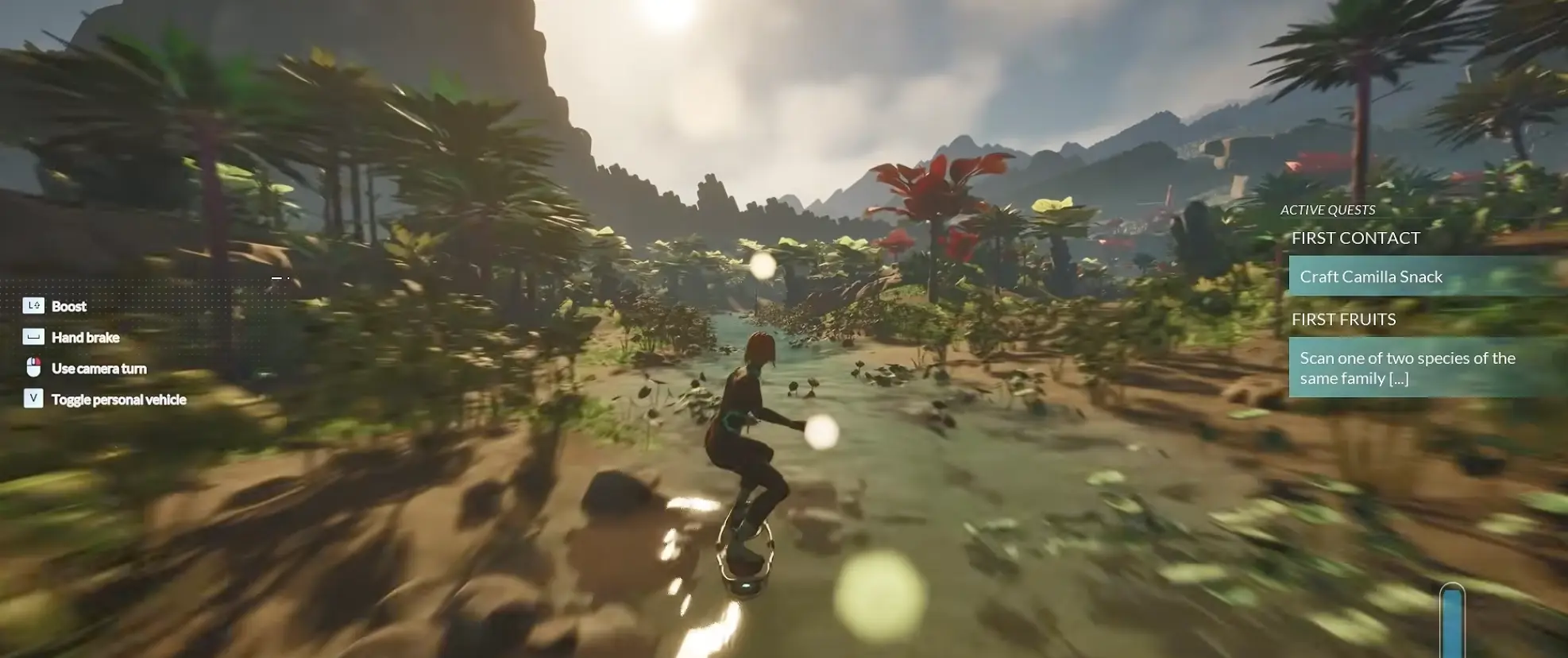
Quick Answer
The Hoverboard recipe needs 3 Titanium, 3 Magnetite and 3 Carbon Fiber and takes 1 in-game hour to craft.
After taking the finished vehicle, equip it and move away from walls or tightly packed base structures before deploying. On default keyboard controls, V toggles the personal vehicle. I stop starting long outbound trips once the charge drops into single digits.
The Hoverboard Starts Paying Off Once I Have Routes Worth Repeating
I did not rush the Hoverboard the moment it appeared.
Early Honeycomb still rewards moving slowly enough to scan plants, notice mineral deposits and learn how the terrain connects. Saving thirty seconds on a route I do not understand yet can easily create five minutes of backtracking later.
The value changes once the first base is operating and the same journeys start repeating. A trip from home to a known Graphite source is no longer exploration. Neither is crossing the same open stretch for another crafting component. Those are the journeys where mobility starts buying back real time.
The full Hover Generator recipe is:
3 Titanium + 3 Magnetite + 3 Carbon Fiber
Crafting takes 1 in-game hour.
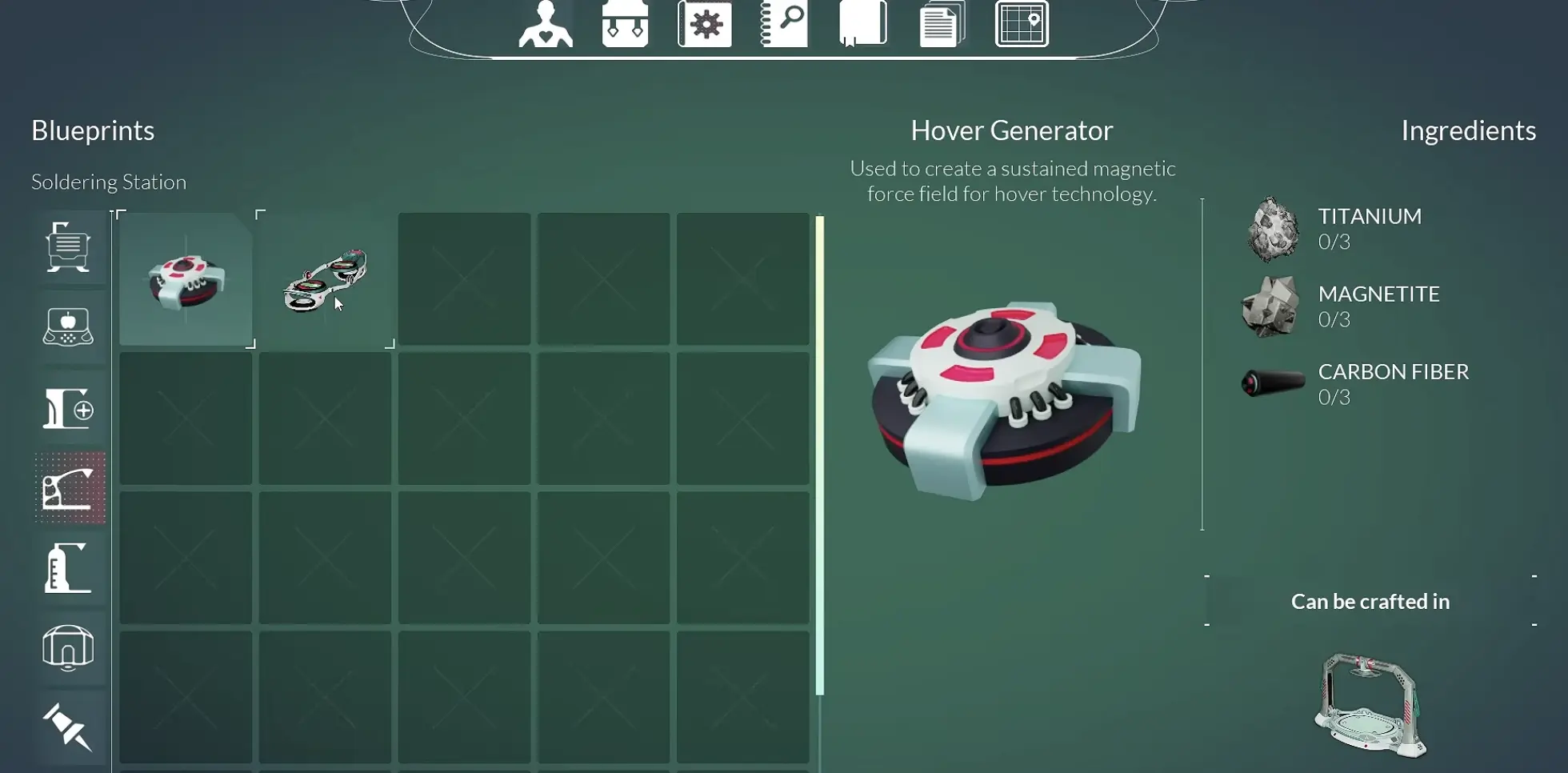
In my run, Titanium and Carbon Fiber were already covered by the time I committed to the craft, which left 3 Magnetite as the only remaining blocker. That made the decision straightforward: one short material run would unlock faster travel across every route I had already learned.
When one of the recipe materials is still missing, I use the resource guide for the location rather than turning the Hoverboard trip into another general mining loop.
From Finished Recipe to Actually Riding It
Crafting the Hoverboard and successfully deploying it turned out to be two different steps.
The clean sequence is:
- Gather 3 Titanium, 3 Magnetite and 3 Carbon Fiber.
- Return to the crafting station.
- Start the Hover Generator craft.
- Complete or skip the 1-hour crafting time.
- Take the finished vehicle from the machine.
- Equip it.
- Move to clear ground.
- Deploy it.
The first six steps worked normally for me.
Step seven was where the confusion started.
I had the item equipped and could see that I was holding it, but trying to deploy beside the base repeatedly failed. For a moment it looked like I had missed another equipment slot or somehow lost the completed Hoverboard.
The board was fine. The deployment space was not.
If It Will Not Deploy, Move Away From the Base First
The most useful Hoverboard troubleshooting step I found was also the simplest: walk farther away from nearby structures.
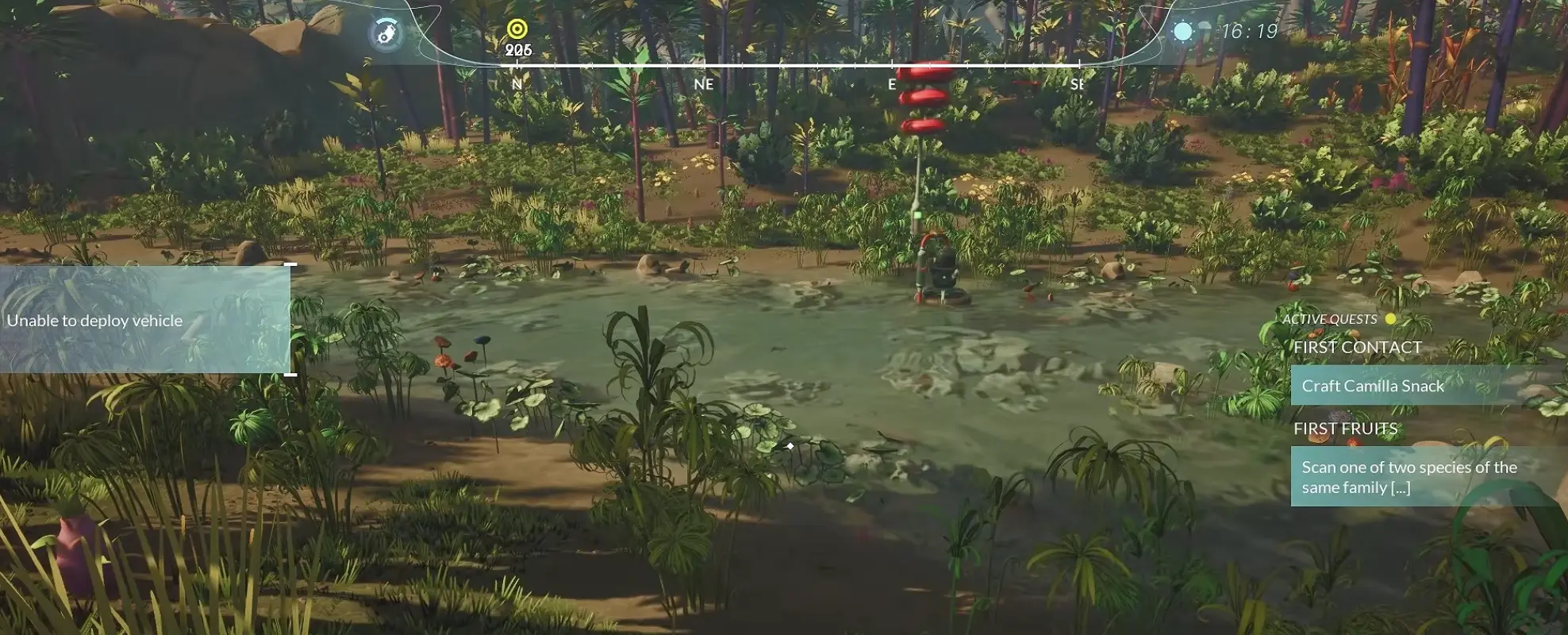
I did not change the recipe, rebuild the vehicle or move it to another inventory slot. I just gave it more room.
Once I stepped into a clearer patch of ground, deployment worked.
So when the Hoverboard is visibly equipped but refuses to appear, I check the environment before I check the menus. Walls, modules and cramped placement can make a perfectly functional vehicle look broken.
A few meters of extra clearance is faster than dismantling anything.
V Is the Default Personal Vehicle Control
On my default keyboard setup, V toggles the personal vehicle.
Once I am riding, pressing V gets me off again.
That matters more often than I expected because the Hoverboard works best as something I mount and dismount frequently rather than a vehicle I stay on for an entire expedition.
I ride across known open terrain, dismount when I reach something worth scanning, then continue on foot until the area stops giving me new information.
That rhythm also keeps me from overshooting resource nodes or blasting past unidentified plants that I would have noticed immediately on foot.
Flat Ground Is Faster Than the Shortest Line
The Hoverboard description emphasizes travel efficiency across relatively flat terrain, and that matched how it behaved for me.
Open ground is easy.
Dense trees are not.
Uneven rock, abrupt elevation changes and narrow approaches can turn what looks like the shortest route on the map into a slower ride full of corrections.
The Hoverboard also did not give me a reliable way to jump over obstacles, so I stopped planning lines that depended on clearing terrain cleanly at speed.
Instead, I started reading the map differently.
A slightly wider route across open land often beats the direct line through rocks and vegetation. The vehicle keeps its speed, I spend less time correcting direction, and there is less chance of being forced to dismount halfway through.
Water deserves some caution as well. I crossed shallow streams successfully in places, but other approaches into water broke the route badly enough that I stopped assuming every river section was safe Hoverboard terrain.
My preferred order is:
open ground → wide natural corridor → shallow crossing if I already know it works → rough terrain on foot.
That is faster in practice than trying to prove the board can handle every surface.
The Hoverboard Changes What I Notice
Speed has a cost that is easy to miss because it is not shown as a stat.
I see less.
On foot, the Analyzer and highlighted objects naturally pull my attention sideways. A new plant beside the route is obvious. So is an unfamiliar mineral or a small opening through the terrain.
At Hoverboard speed, those same discoveries disappear behind me quickly.
That is why I get the most value from the vehicle on routes I already understand.
The first trip into a new region is still information gathering. I want to know where the terrain opens, what can be scanned, which resources are nearby and whether there is a better way back.
The third trip along that same corridor has a different purpose. By then, repeating the walk has almost no discovery value left.
That is where the board earns its material cost.
It turns solved geography into fast travel without needing an actual fast-travel system.
I Treat 7% Charge as a Warning, Not Seven More Percent of Free Distance
The easiest Hoverboard mistake is planning the outgoing trip and forgetting the return.
I reached one longer objective with the vehicle sitting at 7% charge.
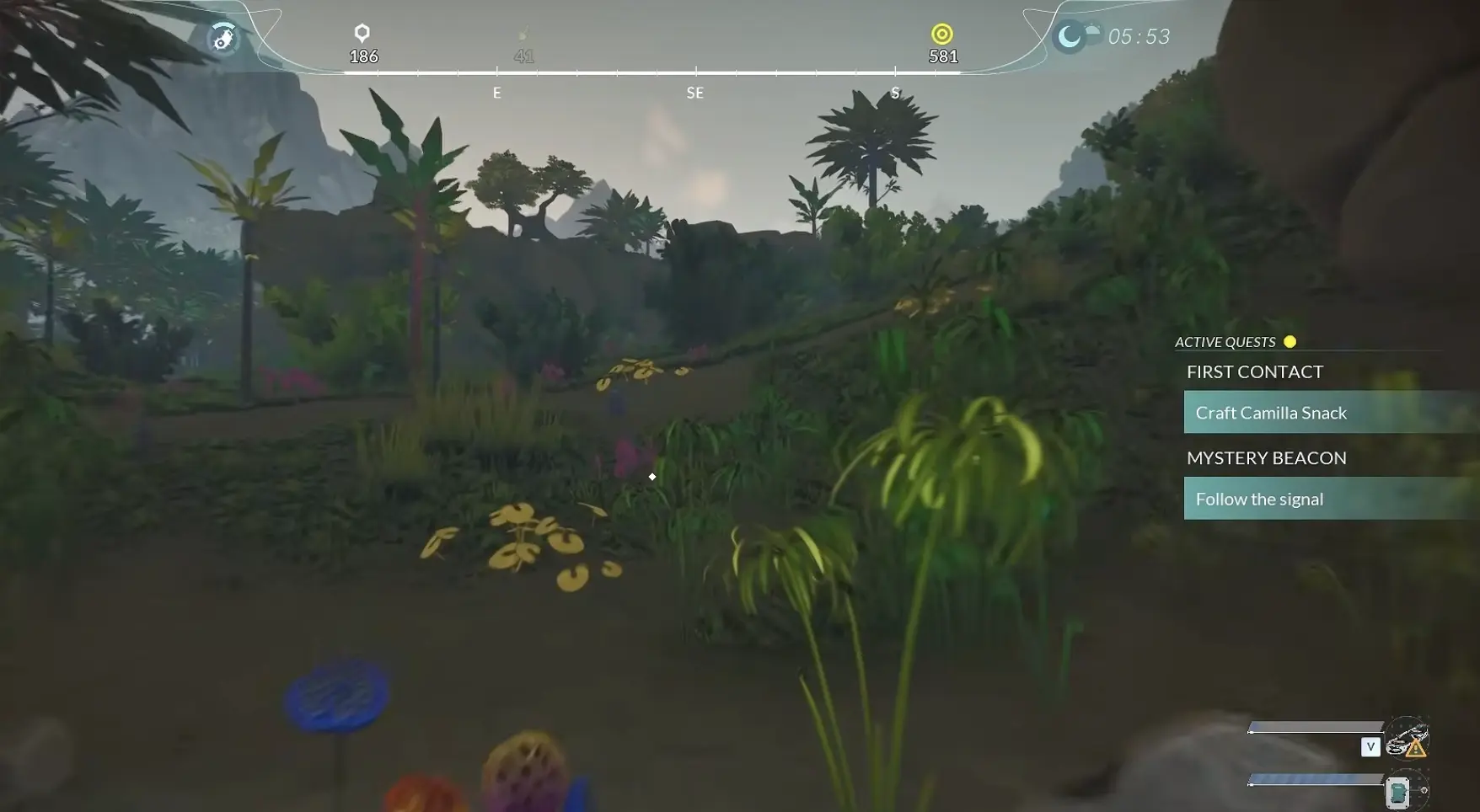
Using it would still have saved time for part of the trip.
That was not the problem.
The problem was where the charge would run out.
If I burned the last few percent moving farther from home, the point where the Hoverboard stopped helping would also be the point where I was deepest into the route.
I walked instead.
Later, when the charge was fully exhausted, the Hoverboard had not disappeared; I had simply lost the mobility advantage I had been counting on and had to cover the remaining distance on foot.
Since then, single-digit charge is my practical cutoff for starting a new long trip.
I may still use the remaining power to shorten a known return or cover a short safe stretch, but I do not build another distant objective around it.
At this stage of progression I had not confirmed a dependable field recharge method, so I plan around the charge I can see rather than assuming I will solve it somewhere along the way.
I Spend Charge on Distance I Would Otherwise Repeat
The Hoverboard works best when I think of charge as something I am spending to delete boring travel.
A familiar run between the base and a resource area is a good use.
So is a long open corridor I have already scanned.
Riding blindly into a completely new area is less attractive because I am spending charge at the exact moment I most need to slow down and observe.
That gives me a simple travel pattern:
ride the solved section, dismount at the unknown section, explore, then use the board again when the route becomes familiar.
It also keeps the Hoverboard from competing with the Analyzer for attention. Each tool has a different job: one compresses distance, the other makes new territory useful.
When I Leave It at Home
There are trips where the Hoverboard adds very little.
If the destination is close, I walk.
If the route climbs through awkward terrain, I walk.
If I expect to stop every few seconds to scan, harvest or inspect something, I usually walk.
And if the charge is already too low to materially change the journey, carrying the expectation of faster travel is more annoying than simply planning around foot speed from the start.
The Hoverboard becomes excellent once Honeycomb begins asking me to revisit places I have already solved.
Before that, its biggest advantage—speed—can work against the part of the game that still matters most: learning what Sota 7 is actually putting in front of me.