Build Your First Honeycomb Base: Water, Power and Multi-Room Setup
A practical Honeycomb base building guide covering the first working setup: Water Pump, Wind Turbine, Multi-Room, Fabricator and the resource decisions that prevent early rebuilds.
Updated:
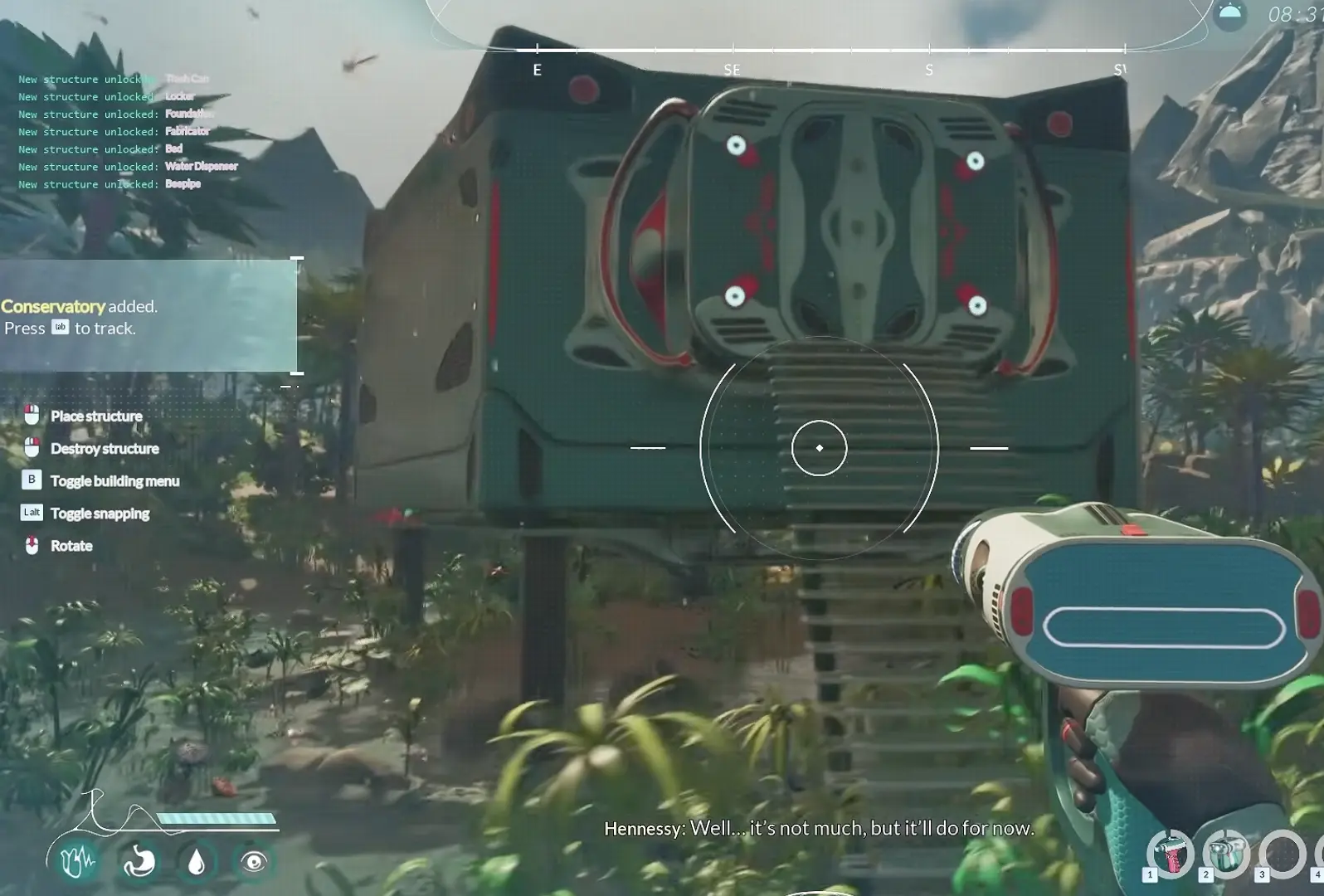
Quick Answer
Build the first base around the utility chain, not the room shape:
Water Pump → Wind Turbine → Multi-Room → Door → Fabricator
Craft the Drone Builder first, remove it from the machine, then follow the marked safe-zone area near water. Place the room only after checking that both water and power coverage reach the building location.
Follow the Water Before Planning the Base
The first mistake I made was treating the starting base like a normal building project.
I looked for a flat area first and tried to decide where the room should go.
That creates problems later.
The early base depends on the Water Pump, so the water source decides the first layout.
After crafting the Drone Builder, I take it from the crafting machine, equip it, and follow the marked safe-zone location until I reach the water.
The early route is:
Craft Drone Builder → collect the finished tool → follow the base marker → reach water → place utilities.
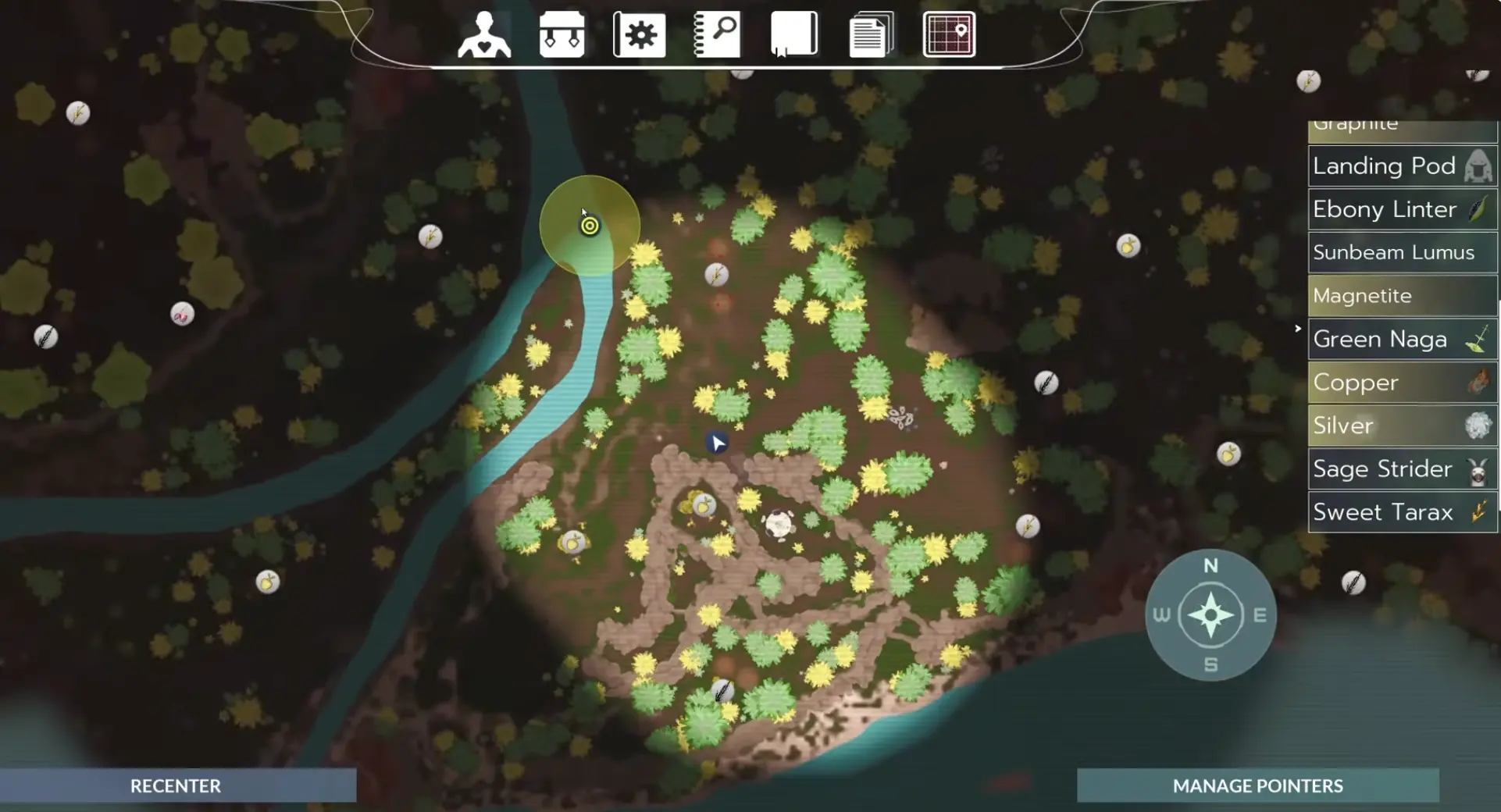
A larger empty field looks attractive, but moving a room later is easier than rebuilding an entire utility setup.
For the first base, function matters more than appearance.
The First Three Structures Decide Everything
With the Drone Builder equipped, press B to open the building menu.
The order matters.
1. Water Pump
Place the Water Pump first because it establishes the water supply.
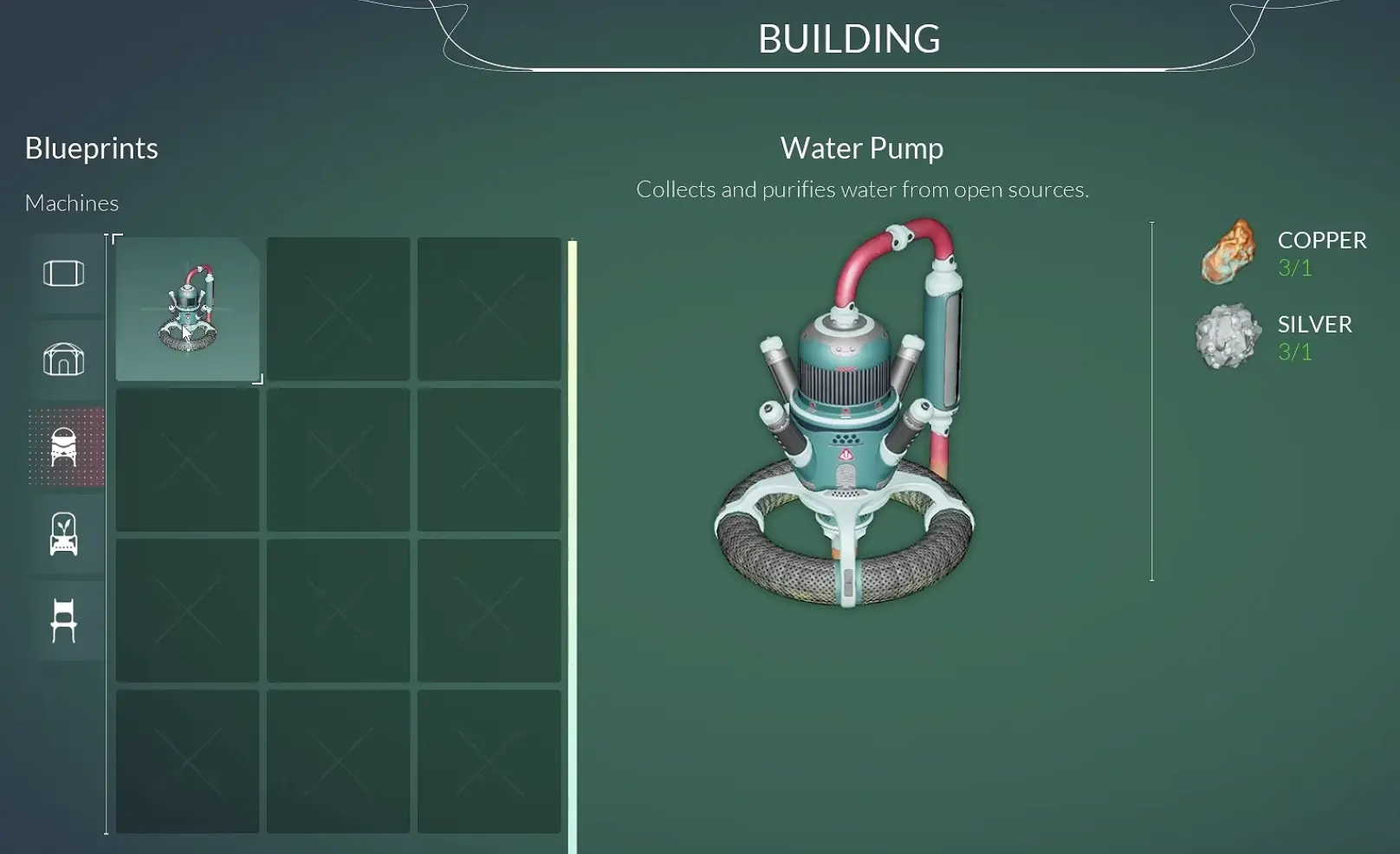
Do not place the Multi-Room first and try to fit the utilities afterward.
That usually creates unnecessary rebuilding because the room location is limited by the systems supporting it.
2. Wind Turbine
The Water Pump needs power, so the Wind Turbine is the next priority.
I place it close enough that I can easily check the connection instead of spreading early structures across a large area.
3. Multi-Room
Only after the two utilities are working do I place the first room.
The room is not the center of the base.
The utility coverage is.
Check the Utility Range Before Placing Walls
The most important visual during the first build is the supply area.
When selecting utilities, Honeycomb shows their operational range.
The Multi-Room needs to sit inside the useful coverage area.
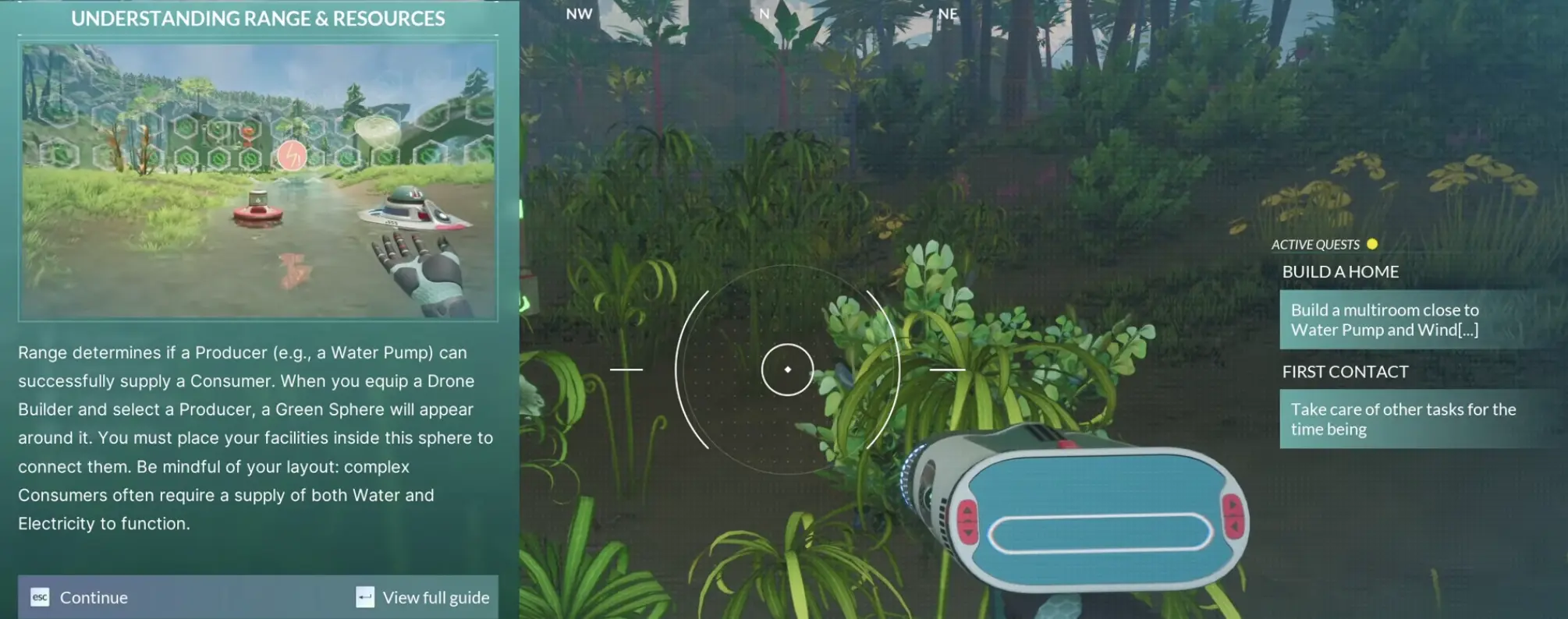
Before committing to the room location, check:
- Water Pump coverage.
- Wind Turbine coverage.
- Whether future machines can fit nearby.
A room that looks close enough can still fail if it sits outside the working range.
When a machine later refuses to operate, I check coverage before moving furniture or rebuilding.
The Drone Builder Problem: You Crafted It but Cannot Find It
One early progression block looks like a missing recipe.
It usually is not.
The Drone Builder can be completed inside the crafting machine without appearing in your inventory immediately.
The check is simple:
- Confirm the crafting process finished.
- Open the crafting machine again.
- Take the Drone Builder.
- Equip it before trying to build.
If pressing B does not help after unlocking base construction, check the machine first.
Gathering more resources will not solve a tool that is still sitting in the crafter.
Build the Smallest Working Room First
Once the Water Pump, Wind Turbine and Multi-Room are connected, the goal changes.
The first base does not need multiple rooms.
It needs:
- one supplied Multi-Room;
- a working entrance;
- a place for crafting;
- a place to sleep.
The first additional blocker I noticed was Bauxite.
The Multi-Room and later modules push me toward another resource trip, so I stop expanding when the next construction step requires materials I do not have.
The detailed Bauxite route belongs in the resources guide.
For base progression, the important decision is knowing when construction has turned into a resource search.
Put the Fabricator Inside Before Expanding
Once the room is functional, the Fabricator becomes the first important interior machine.
I prioritize it because later progress depends on crafted components rather than only collected materials.
A practical interior order is:
- Fabricator.
- Multi Cooker when materials are available.
- Bed.
- Additional machines.
The first room does not need perfect organization.
I care about three things:
- the machine can be accessed;
- the machine has the required supply;
- the machine helps the next progression step.
Perfect placement can wait.
The Bed and Water Dispenser Are Different Problems
The bed is a straightforward interior upgrade.
The Water Dispenser is where the base starts creating longer resource chains.
The Dispenser requires a Filter.
The Filter requires Silver.
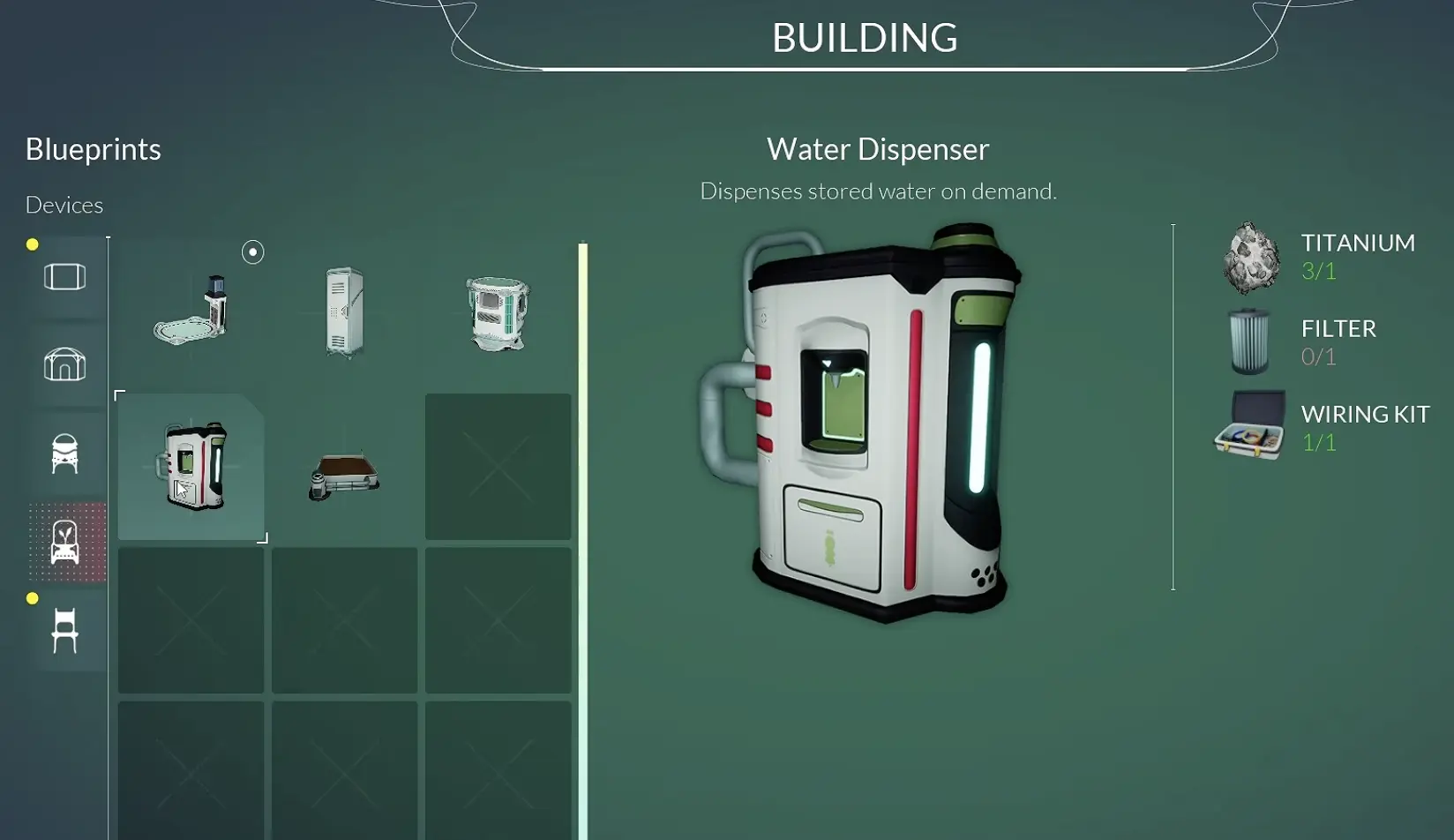
This is where I stop checking random recipes.
If the bed can be finished, I finish it.
If the Dispenser is blocked by Silver, the next action is leaving the base and collecting the missing material.
Opening more construction menus does not remove a missing ingredient.
When to Stay at Base and When to Leave
The first base creates many possible tasks, but they are not all equally useful.
I stay and build when:
- the required materials are already available;
- the next object only needs placement;
- the machine completes a real function;
- the utility range needs adjustment.
I leave for exploration when:
- a required component needs a resource I do not have;
- Bauxite blocks the next building step;
- the Water Dispenser requires a Filter;
- a crafting chain points outside the base.
This keeps each trip focused.
I return with materials that finish something instead of returning with a bigger list of unfinished objects.
Stop Building When the Base Starts Working
The first base is complete earlier than the full building system.
I consider the first setup finished when:
- Water Pump works.
- Wind Turbine supplies power.
- Multi-Room is connected.
- Fabricator is available.
- Sleeping and crafting are possible.
After that point, extra rooms and decorations become expansion choices rather than survival requirements.
The purpose of the first base is not to become a permanent headquarters immediately.
It is to create a reliable place where every future expedition starts with better preparation.