My First Hours in Honeycomb: What I Do First
Honeycomb gets easier once the opening has a rhythm. I scan first, unlock the right tools, stabilize food and water, then push straight toward the Drone Builder and a real base.
Updated:
Quick Answer
For the opening hours, I follow one progression line:
Analyzer → first scans → Titanium → Chisel, Trowel and Pruner → food and water → Drone Builder → first base.
I pin the current quest or blueprint with Q so the missing requirement stays on screen. The moment the Drone Builder is finished, I stop treating the Landing Pod as home and move into base construction.
Start With the Analyzer, Because Almost Everything Else Depends on Knowing What You Are Looking At
Sota 7 is visually generous from the first few minutes. Plants glow in AR mode, unfamiliar materials sit beside the path, animals wander close enough to distract me, and several of them look usable long before I actually know what they do.
The Analyzer is what turns that noise into information.
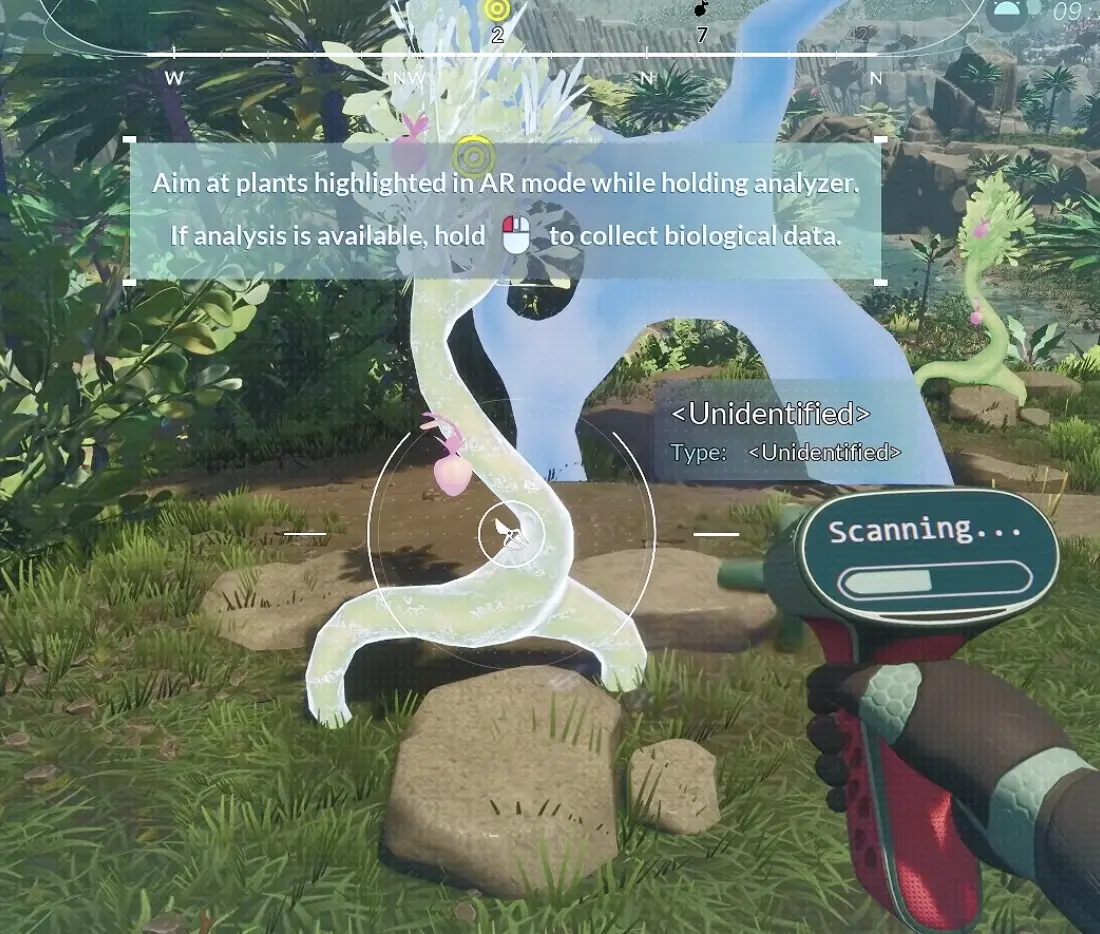
I take it from the Landing Pod locker, equip it, then aim at highlighted biological targets in AR mode. When analysis is available, holding the scan completes the biological entry and gives me the context I need before harvesting, eating or walking past something useful.
This mattered sooner than I expected. Honeycomb introduces edible plants, harmful plants, useful genetics and crafting materials in the same opening region, so appearance alone is not a reliable guide.
My default rule became simple: if the Analyzer can identify it and I have not seen it before, I scan before interacting further.
That habit keeps paying off long after the tutorial prompts disappear.
Titanium Is the First Resource With a Clear Job
The early resource objective quickly points toward Titanium, and this is where I make my first deliberate gathering run.
I am not trying to stock a warehouse yet. I need Titanium because it unlocks the tools that make the rest of the landscape usable.
The three starter tools are:
- Chisel — 0.50 kg
- Trowel — 0.50 kg
- Pruner — 0.50 kg
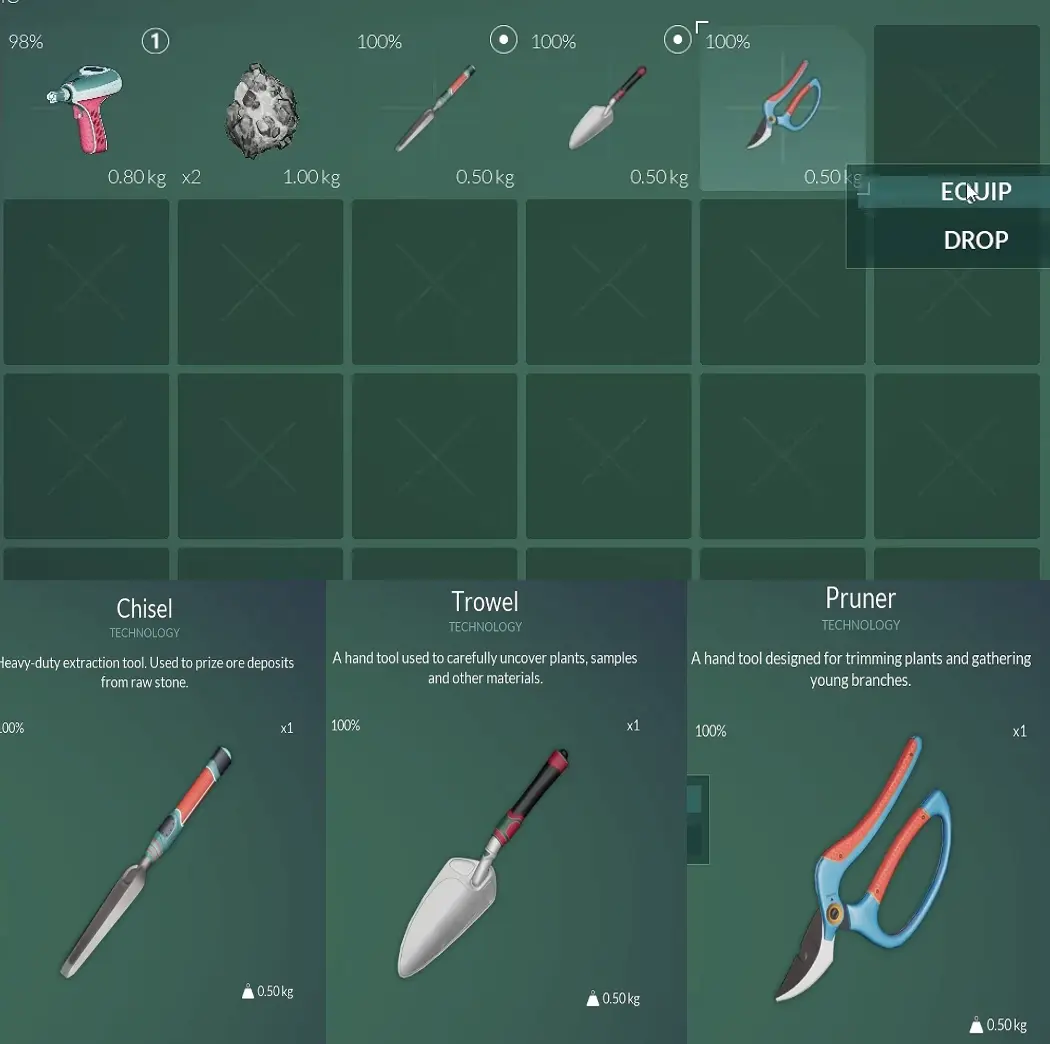
The game also makes tool durability visible early, which changes how I use them. Having the tool does not mean I clear every harvestable object nearby; it means I can now take the material that matters.
If I only need enough Titanium to finish the opening tool objective, I collect that amount and return. Later runs can be planned around known deposits instead of turning the tutorial into a mining session.
The resource guide is where I use the actual Titanium, Graphite, Magnetite, Copper and Silver routes once those materials start blocking specific crafts.
Pin Quests Before the Map Starts Pulling You in Five Directions
The opening becomes much easier once I stop relying on memory.
Honeycomb lets me pin a quest through:
Tab → Journal → Quest → Q
The active objective then appears on the right side of the HUD.
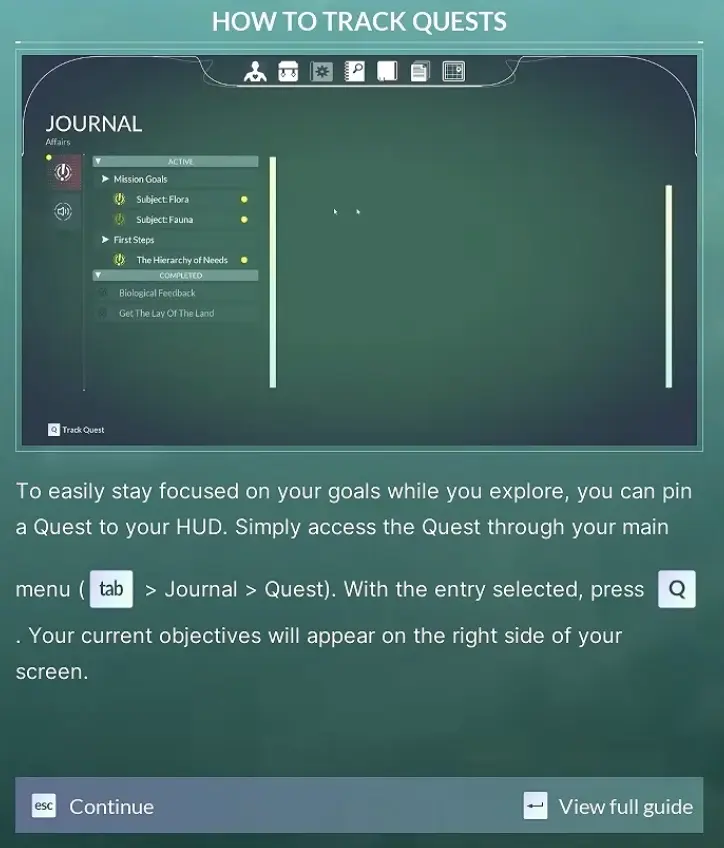
Blueprints use the same key. While hovering over a blueprint, Q pins its material checklist.
That distinction becomes important once crafting starts asking for components such as Carbon Fiber or a Wiring Kit instead of a single raw resource. I want the missing part visible while I am outside, because “I think I still need Copper” is how I end up back at the Landing Pod with everything except Copper.
I usually keep one progression objective visible and let the landscape fill in the rest. That gives me enough structure to make progress without turning exploration into a checklist.
The 48-Hour Food and Water Warning Is a Planning Signal
EON recommends carrying at least a 48-hour supply of food and water.
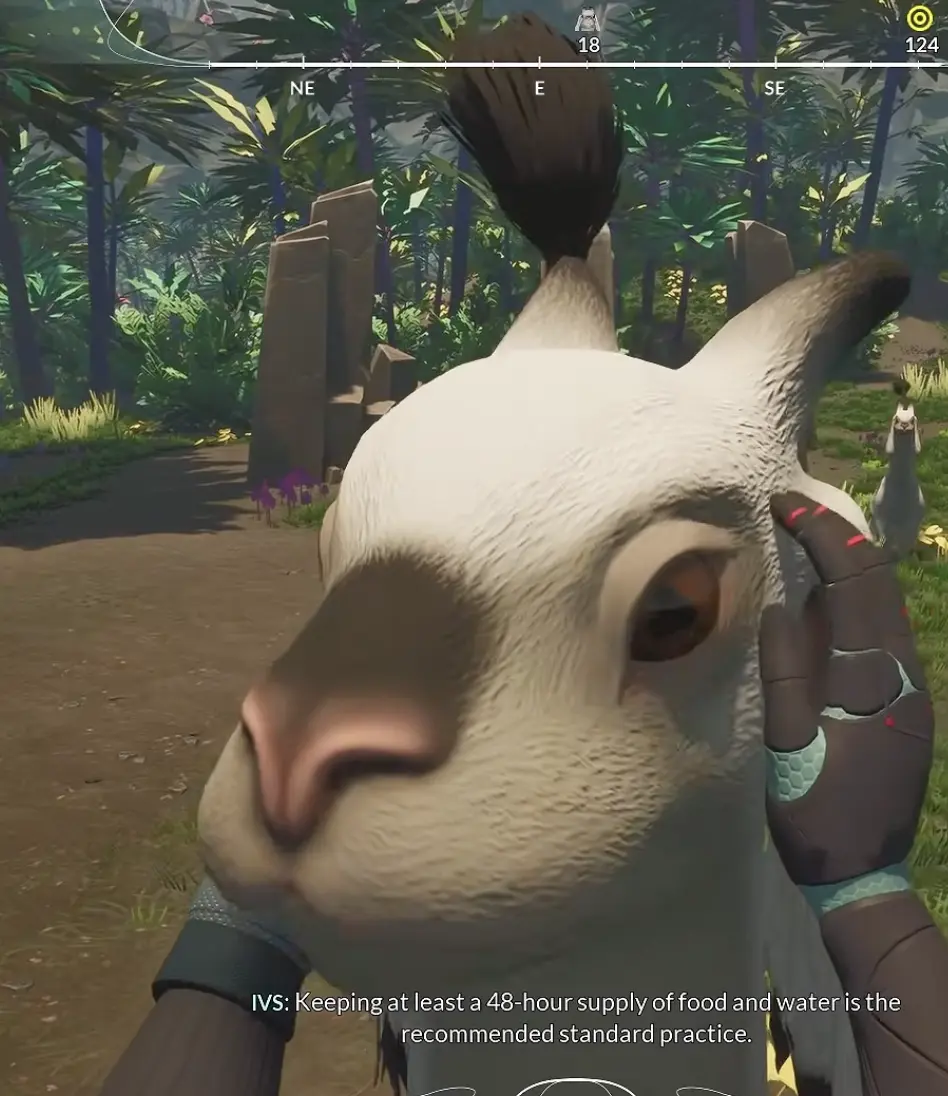
I do not stop the opening and try to calculate a mathematically perfect two-day pack. At this stage, the message matters more than the exact inventory count: hunger and thirst should not be the reason an otherwise useful trip ends early.
The first hydration objective introduces Sunbeam Lumis.
After collecting its fruit and consuming it, the character immediately recognizes it as a useful source of hydration.
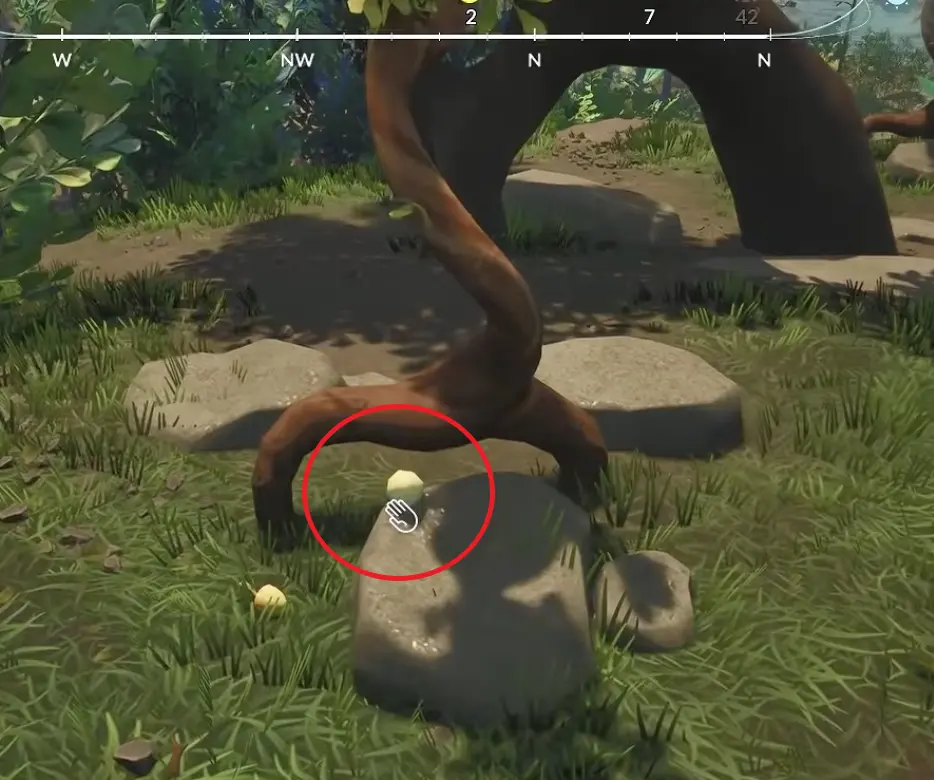
The next survival step moves toward Sweet Tarax, and that sequence eventually feeds into one of the most important early unlocks: the Drone Builder.
I want food and water stable enough that I can finish that chain without being dragged back to the pod by a nearly empty meter. Serious food production can wait until I actually have a base to support it.
The Drone Builder Is Where the Opening Stops Feeling Temporary
The Drone Builder is the first blueprint that changes how I think about the whole run.
Its complete recipe is:
3 Carbon Fiber + 5 Magnetite + 1 Wiring Kit
Crafting takes 1 in-game hour, and the finished tool weighs 0.80 kg.
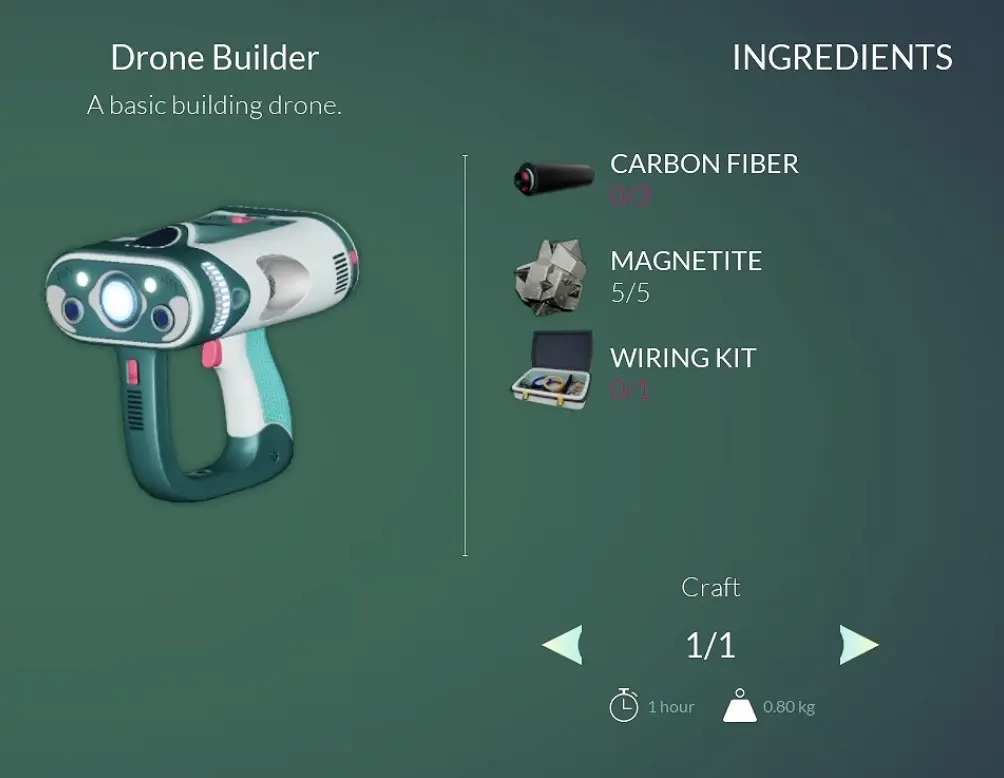
This is the point where pinning the blueprint pays off.
Carbon Fiber and the Wiring Kit turn the job into a component chain, while Magnetite adds another direct material requirement. During my run, that pulled me through the early resource area for Graphite and then toward Copper as the component recipes demanded it.
Once those requirements were covered, I went back.
There is no advantage in delaying the Drone Builder just because another glowing mineral is visible deeper in the cave. The tool unlocks a permanent improvement to the way I live on Sota 7; another random stack of ore does not.
Take the Finished Drone Builder Out of the Machine
There is one small trap between “crafted” and “ready to build.”
The finished Drone Builder may still be sitting inside the crafting machine.
If the building objective has appeared but I cannot find the tool in my inventory, I go back to the machine and take the completed item out before doing anything else.
That is worth checking immediately because the alternative explanation—missing blueprint, broken objective, wrong inventory slot—looks much more complicated than the actual problem.
Once it is in my hands, the opening finally moves away from the Landing Pod.
The First Base Is the Real End of the Tutorial Phase
The game points me toward a safe-zone site near water, and that is where I make the transition from temporary survival to a repeatable routine.
I do not need a large base yet.
I need somewhere that can support water, power, crafting, sleeping and storage without forcing me to operate out of the pod forever.
The exact construction sequence is covered in the first base guide, but the timing matters here: I build as soon as the Drone Builder is ready.
That first functional room changes several later decisions at once. Resource runs have somewhere useful to end, crafting chains become easier to manage, and sleeping is no longer tied to the starting pod.
It also prepares me for the next system that starts putting real pressure on exploration: immunity.
Animals Are Worth Scanning Even When I Am Not Ready to Tame Them
One of the easiest ways to derail the opening is also one of the most enjoyable.
The animals are immediately more interactive than simple background wildlife. Some respond to player actions, can mimic behavior, and gradually build trust.
That made me stop more than once.
Scanning them is still worthwhile because it records what I have found and starts revealing how the species behaves. Spending several minutes pushing the relationship further is a different commitment.
Before I have a stable home and enough supplies to support longer side trips, I keep those interactions short.
I scan, experiment with obvious reactions, then move on if the current progression objective is still unfinished.
Animal taming becomes much more interesting once it can be the purpose of a trip instead of the reason I forgot why I left the Landing Pod.
Immunity Is the First System That Makes Distance Matter
After the base is established, the initial environmental safety net eventually disappears.
The stasis antibiotics metabolize, and Sota 7’s pathogens become a real limitation on how long I can remain outside.
That changes the feel of exploration immediately.
Food and water answer whether I can keep traveling. Immunity starts asking whether I should.
The immunity guide covers the Basic IM Pump, IMX, perishable ingredients and recovery methods in detail. For the opening route, I only care about the transition point: once immunity becomes active, I deal with it before turning long-distance exploration into my normal routine.
A working base gives me the safe anchor that makes that possible.
I Leave the Hoverboard Until Travel Starts Repeating
The Hoverboard is tempting because the opening valley already feels large on foot.
I still prefer to discover the first version of a route without it.
Walking through a new area gives me time to notice scan targets, resource deposits, shortcuts and terrain problems. The speed upgrade becomes more valuable after I already know what I am passing.
Once I find myself making the same journey between home and known resource areas, the equation changes. That repeated stretch is no longer exploration; it is commuting.
That is when I move into the Hoverboard guide and start using it to remove travel I have already solved.
When I Consider the Opening Finished
I know I am past the fragile opening stage when several small things stop demanding constant attention at the same time.
The Analyzer is part of my normal loadout. Chisel, Trowel and Pruner give me access to the basic gathering loop. I can pin objectives instead of checking menus from memory, and food or thirst no longer cuts ordinary trips short. Most importantly, the Drone Builder has moved me out of the Landing Pod and into a base that can support the systems opening around me.
By then, I also know where to look when the next problem appears.
Missing material means a resource run. A dead machine sends me back to the base setup. Falling immunity changes the travel plan. Repeated journeys eventually justify faster transport.
That is the point where Honeycomb stops feeling like a sequence of tutorial objectives and starts feeling like a world I can plan around.