WARDOGS Helicopter Controls: Mouse Settings & How to Land
Use WARDOGS helicopter controls with a practical mouse setup, then learn how to brake, remove sideways drift, hover and land without tipping over.
Updated:
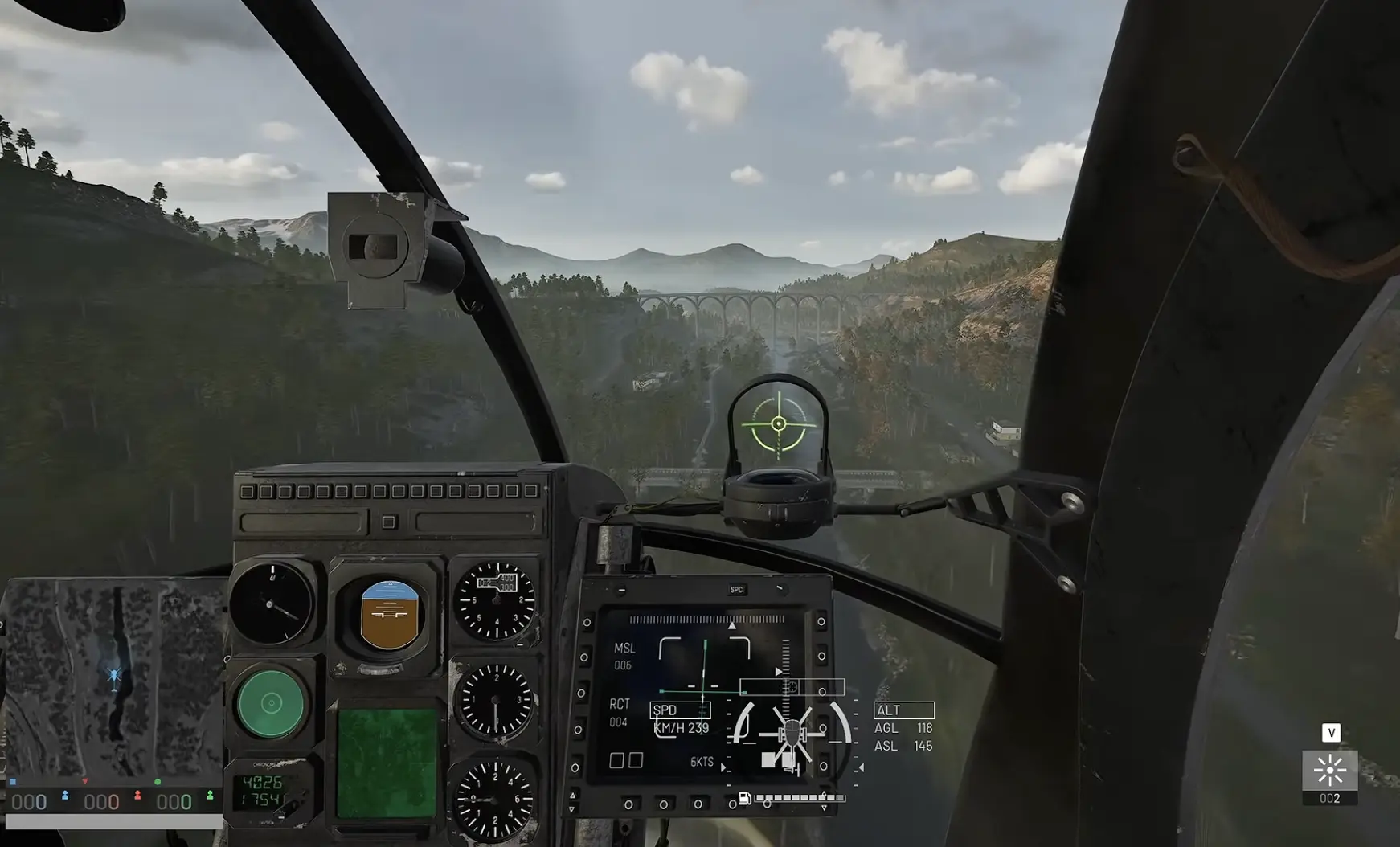
Quick Answer
On mouse and keyboard, I use W/S for collective, A/D for yaw, and the mouse for pitch and roll, with Rotary Vehicle Mouse Control enabled. My starting settings are 30% Helicopter Mouse Pitch, 30% Helicopter Mouse Roll and 0.5 Air Vehicle Multiplier. For landing, start braking while the LZ is still ahead, remove sideways drift before descending, and go around if the aircraft still needs large corrections close to the ground.
WARDOGS Helicopter Controls
The controls became much easier once I stopped thinking of the helicopter as one steering input.
Each axis has a different job.
| Flight Input | Mouse & Keyboard | What It Does | Common Mistake |
|---|---|---|---|
| Collective up | W | Adds lift and increases climb | Carrying too much vertical speed into touchdown |
| Collective down | S | Reduces lift and starts descent | Descending before horizontal movement is under control |
| Yaw left / right | A / D | Rotates the helicopter around its vertical axis | Using yaw to try to remove sideways drift |
| Pitch | Mouse forward / back | Tilts forward or backward and changes forward speed | Expecting the helicopter to stop as soon as it becomes level |
| Roll | Mouse left / right | Tilts sideways and creates lateral movement | Touching down while sideways velocity is still present |
The important distinction is between attitude and movement.
A helicopter can look level while still moving quickly forward. It can point directly at the landing zone while sliding sideways. Returning the controls toward neutral stops adding the same acceleration, but it does not instantly remove the velocity already built.
That is the behavior behind most of my early landing failures.
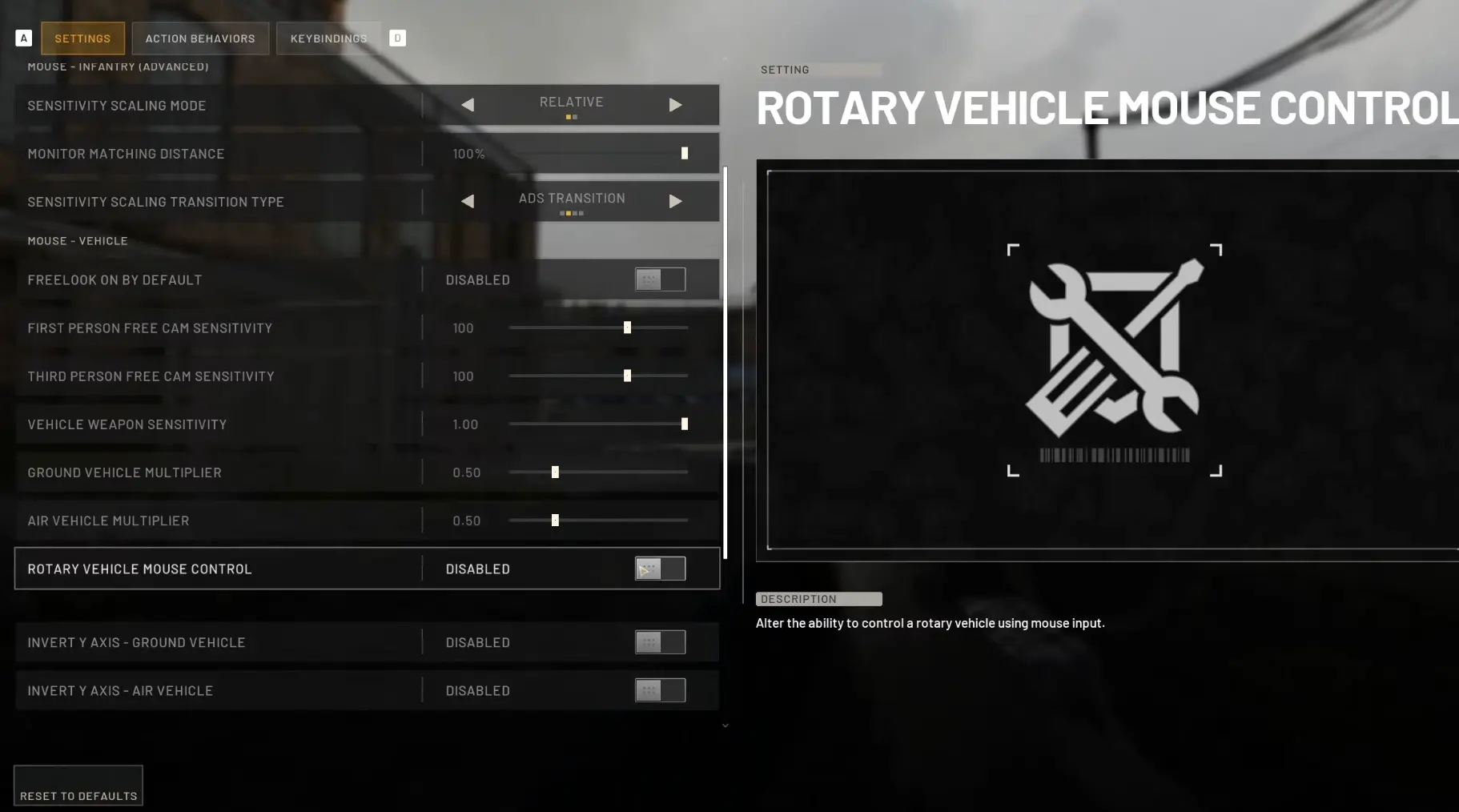
Best Mouse Settings I Use
My starting setup is:
| Setting | Starting Value | Change It When |
|---|---|---|
| Rotary Vehicle Mouse Control | Enabled | Keep enabled for mouse cyclic control |
| Helicopter Mouse Pitch | 30% | Lower it if forward/back corrections keep overshooting |
| Helicopter Mouse Roll | 30% | Lower it if lateral corrections feel too twitchy |
| Air Vehicle Multiplier | 0.5 | Change it when both mouse axes feel too strong or too weak |
These values are not a requirement. They are simply where the helicopter became predictable enough for me to make small corrections without constantly chasing the aircraft back across center.
I tune one setting at a time.
When pitch feels wrong, I change pitch and repeat the same short flight. When roll is the problem, I leave pitch alone. Adjusting pitch, roll and the general multiplier together makes it difficult to tell which setting actually helped.
Clear Duplicate Cyclic Bindings
After moving cyclic pitch and roll to the mouse, I also clear:
- Cyclic X increase / decrease
- Cyclic Y increase / decrease
That leaves the layout clean:
mouse = pitch and roll
W/S = collective
A/D = yaw
If the helicopter seems to keep receiving an input after I move the mouse back toward center, I check those duplicate bindings before lowering sensitivity again.
A control conflict can feel very similar to an overly sensitive helicopter.
Take Off Vertically Before Building Speed
For the first few flights, I keep departure simple.
I raise collective, clear the ground, stabilize, then add gentle forward pitch.
My basic sequence is:
collective up → clear the ground → stabilize → pitch forward → accelerate
Combining climb, pitch and roll immediately after liftoff can work once flying feels natural, but it gives me very little recovery room while I am still learning the controls.
A short vertical climb lets me see what the helicopter is doing before I turn that altitude into forward movement.
Leveling the Helicopter Does Not Stop It
This is the single behavior I needed to understand before landings became consistent.
Pitching forward creates forward acceleration. After several seconds, the helicopter has real forward velocity.
Bringing the nose back toward level stops adding the same forward acceleration.
It does not erase the speed already there.
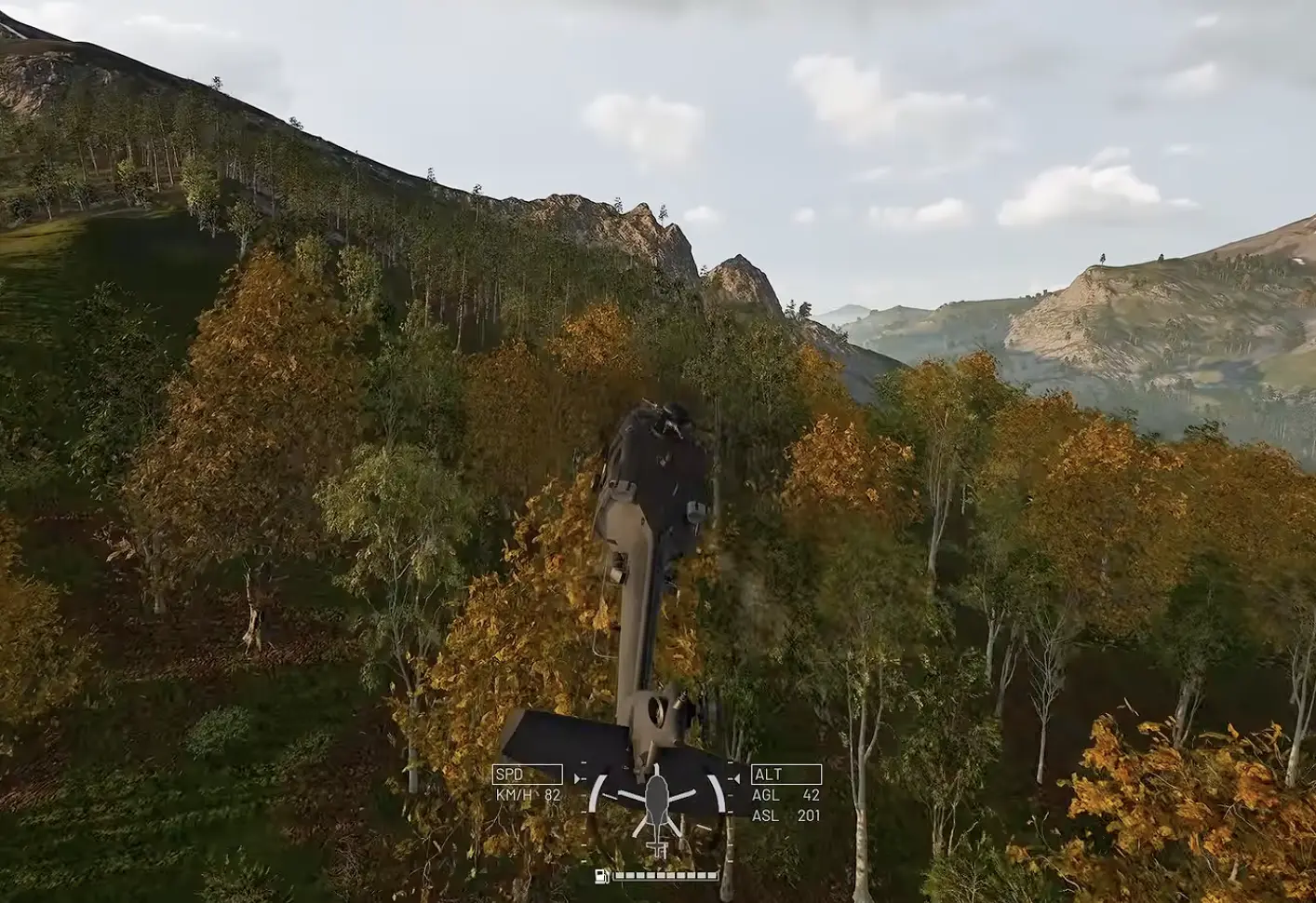
That is why waiting until the landing marker is directly underneath me is too late.
I need distance to brake.
How I Brake Before Landing
I begin the landing while the LZ is still in front of the helicopter.
First I reduce forward pitch, then use backward pitch to remove forward velocity. I watch the terrain rather than judging speed only from the nose angle.
My approach usually looks like this:
- pick the landing zone early;
- stop adding forward acceleration;
- use backward pitch to bleed speed;
- return toward a controlled attitude as speed falls;
- remove sideways drift;
- stabilize over or near the LZ;
- descend only after the horizontal movement is quiet.
Buildings rushing backward beneath me mean I am still carrying forward speed.
A road, wall or roof edge sliding across the view means lateral movement is still present.
Both are easier to fix while I still have altitude.
Yaw Does Not Remove Sideways Drift
Yaw changes where the nose points.
It does not cancel lateral velocity.
That distinction matters on landing because the helicopter can be facing perfectly toward the LZ while the whole aircraft is still sliding sideways.
I use A/D to orient the nose, but I judge sideways movement separately.
Close to the ground, a fixed object is much more useful than the horizon. I watch a building corner, road marking, roof edge or tree.
If that object continues moving sideways across my view, I am not hovering yet.
How to Hover
A level attitude does not guarantee a hover.
The helicopter may still be drifting forward or sideways even when the cockpit looks calm.
Near the ground, I use nearby scenery to judge movement. If the helicopter is truly settling into a hover, those references should stop sliding noticeably across the view.
Small corrections work better than trying to make one large counter-input.
I correct the drift, wait long enough to see the result, then correct again if necessary.
Constantly alternating large left/right or forward/back inputs creates a new problem before the previous movement has finished changing.
How to Land Without Tipping Over
The landing itself becomes much easier when most of the work is already finished before descent.
I want three things before committing to the ground:
- forward speed mostly removed;
- sideways drift almost gone;
- only small pitch and roll corrections still needed.
Then I reduce collective gradually.
The closer the aircraft gets to the surface, the smaller I want the corrections to become.
The ground should only support the helicopter.
It should not be the thing that stops its remaining movement.
Why the Helicopter Tips Sideways at Touchdown
The sideways tip was one of the easiest problems for me to misread.
The helicopter can look almost stationary, one skid or wheel touches, then the whole aircraft rolls over.
What is often still present is lateral velocity.
One side touches first and catches against the ground while the rest of the helicopter is still moving sideways. That contact becomes the pivot point.
When this happens, I do not immediately blame collective.
On the next approach, I stay slightly higher and watch a nearby fixed object for another second. If it is still moving laterally across the view, I keep correcting instead of descending.
Slow Down the Final 10 Meters
The last few meters contain the least recovery room.
Within roughly the final 10 meters, I reduce descent rate rather than carrying an aggressive downward input all the way to touchdown.
That extra time makes small roll or drift problems much easier to see before the landing gear commits to the surface.
Overshooting the LZ Usually Means I Started Braking Too Late
When I repeatedly fly past the landing point, I do not immediately increase mouse sensitivity or pull harder at the last second.
I move the beginning of the braking phase farther out.
The faster the cruise, the more distance I need to remove that velocity.
A good approach can feel almost too slow while the LZ is still ahead.
A bad one often feels perfectly normal until the destination suddenly disappears underneath the cockpit.
Starting earlier fixes the problem with much less violent control input.
Go Around Instead of Forcing the Landing
A go-around costs a few seconds.
A destroyed helicopter costs considerably more.
I abandon the approach when:
- the LZ passes underneath while I am still fast;
- sideways drift remains strong near the ground;
- I need a large bank to recover the line;
- terrain or an obstacle suddenly compromises the approach;
- enemy fire forces evasive movement during the final descent.
The recovery is simple: increase collective, create space from the ground and rebuild the approach with more distance.
Going around is part of landing, not a failure to land.
Rooftop Landings Need an Earlier Setup
Open fields forgive position error.
Rooftops do not.
Landing several meters away from the intended point on open ground may not matter at all. On a roof, the same error can put part of the aircraft near the edge and force exactly the kind of late correction I am trying to avoid.
I slow earlier, line up before reaching the building and finish most of the braking while I still have horizontal room.
If the roof disappears beneath the cockpit while I am still carrying meaningful forward velocity, I circle again.
Trying to reverse back over a roof at low altitude gives me far less margin than simply rebuilding the approach.
First Person vs External Camera
First person works well for reading pitch and roll during ordinary flight.
For a tight rooftop, I sometimes care more about the aircraft’s position relative to the roof edges than its exact cockpit attitude.
That is where an external view can help.
The camera does not change the helicopter’s handling. It only makes a different piece of information easier to judge.
The Fastest Practice Circuit
Long flights did not improve my landings nearly as quickly as repeating the part I was getting wrong.
I use this circuit:
vertical takeoff → gain altitude → accelerate → wide turn → return → brake early → remove drift → land
If takeoff and cruise already feel comfortable, I do not spend most of the practice session cruising.
I repeat approaches.
Once a large open landing area becomes routine, I gradually reduce the margin:
open field → marked road or pad → smaller clearing → tight pad → rooftop
That progression made much more sense than practicing precision landings before I could reliably stop the helicopter.
Fix the Right Problem Before Changing Settings
Not every handling problem is a sensitivity problem.
Too Sensitive
When forward/back corrections overshoot, I lower Helicopter Mouse Pitch.
When lateral corrections are too sharp, I lower Helicopter Mouse Roll.
If both feel aggressive, I consider reducing the Air Vehicle Multiplier slightly.
I also check duplicate Cyclic X/Y bindings before changing anything further.
Too Slow to Respond
When large mouse movement creates too little pitch or roll, I raise the affected axis gradually.
I judge response while the helicopter is reasonably stable.
An aircraft carrying a lot of momentum can make a responsive control setup feel slow because attitude changes immediately while velocity takes longer to reverse.
Sliding Sideways at Touchdown
I hold altitude and watch a nearby fixed reference.
Movement across that reference means lateral velocity is still present.
I remove that movement before descending again.
Hitting the Ground Too Hard
I ease the final collective reduction.
The closer I get to the ground, the less time there is to correct excess vertical speed, so the descent should become gentler rather than maintaining the same rate all the way down.
Mouse and Keyboard, Controller or HOTAS?
The same flight principles apply, but I do not use one universal preset across all input methods.
Mouse and Keyboard
This is the setup I use for the values above.
The mouse handles cyclic pitch and roll, while W/S and A/D keep collective and yaw separate.
Once sensitivity is under control, small mouse movements give me enough precision for the final approach.
Controller
Controller gives analog control over flight inputs and may feel more natural to players who already prefer sticks for aircraft.
I did not arrive at one controller binding and sensitivity preset that I would recommend universally, so the numeric settings here remain mouse-and-keyboard settings.
The handling rules still carry over:
- leveling does not erase momentum;
- lateral drift still matters at touchdown;
- braking still has to begin before the LZ is underneath.
HOTAS
WARDOGS supports HOTAS.
A stick fits cyclic control naturally, a throttle suits collective and pedals make sense for yaw.
The hardware does not remove inertia, though. Braking too late still creates the same overshoot.
On the build I used, enabling HOTAS prevented normal mouse-and-keyboard flight input from working simultaneously, so the hybrid setup I wanted — pedals for yaw with mouse cyclic — was not usable.
If mouse and keyboard suddenly stop responding after setting up HOTAS, I check the active HOTAS mode before rebuilding the bindings.
Stability Assist and Auto Hover
WARDOGS includes options such as Stability Assist and Auto Hover.
I test them individually.
Changing several assists and sensitivities at the same time makes it difficult to understand what the helicopter is doing.
I fly a familiar circuit, enable or change one assist, then repeat the same takeoff, braking phase and landing.
I keep an assist when it makes the aircraft easier to predict.
Predictability matters more than simply having every assistance option enabled.
Do Not Carry Passengers Until Landing Feels Routine
Passengers turn every control mistake into a team problem, so I practice the full flight cycle alone first.
Before volunteering for transport, I want to complete these consistently:
- clean takeoff;
- a full circuit back to the same area;
- a landing where most forward and sideways movement is already gone before touchdown.
After that, I can spend the approach thinking about the LZ, enemy pressure and the passengers’ route after they disembark instead of using all my attention to keep the helicopter upright.
Choose the LZ for the Squad
The flattest possible surface is not always the best drop point.
I look at what happens after the passengers leave.
A useful LZ gives them cover, a sensible route toward the objective and enough room to disperse without stepping into an obvious firing lane.
It also gives me a practical departure path.
Landing fifty meters farther away can be better than putting the squad directly into fire.
Leave After the Drop
A stationary helicopter is easy to notice.
Repeatedly using the same landing point also teaches the enemy where the aircraft will probably return.
Once the passengers are out, I decide whether I have a real reason to stay.
If not, I leave.
Recheck the Air Route Before the Next Flight
A successful route is only useful until the battlefield changes around it. Hot Zone movement, new FOBs and fresh anti-air positions can make the previous return path much more dangerous than the outbound flight.
Before taking another group, I check whether the same corridor is still clear and whether the previous LZ has started attracting attention. Repeating the same departure direction, terrain line and touchdown point also makes the helicopter easier to anticipate.
If the last flight drew fire or missile pressure, I change the approach, move the LZ or accept a longer route rather than assuming yesterday’s safe line is still safe.
Anti-Air Can Cancel the Landing
The final descent is a bad moment to begin evasive flying.
If missile warnings or sustained anti-air pressure appear while I am committed to the approach, the original LZ stops being the priority.
Depending on the terrain, I may climb, use cover, change direction, drop the squad farther away or abandon the area completely.
If the original LZ has become unsafe, I would rather put the squad down farther away with the helicopter still intact than stay committed to a descent under active anti-air pressure.
For the ground side of AA positions and specialist forward bases, the FOB Guide covers those systems.
Plan Fuel for the Return Trip Too
A transport run is not finished when the passengers reach the destination.
I think about the complete loop:
current position → pickup → destination → safe return or refuel
A helicopter can still feel healthy while already being too far forward to safely complete another full trip.
The same applies to damage.
I do not wait until the aircraft is nearly destroyed before considering withdrawal. Damage reduces the margin available on the next crossing and can make the next landing much harder.
Returning early preserves the aircraft for another useful run.
For ground transport, cargo movement and vehicle logistics, the Vehicles Guide covers the alternatives.
Landing Checklist
Before the final descent, I want the difficult parts of the landing mostly finished:
- LZ selected early;
- most forward speed removed;
- sideways drift nearly gone;
- small roll angle;
- large pitch corrections finished;
- obstacles checked;
- enough altitude left to abort;
- no new anti-air pressure forcing evasive movement.
When several of those conditions are still unresolved, I stay above the surface and rebuild the approach.
If the helicopter is still moving forward, sliding sideways or asking for large corrections near touchdown, I add collective and create space instead of forcing the landing. On the next pass, I start braking earlier and use a fixed object near the LZ to judge whether the remaining drift is actually gone.
By the time I reduce collective for the final descent, the aircraft should need only small corrections. If it still needs a major save, I am not ready to put it on the ground yet.