WARDOGS FOB Guide: How to Build, Supply & Fix FOBs
Build and supply a WARDOGS FOB, place pallets inside its radius, transfer resources, use the right hammer, and fix Drill or supply problems.
Updated:
Quick Answer
For a normal FOB run, I use this order:
place the FOB → check its radius → position the Ural → unload the pallet inside the radius → transfer the resources → build
If supplies are sitting beside the FOB but the resource count does not change, check the pallet’s position first, then make sure the contents were actually transferred into the FOB.
A basic FOB already gives me a Medium Hammer, so I do not buy another one unless I have a specific reason. Advanced structures need the Large Hammer, which currently requires Support Level 8.
A FOB run usually fails because of one small mistake made before anyone starts building. The truck stops a few meters too far away, a pallet lands outside the usable area, the cargo never gets transferred, or the planned structure needs a hammer the builder does not have.
Once I started treating the FOB as a logistics sequence rather than a pile of construction pieces, most of those failures became easy to diagnose.
How to Build a FOB in WARDOGS
I decide what the position needs before filling the truck.
A simple defensive stop does not need the same cargo as a Drill site. An anti-air position has another set of priorities again. Packing random Supply, Fuel and Ammo because there are open slots often leaves the one resource that actually matters back at base.
The sequence itself stays simple:
- carry the Forward Operating Base to the site;
- deploy it before unloading pallets;
- look at the usable FOB radius;
- position the Ural so the pallet will fall inside that area;
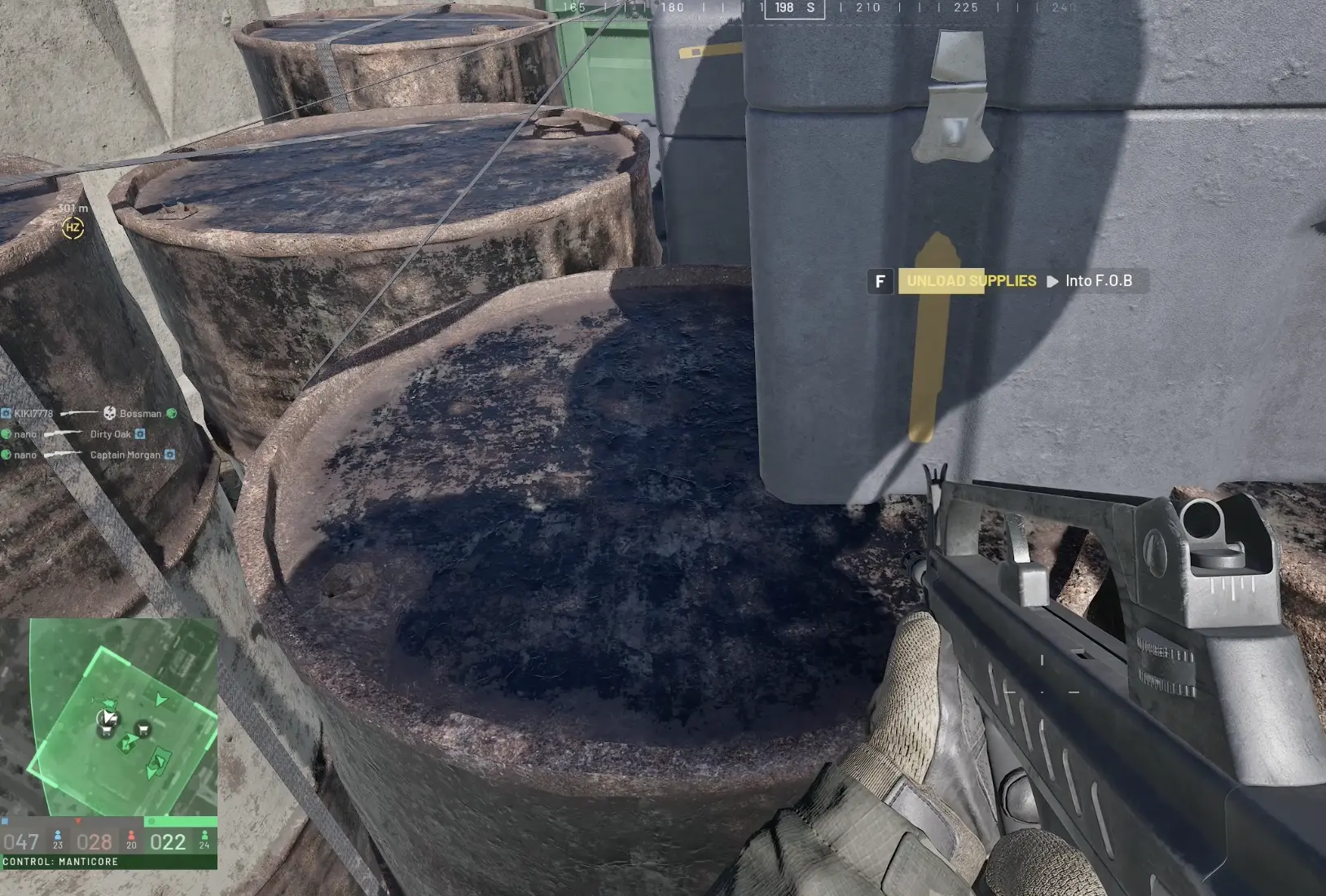
- unload the cargo;
- transfer the resources into the FOB;
- use the hammer required by the structure;
- build only what the position needs immediately.
Before another logistics run, I look at the fight again. A FOB that was useful two minutes ago can lose its road, get surrounded, or become unnecessary after the Hot Zone moves.
Place the FOB Before Unloading Supplies
The Ural should not decide where the FOB goes.
I deploy the core first, then use the visible FOB area to line up the truck. What matters is where the pallet lands, not whether the cab of the Ural looks close to the base.
This mistake is easy to make because the truck can be almost touching the base while the rear unloading point sits outside the radius.
Taking a few extra seconds to straighten the vehicle is much faster than recovering an entire delivery afterward.
Why Supplies Can Be Beside the FOB but Still Show as Missing
A pallet on the ground is not automatically part of the FOB’s resource pool.
There are two separate checks:
1. Did the pallet land inside the FOB radius?
2. Were the resources transferred into the FOB?
Both have to be correct.
A full pallet can sit visibly beside the base while the construction menu still reports a shortage. Moving the truck closer afterward does not fix that, because the cargo has already been dropped.
Once a correctly placed pallet is transferred, nearby construction can use the resources stored in the FOB.
What to Do If You Unloaded Outside the FOB Radius
A bad pallet drop is inconvenient, but it does not always mean the entire supply run is lost.
In the current Early Access build, I could not simply pick the whole pallet back up and put it onto the Ural again. The useful recovery was to open the dropped supplies, move what I could into my backpack, then carry those resources into the FOB manually.
That is much slower than unloading correctly, and backpack space becomes the new limit. It also exposes the player while walking resources between the misplaced cargo and the base.
So I treat manual carrying as damage control, not the normal method.
If the area is already under fire, abandoning part of a bad drop can be smarter than repeatedly crossing open ground to recover every last unit.
Medium Hammer vs Large Hammer
A deployed FOB gave me access to a Medium Hammer, so I no longer buy another one automatically before leaving base. For ordinary walls and the construction available through that hammer, I use what the FOB already provides.
Advanced structures are different. Drills, mortars and larger construction require the Large Hammer, which currently unlocks at Support Level 8.
If an advanced structure is missing even though the FOB has resources, I check the hammer before ordering another supply run. A lower-Support player can still help with the rest of the base while a teammate with the Large Hammer handles the advanced structure.
The WARDOGS Progression Guide covers the Support unlock path. At the FOB itself, the useful check is simply: does this structure need a hammer we do not currently have?
Supply, Fuel, Ammo and Parts Solve Different Problems
FOB resources are not interchangeable.
| Resource | What I use it for | When I know I need more |
|---|---|---|
| Supply | Building structures and expanding the position | Construction stops because the FOB cannot pay the build cost |
| Fuel | Fuel-dependent systems such as the constructible Drill | The Drill cannot start or continue operating |
| Ammo | Talon and other weapon systems | The emplacement exists but cannot keep firing |
| Parts | Mechanical and specialist requirements | A structure or support function specifically asks for Parts |
I load the Ural around the first problem I expect to solve.
For a position whose job is simply to give the team a foothold, I avoid hauling an expensive mixed cargo before anyone knows whether the site will survive.
A Drill site needs Fuel. An anti-air site needs enough ammunition to stay relevant. Filling both pallet slots with resources unrelated to the first job is how a supply run reaches the front and still fails to make the FOB useful.
For the Ural and other vehicle roles outside this specific construction job, see the WARDOGS Vehicles Guide.
Constructible Drill vs Tower Drill
There are two different Drill situations in WARDOGS.
The Tower Drill belongs to the fixed Tower system on the map.
The constructible Drill is built from a player FOB.
If the problem is the fixed Towers, codes or the Hot Zone system, the main WARDOGS Guide covers that match flow. Here, the important point is that the player-built Drill has its own placement, resource and defense problems.
Do Not Rush the Drill Before the FOB Is Ready
I watched a Drill go active before the surrounding FOB was ready to hold a serious attack. Its entrances were unfinished, vehicle movement was still awkward, and the new objective immediately gave both enemy factions a reason to pressure the position.
The FOB was overrun.
Worse, control of the position changed hands, so the structures that had already consumed time and resources became useful to the enemy instead.
That completely changed the order I use.
I no longer treat:
FOB down → Drill immediately
as the default sequence.
I want the base to survive contact first. That means enough construction to make the obvious entrances defensible, a usable friendly route in and out, and room for logistics or a spawn vehicle to move without becoming trapped behind the team’s own walls.
Only then does starting the Drill make sense.
Why the Drill Is Unavailable
When a constructible Drill refuses to appear or operate, I work through the problem in this order:
| Problem | Check first |
|---|---|
| Drill is not in the build options | Large Hammer and Support requirement |
| Drill cannot be placed | Location and whether the intended ground satisfies the Drill placement rule |
| FOB shows resources but Drill still cannot be built | Whether the required resource was actually transferred into the FOB |
| Drill is built but stops working | Fuel |
| Drill site keeps disappearing to enemies | Whether it was activated before the FOB could defend itself |
This order matters because the symptoms look similar.
A Fuel shortage cannot be solved with another Supply pallet. A progression problem cannot be solved by moving the FOB three meters. A pallet outside the radius cannot be fixed by buying another hammer.
I isolate one failure at a time.
Choose the Drill Location Before Building the Entire Base
The constructible Drill has a more specific placement requirement than ordinary FOB construction.
When the whole purpose of the position is the Drill, I identify legal ground for that structure before turning the surrounding area into a fortress. Otherwise it is possible to spend several minutes building a perfectly functional FOB and then discover that its main structure cannot be placed where intended.
Once the Drill position works, the rest of the FOB can be arranged around keeping it supplied and keeping friendlies alive long enough to use the area.
Detailed decisions about entrances, asset spacing and whether a specific patch of terrain is worth turning into a large position are handled with the WARDOGS FOB Planner.
Do Not Wall the Truck and Spawn Vehicle Into the FOB
A heavily fortified FOB can create its own logistics problem. I have ended up in bases where the walls were tight enough to slow or block the Ural and Spawn Vehicle even though the defenses were doing their job against infantry.
That is especially costly when the position still expects another supply run or needs the Spawn Vehicle moved under cover.
That is a bad trade for any FOB that expects another Ural, a spawn vehicle or repeated resupply.
Before closing an entrance, I check whether the largest friendly vehicle that still needs the base can actually use it. A narrow infantry opening is not enough when the site still depends on trucks.
This matters even more once the fight starts. Repairing a bad layout while enemies are already shooting into the position is much harder than leaving a practical logistics lane during the initial build.
Talon Anti-Air Sites Need Sky More Than Extra Walls
A Talon position fails for different reasons than a Drill.
Fuel is not the first problem. The launcher needs Ammo, actual aircraft traffic and enough open sky to engage it.
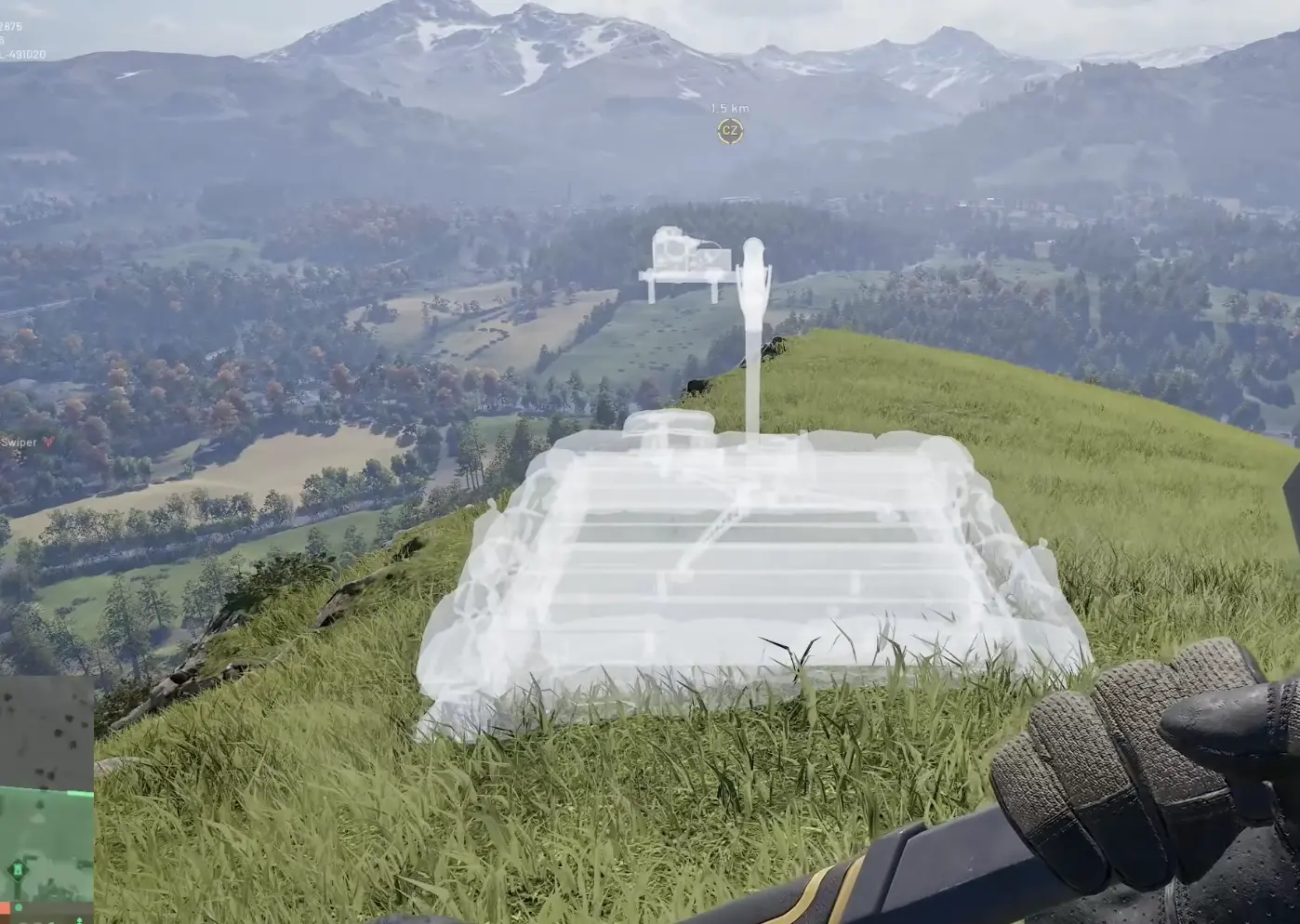
I avoid placing the Talon in the exact same concealed pocket as the FOB core. The core benefits from cover; the launcher needs visibility.
The two pieces can serve the same base without sitting next to each other.
That also makes the site harder to remove in one attack. Losing the launcher should not automatically expose the core, and finding the FOB should not guarantee a clear shot at every specialist structure.
Do Not Keep Feeding a FOB Just Because It Already Exists
A Ural leaving base with supplies does not create an obligation to unload them at the destination originally chosen.
The battlefield can change during the drive.
The Hot Zone can move away. An enemy faction can capture the road. A friendly FOB can appear nearby and already solve the problem. A mortar team can range the site before the truck arrives.
As long as the pallets are still on the vehicle, the cargo still has options.
Once they hit the ground, those options shrink dramatically.
If a position is already collapsing, I would rather redirect a loaded Ural than add more resources for the enemy to capture.
Enemy Teams Can Take Over a FOB
Building the position does not guarantee that my team will keep it.
I saw Blue establish a FOB, activate its Drill before the defenses were ready and lose the site to Green. The structures remained in place and Green continued using the position. Red later attacked the same base again.
The Fuel, Ammo, walls and specialist structures were still valuable; only the faction controlling them had changed.
That makes unnecessary stockpiling especially dangerous. A FOB full of Fuel, Ammo and useful structures is a much better prize than an unfinished core with little committed to it.
I add resources when the position can convert them into something useful now, not because the inventory looks empty.
Move the Ural After the Delivery
Once the pallets are unloaded and transferred, I usually do not leave the Ural sitting beside the FOB core.
A large truck is easy to see and can make an otherwise concealed position much easier to locate. It also occupies the same interior space that later vehicles may need.
If the Ural still runs, I move it somewhere that keeps the FOB usable and preserves the truck for another job.
The base has to remain there.
The delivery vehicle does not.
Common FOB Problems
| What you see | Most likely check | What I do next |
|---|---|---|
| Pallet is beside the FOB but resources are missing | Radius and transfer | Confirm the pallet is inside, then transfer the contents |
| Pallet landed outside the radius | Backpack space | Open the supplies and carry recoverable resources into the FOB manually |
| Advanced structure is missing | Large Hammer / Support | Find a builder with the required hammer instead of unloading more Supply |
| Drill cannot be placed | Drill location | Check the intended ground before rebuilding the FOB |
| Drill stops operating | Fuel | Resupply Fuel rather than Supply or Ammo |
| FOB is lost soon after Drill activation | Defensive readiness | Build the position before creating an objective that attracts both enemy teams |
| Talon has Ammo but achieves little | Sky and air traffic | Move the AA concept to a location with a useful firing arc |
| Friendly vehicles cannot enter or leave | Gates and wall layout | Open a real logistics route instead of adding more fortifications |
| Supplies keep getting captured | Whether the FOB is still defensible | Stop feeding the site and redirect the next truck |
Should I Build More Walls?
Only when I can explain what the wall fixes.
A useful fortification can block a vehicle route, break a dangerous sightline or make an infantry entrance easier to defend. A random wall can obstruct friendlies, trap the spawn vehicle or make the Ural route unusable.
The worst bases are sometimes the ones with the most construction.
They look secure until the team needs to leave.
For deciding how much fortification a specific position deserves, use the WARDOGS FOB Planner.
Before I Leave Base With a FOB
I check three things before loading the truck.
What is this FOB supposed to do?
A simple foothold does not need the same cargo as a Drill or Talon site.
Does the team have the hammer the plan requires?
Basic construction can start with the Medium Hammer available at the FOB. Advanced construction needs access to the Large Hammer.
Which resource will the first specialist structure consume?
I bring that resource instead of filling every free pallet slot with a little of everything.
After deployment, my order is:
place FOB → inspect radius → line up Ural → unload inside radius → transfer resources → secure the entrances and vehicle route → add the specialist structure
If the road closes, the Hot Zone moves away or the position starts collapsing before the pallet comes off the truck, I keep the cargo mobile and reconsider the delivery instead of unloading simply because I already drove there.