Where to Find Oil and Repair Parts in Funnel Runners
Use the Van diagnostic, search the right landmarks, follow Radar markers, and get required parts installed before the storm destroys the route.
Updated:
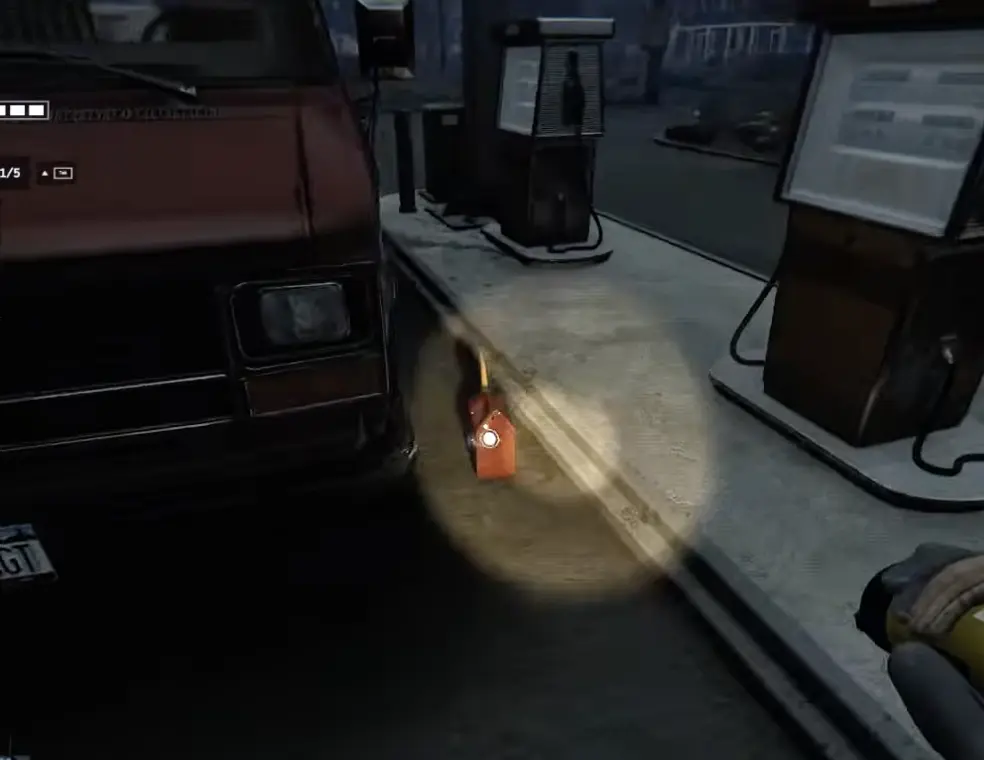
Quick Answer
Repair parts have randomized spawns, so I follow a search priority rather than fixed coordinates. I turn the key first, read the exact task bars, and check the nearest garage, followed by a gas station, junkyard, or abandoned truck beds. A Pocket Radar helps narrow the search because mission-related items appear as colored markers on its screen, while the physical pickup still has a white outline. Once I find Oil, Fuel, Coolant, a Battery, Tire, or Fuses the Van still needs, I return. Finding the item is only half the job: I still have to install it, complete the repair minigame, and confirm the diagnostic clears before the storm removes the route.
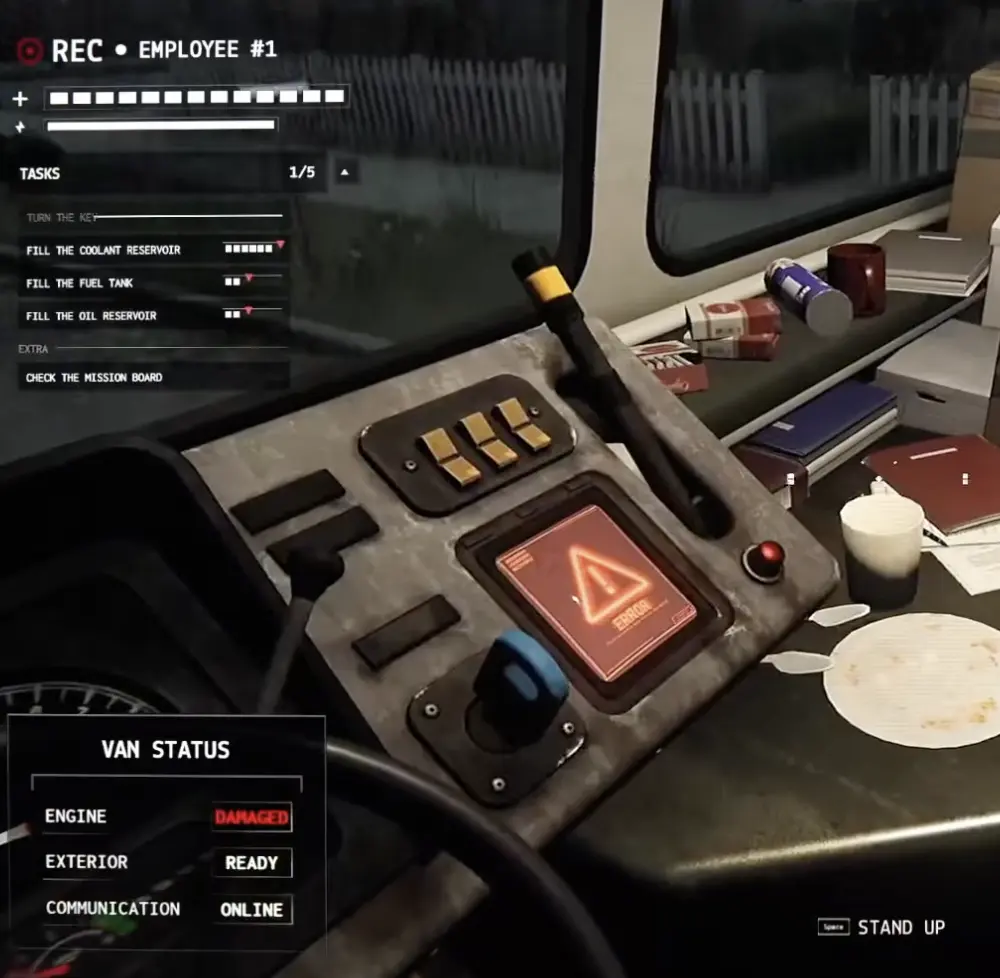
These Are Search Priorities, Not Fixed Spawns
There is no single garage, gas station, or house that always contains the part you need.
At Early Access launch, Funnel Runners combines:
- six Van repair-part categories;
- six gadgets;
- 15 weather variations;
- three map layouts.
The Van problems, loose items, weather, and usable routes change between runs. A garage that gave me Motor Oil once may hold a Battery, Scissor Jack, optional item, or nothing useful the next time.
The locations below are therefore based on where I start looking—not guaranteed spawn points or confirmed drop rates.
That distinction matters when Oil is missing. I do not keep searching the same garage because Oil “should” be there. Once the useful areas are clear, I move to the next landmark.
Best Repair-Part Locations
| Item | Check first | Then check | What matters |
|---|---|---|---|
| Motor Oil | House garage | Gas station, junkyard, Radar-marked house | One container may not clear the full task bar |
| Fuel Can | Gas station | Junkyard, truck bed, garage | Return and check the task before searching for another |
| Coolant | Garage or gas station | Junkyard, utility room | Confirm the label; fluid containers are difficult to distinguish in dark rooms |
| Battery | Garage | Gas station, utility area | A replacement normally needs a Toolbox at the Van |
| Tire | Garage or yard | Property edge, strong Radar marker | Bulky enough to end the current search trip |
| Fuses | Garage work area | Gas station, utility room | Small and easy to overlook on dark floors |
| Toolbox | Van or garage | House work area, gas station | Needed for Battery and Tire repairs |
| Scissor Jack | Van or garage | Yard, work area | Only needed when the diagnostic lists a damaged Tire |
Vehicle-related locations give me more useful possibilities per minute than clearing kitchens, bedrooms, and upstairs hallways without a marker.
My Repair-Part Search Route
I use one controlled route instead of entering whichever house happens to be closest.
- Turn the key and read every required repair.
- Check how much progress each Oil, Fuel, or Coolant task needs.
- Look inside the Van for a Toolbox, Scissor Jack, Crowbar, or Pocket Radar.
- Search the nearest garage before entering the rest of its house.
- Go to the gas station when Fuel is required.
- Check the junkyard and abandoned truck beds for fluids and tools.
- Use the Pocket Radar before committing to a large ordinary house.
- Return when I find a required item.
The route only expands after the useful landmarks in the first loop are clear.
This prevents the most common Oil trap: I keep finding Tokens, food, spare tools, Flashlights, and unrelated parts, so the search feels productive even though the Van is no closer to leaving.
Use the Pocket Radar Before Clearing a House
The Pocket Radar is most useful before I commit to a large building.
Mission-related repair items appear as colored markers on the Radar screen. The outline around the physical object remains white when I aim at it.
I therefore use it in two stages:
- Follow the useful marker toward the correct room, floor, or exterior wall.
- Read the pickup label before dropping anything from my inventory.
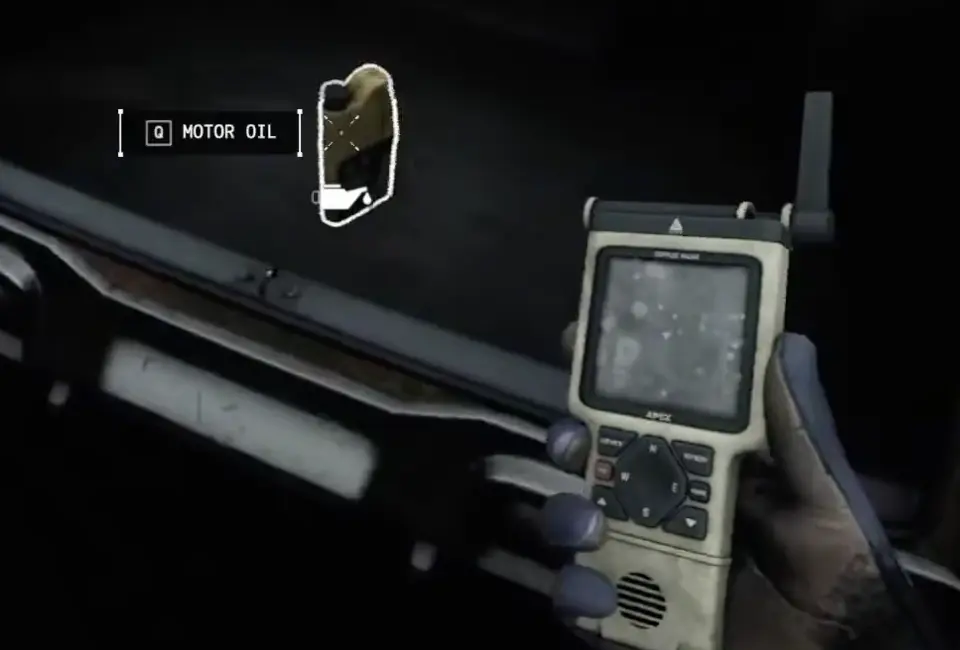
The marker may lead toward:
- the room behind the next wall;
- an upstairs floor;
- an attached garage;
- the yard outside;
- an item hidden behind shelves or equipment.
I move a short distance and check again instead of searching every room in one pass.
When the Radar gives me no useful direction, I make a quick visual sweep of the garage or work area and move on. I do not treat one unclear scan as proof that the entire property is empty, but it is a good reason not to clear two floors blindly.
Check Garages Before Bedrooms
Garages are my first stop when the Van needs:
- Motor Oil;
- Coolant;
- a Battery;
- Tire;
- Fuses;
- Toolbox;
- Scissor Jack.
I check the floor near the garage entrance, shelves, workbench area, the wall shared with the house, and the yard directly outside.
Only then do I consider the rest of the property.
A garage is not a guaranteed Oil location. It is simply a compact area where several vehicle-related items can appear without forcing me through a full residential search.
I leave when the visible work area is clear, the Radar provides no useful next direction, or I am already carrying a required part.
Check the Gas Station First for Fuel
When the diagnostic lists Fuel, the gas station is the first named landmark I look for.
Fuel can appear elsewhere, but the station is easy to recognize, quick to sweep, and easy to find again after nearby houses begin taking damage.
The Fuel Can below was beside the pumps rather than hidden deep inside the store.
I also look through the store and obvious back area because a gas station may contain Coolant, Fuses, a Battery, or a tool.
I still carry only what the current diagnostic needs.
If the Van needs Fuel and Fuses, a spare Battery in the same station is not worth replacing the Fuel Can in my hands.
Check Junkyards and Truck Beds
Junkyards are worth a quick search for:
- Fuel;
- Motor Oil;
- Coolant;
- repair tools.
I check abandoned truck beds instead of looking only at ground level.
A fluid container can sit inside the back of a vehicle and remain almost invisible while I sprint between scrap piles.
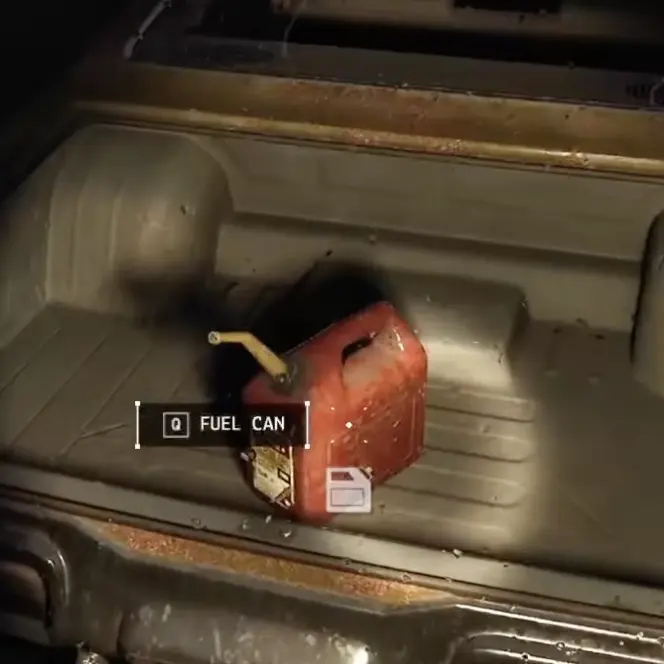
My junkyard sweep is short:
- Check the nearest truck beds.
- Look between abandoned vehicles.
- Scan with the Pocket Radar.
- Check one obvious work area.
- Move on when the useful route is clear.
I do not circle the same vehicles repeatedly because Fuel or Oil feels thematically likely to be there.
Search Ordinary Houses Last
Repair parts can appear in ordinary residential rooms.
I enter a house when:
- the Pocket Radar points toward it;
- a required item is visible through an opening;
- it lies directly on my return route;
- nearby vehicle-related locations are already clear;
- I need shelter and can scan while waiting.
I do not begin by clearing every kitchen, bedroom, bathroom, and upstairs hallway.
An ordinary house contains more possible pickup positions and more optional distractions. Without a useful marker, it takes longer to verify than a garage, gas station, or truck bed.
Finding the Part Is Only Half the Repair
Bringing a replacement back to the Van does not automatically complete the task.
I still need to interact with the broken system and finish the reaction-based repair minigame.
The exact preparation depends on the repair:
- Oil, Fuel, and Coolant must be added to the correct tank or reservoir;
- a Battery normally needs a Toolbox so the old Battery can be disconnected and removed;
- a Tire needs the replacement Tire, a Scissor Jack, and a Toolbox;
- blown Fuses must be removed before the replacement set is installed.
A failed repair minigame does not count as a completed repair. I repeat the interaction and then check whether the task has cleared.
That final check is especially important for fluids. Emptying one container does not always fill the entire task bar.
Use the Van Repair Guide for every installation step and tool requirement.
Search Before the Map Removes the Route
A run gives the team roughly a 20-minute escape window, but I do not treat that as 20 safe minutes of searching.
Smaller tornadoes and weather events can destroy a useful building well before the final storm arrives. When a structure is ripped apart, the route may disappear and items in that area can be lost with it.
That changes which location I search first.
If the nearest garage is already shaking, losing walls, or sitting in the path of a funnel, I do not insist on finishing the building because it ranks first in the guide. I switch to the gas station, junkyard, or another marked property while those locations still exist.
I turn back when:
- I am carrying a required item;
- the return street is becoming unsafe;
- the building around me is beginning to collapse;
- I would need to enter a new distant section of the map;
- the remaining repair can be completed with what I already have.
Precise storm-distance rules belong in the Tornado and Weather Survival Guide. For this page, the useful rule is simpler:
Do not lose the required part trying to improve the search.
Divide the Search in Co-op
Funnel Runners supports up to eight players, but extra players only help when they stop checking the same rooms.
For a four-player team, I use this split:
- Van player: reads the diagnostic, prepares Battery or Tire repair points, installs returned items, and confirms what is still missing.
- Garage route: searches the nearest residential garage and attached work areas.
- Gas station or junkyard route: follows the required fluid and tool priorities.
- Radar route: scans ordinary houses and calls out useful markers.
With more players, I assign additional streets or landmarks instead of sending several people into the first garage.
Every useful callout should contain three pieces of information:
“Motor Oil found, yellow two-story house east of the Van, returning now.”
After installation, the Van player gives the next update:
“Oil cleared. We still need one Coolant bar.”
This prevents two common failures:
- several players continue looking for an item already completed;
- everyone assumes one returned container filled the entire requirement.
I leave the Toolbox and Scissor Jack near the Van unless someone needs them to access a specific repair. Tools wandering through the map create an unnecessary second search after the replacement part has already arrived.
When Oil Is Still Missing
Oil does not require a separate search system. I apply the same priority once, then open a new area instead of repeating it.
My Oil check is:
nearest garage → gas station → junkyard and truck beds → Radar-marked house
If that first loop is clear, I do not return to the original garage and inspect every shelf again.
I choose a new map section, scan before entering a large house, and keep the Van route in sight.
The important judgment is not:
“Where does Oil always spawn?”
It is:
“Which useful location have I not checked yet?”
Once Motor Oil is found, I return, add it to the correct reservoir, and confirm whether the task bar clears. If Oil remains active, I know I need another container rather than another theory about the first location.
Before Leaving a Search Area
Before I move to the next landmark, I check four things:
- Did I read the item label?
- Does the Van still require it?
- Is there another useful Radar marker nearby?
- Am I already holding something that should go back now?
If the last answer is yes, I return.
A required Oil bottle, Fuel Can, Battery, Tire, or Fuse pack already in my hands is more valuable than an unsearched optional room.
What to Read Next
Use the Van Repair Guide for the Battery, Tire, Fuse, Fuel, Oil, and Coolant installation steps and repair minigames.
Use the Solo Guide for opening routes, inventory priorities, Vitastation decisions, and when to abandon optional objectives.
Use the Tornado and Weather Survival Guide for Acid Rain, Lightning, tornado pull, shelter, collapsing buildings, and emergency return decisions.
Return to the Funnel Runners Guide Hub for the complete reading order.
FAQ
Can the Vitastation sell the missing Oil, Fuel, or Battery? +
I do not treat the Vitastation as a replacement-parts shop. Its stock focuses on healing, stamina, lighting, and utility equipment, so I spend Tokens on surviving the next trip rather than expecting the machine to solve the Van diagnostic.
What happens if I fail a repair minigame? +
The repair is not complete until the interaction succeeds and the diagnostic updates. The first failed minigame can unlock the First Day Fail achievement, but it does not move the Van closer to escaping.
Does adding more players always make repair parts easier to find? +
More players can cover more landmarks, but player count can also affect the number of Van problems and events in a run. The exact amount of each required fluid is not fixed, so every team still needs to read the current diagnostic.
Can I always buy a Crowbar for a barred room? +
No. The Crowbar becomes purchasable from the Vitastation at VA Station Level 10. Before that, I only plan around one when it appears among the Van's starting equipment or I find one while searching the map.