Anime Shop Simulator Co-op: How Do You Join and What Is Shared?
Use an existing shop save, get friends into a private session, understand what carries into co-op, and split checkout and restocking without creating more chaos.
Updated:
Quick Answer
Use Multiplayer → Create, choose the existing shop save you want to host, set the lobby to Friends Only, choose a player limit of up to 4, and enter the session. If a friend cannot find the shop, first confirm the Steam friend request is fully accepted; with the host already inside the multiplayer game, Steam → Join Game was the connection method that worked for us.
You Can Turn an Existing Shop Into a Co-op Session
I initially expected multiplayer to require a separate save, which would have made co-op much less useful once a single-player shop was already several levels in. The Create flow does not force that reset. Before setting the server options, I could select the existing save I wanted to host and load that same store into multiplayer.
The route I use is:
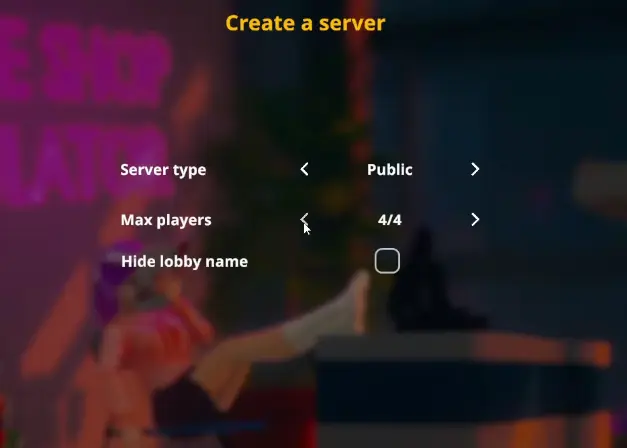
Multiplayer → Create → choose the shop save → choose Server Type → set Max Players → Play
For a private game, I use Friends Only. The player selector reaches 4/4, so this is not limited to the two-person session I used for most of the testing.
Who hosts matters more than the number of players. If one person already owns the shop everyone wants to continue, I make that person the host rather than starting another store. That way the multiplayer session begins with the floor plan, shop level and current store state we actually intended to use.
If the Friends Only Lobby Is Missing, Check Steam Before Rebuilding Anything
Our first real multiplayer problem looked like an in-game lobby problem.
The host had created the Friends Only session and loaded the correct shop, but the second player could not see it. Refreshing the multiplayer browser did not immediately help, and recreating the shop save would have been the wrong direction.
The issue turned out to be much simpler: the Steam friend request was still pending.
Once that request was accepted and both accounts actually appeared as Steam friends, the connection path changed. With the host already inside the multiplayer session, the second player could use Steam Join Game and enter the shop successfully.
I would therefore troubleshoot co-op in this order rather than repeatedly refreshing the server list.
| What is happening | What I check first | What worked in our run | What I would not change yet |
|---|---|---|---|
| Friend cannot see a Friends Only shop | Confirm both players are actually Steam friends, not sitting on a pending invite | Accept the request, keep the host in multiplayer, then retry | Save file, shop progression or store layout |
| Lobby exists but browser refresh does nothing | Make sure the host has entered the multiplayer session | Use Steam → Join Game on the host | Repeatedly rebuilding the lobby before checking Steam |
| Steam invite or Join option is unavailable | Confirm the multiplayer game is already running | Start the Friends Only session first, then open the Steam friend options | Starting a brand-new shop |
| Guest joins the correct shop but personal card state looks different | Compare shared shop level with the guest’s own Card Book | Shop progression was shared while the guest’s personal card collection was not copied | Assuming every player-owned collection should match the host |
| Two players are connected but the shop feels no faster | Watch which task is actually falling behind | Split checkout from stock/restocking | Having both players chase the same small jobs |
The Shop Was Shared, but the Guest’s Card Collection Was Not Copied
The next question was more important than getting through the door: what exactly belongs to the shared shop, and what still belongs to the player?
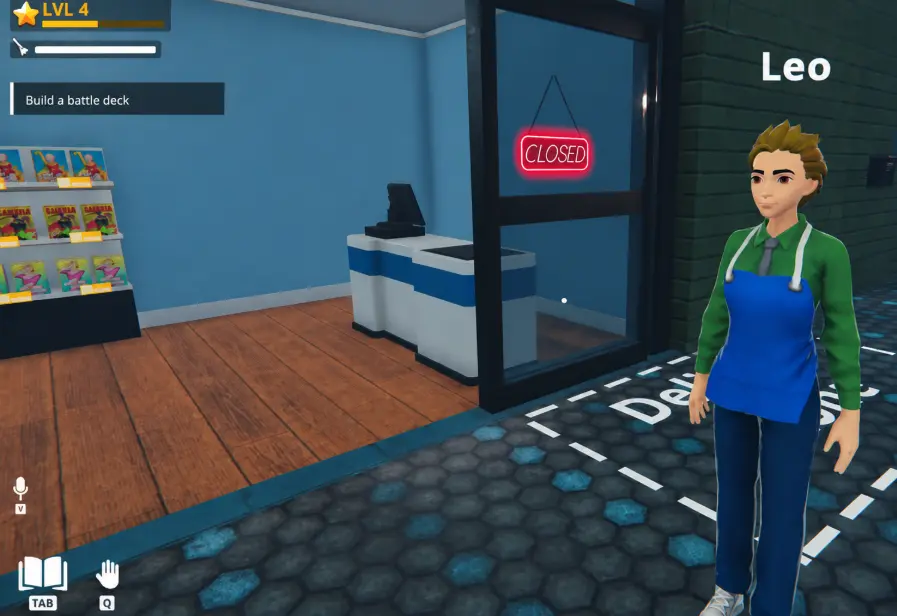
The guest entered an existing shop that was already Shop Level 4, and that shop level was visible after joining. The store was not reset to Level 1 just because another player had connected.
The personal Card Book behaved differently. When the joining player checked it immediately after entering the session, their collection was empty rather than being filled with the host’s cards.
That gives me a useful boundary for co-op:
the shop session can carry the host’s progression, while personal collection state should not be assumed to mirror the host automatically.
I would therefore choose the host based on the shop we want to continue, not based on which player has the strongest personal card collection.
If the guest wants to participate seriously in the card side, I expect them to build their own collection rather than relying on the host’s Card Book. The deck rules and tournament progression are covered in the Card Battle guide; for multiplayer, the important point is simply that shared shop state and personal card state are not the same thing.
Co-op Starts Paying Off When Checkout and Stock Need Attention at the Same Time
Two players can feel unnecessary during the first few shop levels. There are only a handful of shelves, customers arrive slowly enough that one register is easy to manage, and both players can spend more time getting in each other’s way than saving time.
The value appears when the store develops two simultaneous bottlenecks.
In one run, customer traffic had increased enough that somebody needed to stay close to checkout while products were also disappearing from the shelves. Trying to have both of us float between every task created extra walking and left the same jobs unfinished.
The simplest split worked best:
one player owns the register; the other owns movement through the shop.
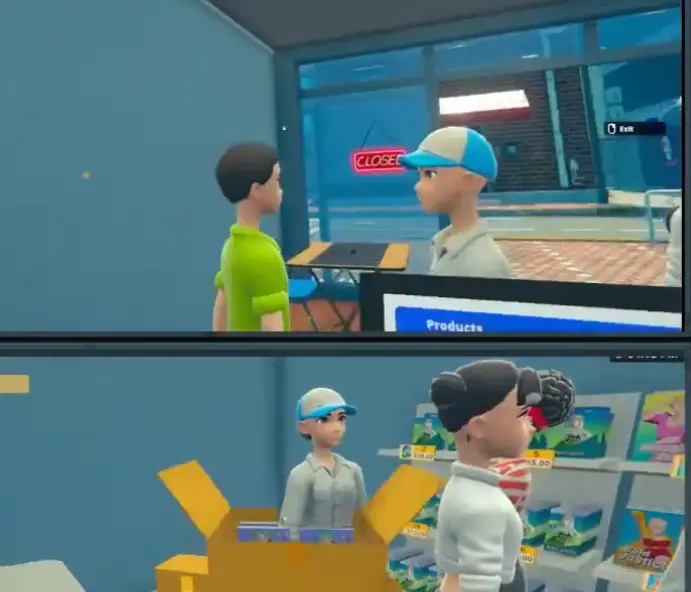
The register player stays close enough to prevent the line from becoming the entire day’s problem. They process purchases, handle restricted-sale prompts when they appear and keep customers leaving the store instead of waiting around with completed baskets.
The second player has much more ground to cover. That person checks low shelves, pulls replacement stock, receives deliveries, places orders, cleans obvious messes and handles side interactions that would otherwise force the cashier away from the counter.
That division gave us more useful work than constantly asking, “What should I do now?”
Roles Should Move When the Bottleneck Moves
Register versus restocking is a starting arrangement, not a permanent class system.
At one point the player handling checkout needed to leave the shop for a progression interaction. Instead of treating that as a problem, we finished the current customer, swapped positions and carried on.
That is how I think about multiplayer roles now: they are temporary ownership of a problem.
If checkout is under control but three shelves are empty, the extra player belongs on stock. If deliveries are stacked outside, somebody should unpack them. If both players have the floor handled but the queue is growing faster than one register can process it, checkout has become the new bottleneck.
The useful role is wherever the store is losing time.
This matters even more with three or four players. Adding people without giving them distinct work does not automatically make the shop more efficient. In a small early store, four players can simply crowd the same aisle. Once the product range, Storage, deliveries and customer traffic grow, those additional hands have much clearer jobs.
The Player on the Register Can Still Lose Real Money
Co-op does not make manual checkout safer.
In one session, a cash transaction was mishandled badly enough that we over-tendered by roughly $20. That is not disastrous once the shop is mature, but it is noticeable during the opening phase when a few hundred dollars can decide whether I can restock, buy the next license or keep saving for a major upgrade.
Because of that, I put the player most comfortable with the register controls on checkout during the early days.
This is less about skill than about consistency. The stocking player can move quickly through orders, shelves and deliveries without worrying about a waiting line, while the cashier can concentrate on cash, change and any customer-specific prompts.
Once both players know the controls, swapping is easy. I just would not use a busy opening shift as the moment to discover how manual cash handling works.
Another Human Delays the Need for Automation, but Does Not Remove It
Two players can cover jobs that would otherwise push me toward an employee much earlier.
If one person is already working the register, paying an NPC cashier immediately may solve a problem that co-op has already solved for free. That makes it reasonable to delay the hire while the shop is still small.
The calculation changes later.
We reached a point where two human players already felt busy even before all later areas and product lines had opened. At that stage, an employee is not competing with co-op; the employee is removing another repetitive task from the team.
A cashier employee, for example, can free both players from standing behind the register. One player can maintain stock and orders while the other handles cleaning, security, layout work or progression outside the immediate sales loop.
The progression guide covers when employees, Storage and more floor space become useful. In co-op, I use the same principle with one extra resource available: another human player is effectively part of my staffing capacity.
A Four-Player Lobby Does Not Mean Four Players Are Always Better
Because the server setup allows up to four players, it is tempting to fill every slot as soon as co-op starts working.
I would not do that automatically.
The opening shop simply does not contain four full-time jobs. With a small product range and one quiet register, extra players spend more time sharing the same aisle than removing meaningful work.
Additional players become valuable as the shop develops independent work zones:
- checkout;
- restocking and Storage;
- deliveries and ordering;
- cleaning, security and outside objectives.
Once those jobs exist at the same time, a larger group can make sense. Before then, two players already cover the most important split remarkably well.
So I choose the lobby size around the shop we are running rather than assuming maximum players equals maximum efficiency.
The Setup I Would Use From a Fresh Co-op Session
If I were starting the same multiplayer shop again, I would settle the connection before worrying about the workday.
The person whose save we want to continue creates the multiplayer session and selects that existing shop. I set the lobby to Friends Only, choose the actual number of players we expect rather than automatically using all four slots, and let the host load completely into the game.
Before the second player spends time refreshing the browser, I verify that the Steam friendship is active. The guest then uses Steam Join Game if the lobby is not appearing normally.
After everybody arrives, I check the shared shop state before opening. If the correct shop level and layout are there, the session is using the save I intended. Personal systems such as the Card Book may not match across players, so I treat those separately rather than assuming a bad connection.
Only then do we divide the work.
For two players, my default is still register versus shop floor. With more people, I add responsibilities only when the store has enough independent work to justify them.
That sequence solves the two problems that made the first attempt feel messy: the connection is proven before the workday begins, and nobody enters the rush wondering which job they are supposed to be doing.