ATS Road Trip Atlas Guide: Tourist Boards, POIs & Postcards
Find Tourist Boards first, reveal their hidden POIs, plan Atlas routes, and complete all three California boards for their postcard rewards.
Updated:
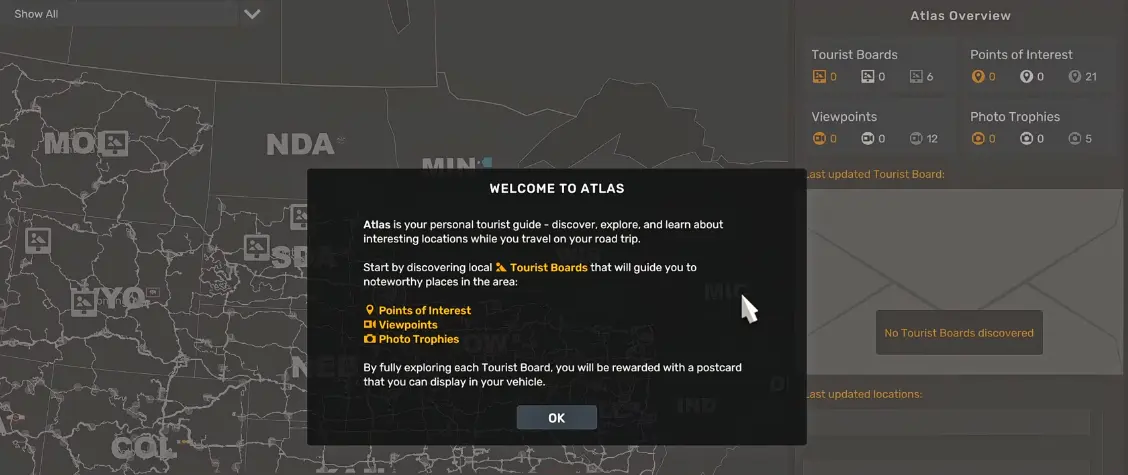
Quick Answer
In Road Trip, find and activate a Tourist Board before chasing its Points of Interest. The board reveals the POIs tied to that route, while Viewpoints can already be collected without activating the board first.
Open Atlas, choose the board you want to finish, add its locations to navigation, and clear every listed objective. Completing the route fills the board’s postcard progress and awards its Tourist Card for use inside your vehicle.
The Atlas is much easier to understand once you stop treating every icon on the map as an independent collectible.
A Tourist Board is the start of a local route. Activating it reveals the Points of Interest connected to that board, and the Atlas then gives you a location list that can be added to navigation. Some routes also overlap with existing Viewpoints and Photo Trophies, so a single stop can advance more than one exploration system.
The first thing I check when a POI seems to be missing is the Tourist Board itself. Driving directly to where a POI should be does not help if its board has never been activated.
How to Start a Tourist Board Route
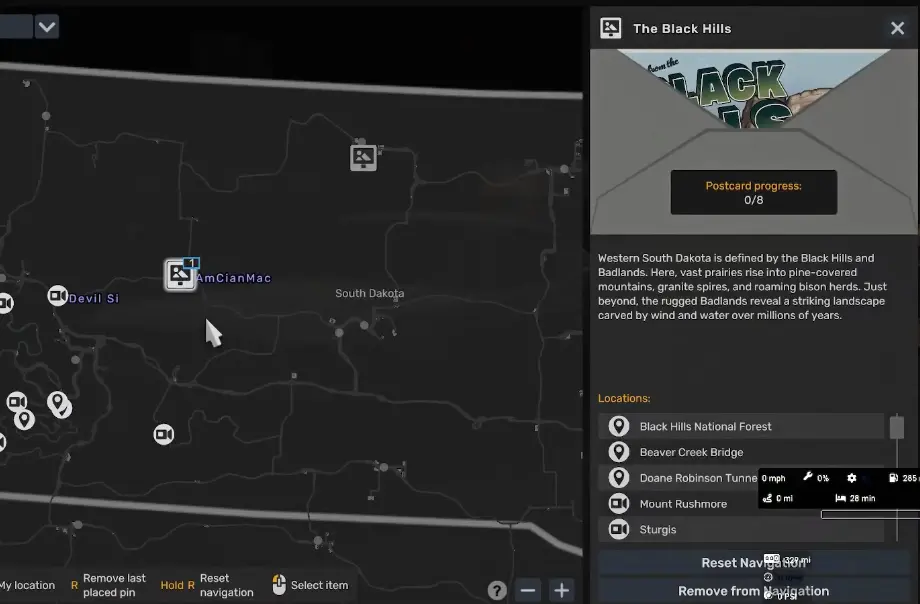
Open Atlas from Car Mode and choose one of the available Tourist Boards. If the board has not been discovered yet, Atlas points you toward its general location rather than immediately exposing every objective.
Once you reach the Tourist Board, activate it. The board changes from a single destination into a local itinerary with several locations beneath it.
The practical sequence is:
- drive to the Tourist Board;
- activate it to reveal its route;
- open the board in Atlas;
- add the listed objectives to navigation;
- drive through or activate each required location;
- return to Atlas whenever you want to check postcard progress.
The individual stops do not need to be treated as separate jobs. I normally add several nearby locations to navigation and clear them as one road trip instead of opening Atlas after every stop.
Why Some Points of Interest Do Not Appear
California makes the rule especially clear: the state has 3 Tourist Boards, covering 14 Points of Interest and 3 Viewpoints.
The important difference is when those locations become available.
Viewpoints can be collected whenever you reach them. Points of Interest only appear after their corresponding Tourist Board has been discovered.
That creates a common false start. You may recognize an area from the normal map, drive there, and still see no Atlas POI marker. Nothing is wrong with the save; the missing step is usually the Tourist Board that owns that location.
California Tourist Boards
California is a good state for learning the system because its three boards divide the exploration into three very different regions rather than scattering seventeen unrelated objectives across one giant checklist.
| Tourist Board | Objectives | Locations |
|---|---|---|
| The Sun & Sand | 5 | Lone Pine; Death Valley National Park; Father Crowley Vista Point; Mojave Valley Wells; The Colorado River Indian Reservation |
| The Sierra Crossing | 6 | Tioga Road; Mono Lake; Lake Tahoe; Eldorado National Forest; Inn at Benton Hot Springs; Yosemite National Park |
| The Golden Horizon | 6 | Alcatraz; Treasure Island; Surfing City; Madonna Inn; Golden Gate Bridge; Richmond Bridge |
The board totals add up to 17 objectives, matching California’s 14 POIs and 3 Viewpoints.
I would finish one board at a time rather than jumping between all three. The routes cover very different parts of California, so mixing their objectives creates long transfers without helping the current postcard finish any faster.
The Sun & Sand
The Sun & Sand is the desert route. Its five listed locations are:
- Lone Pine
- Death Valley National Park
- Father Crowley Vista Point
- Mojave Valley Wells
- The Colorado River Indian Reservation
This board is the cleanest of the three because it has only five objectives. Once it is active, add the full list to navigation and work through the desert route rather than returning to the board between stops.
The important progression check is the postcard counter. If it remains at the same value after visiting an area, confirm that you actually reached the Atlas objective rather than only driving through the wider landmark region.
The Sierra Crossing
The Sierra Crossing moves the route into the Sierra Nevada and has six locations:
- Tioga Road
- Mono Lake
- Lake Tahoe
- Eldorado National Forest
- Inn at Benton Hot Springs
- Yosemite National Park
This board covers a wider spread of mountain and lake locations than The Sun & Sand, so the order matters more for drive time.
Use the board’s own navigation list instead of trying to guess the route from the normal world map. Yosemite National Park can also trigger its existing Photo Trophy interaction, so do not assume an Atlas stop and a Photo Trophy always require separate visits.
The Golden Horizon
The Golden Horizon covers the Bay Area and coastal side of California. Its six objectives are:
- Alcatraz
- Treasure Island
- Surfing City
- Madonna Inn
- Golden Gate Bridge
- Richmond Bridge
The two confirmed Viewpoints on this board are Golden Gate Bridge and Richmond Bridge.
That means the route consists of 4 Points of Interest + 2 Viewpoints. If you already collected one of those Viewpoints before activating The Golden Horizon, that progress does not make the board unusable; Atlas can still use the previously discovered location as part of the route’s completion state.
The Golden Horizon is also a good example of why I would not chase every Atlas icon independently. Several of its objectives sit in the same broad coastal journey, so building one route through the board is cleaner than making repeated out-and-back trips from the map screen.
How Postcard Progress Works
Each Tourist Board has its own completion counter.
You may see values such as:
- 0/5
- 0/6
- 2/6
- 8/8
The denominator is the number of objectives tied to that board, not a global Atlas total.
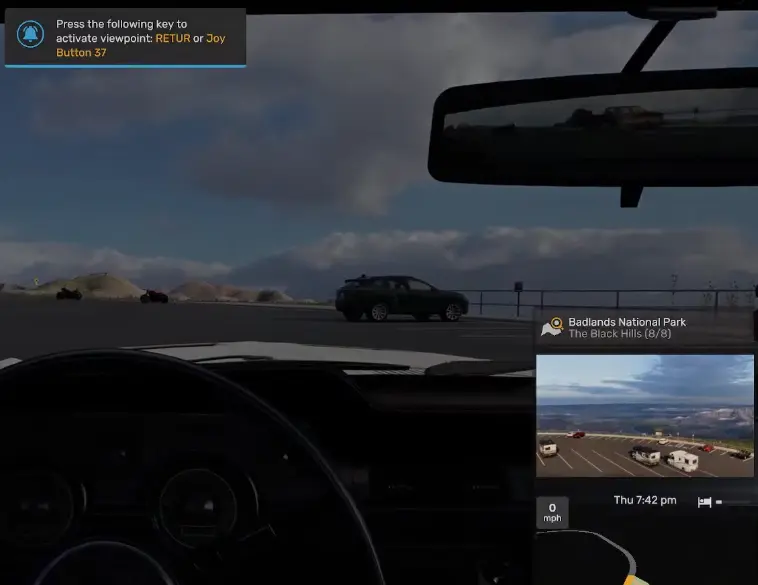
When a location registers, the postcard counter advances. Once every objective on that board is complete, Atlas marks the Tourist Board complete and awards its Tourist Card.
A Black Hills route, for example, reaches 8/8 after its final destination registers. The completion notification then adds the Black Hills reward to the Road Trip collection.
What the Tourist Card Reward Is For
Completing a Tourist Board awards its Tourist Card.
The reward is not another delivery job or a cash payout. It becomes an interior item that can be displayed inside a Road Trip vehicle through the vehicle configuration system.
That makes Atlas progression partly cosmetic, but it also gives each regional route a clear finish state. You are not simply discovering landmarks until you get bored; every board has a defined objective count and a completion reward.
If the card does not appear immediately in the cabin, open your vehicle configuration and check the available interior accessory slots.
Do You Need Your Own Car for Atlas?
Atlas becomes much easier to use once you are out of the introductory Quick Job loop and driving your own Road Trip vehicle.
If you open Atlas during the early introduction and cannot get the route to behave as expected, finish the current Quick Job, switch back into Car Mode with your own vehicle, and open Atlas again.
The Road Trip progression leading from the first Quick Job to buying a vehicle and unlocking the Dispatch Market is covered in the American Truck Simulator Road Trip guide.
Add the Whole Board to Navigation Before You Leave
Atlas allows individual locations to be added to navigation, but opening the menu after every objective makes a regional board feel much slower than it needs to.
Before leaving the board area, scan the full location list and add the stops you intend to clear. For a five- or six-location California board, that gives you a visible sequence instead of repeatedly stopping to decide where to go next.
Do not assume the first route generated by the game is always the absolute shortest possible path. The useful goal is to avoid large backtracks while keeping all remaining board objectives visible.
What to Check When Progress Does Not Increase
A postcard counter that does not move usually comes down to one of three things.
First, make sure the correct Tourist Board is active. An undiscovered board cannot reveal its POIs.
Second, get close enough to the actual objective marker. Reaching the general park, city, bridge, or landmark region is not always enough to trigger the Atlas location.
Third, distinguish the Atlas objective from another exploration interaction in the same area. A location can overlap with a Viewpoint or Photo Trophy, and triggering one interaction does not automatically prove that every nearby Atlas requirement has registered.
Open the board again and compare the remaining location list before driving away. That is faster than discovering several hundred miles later that one stop never counted.
A Simple Order for Clearing Atlas Content
I use Atlas in regional blocks:
discover a Tourist Board → activate it → load its nearby locations → finish the board → collect the Tourist Card → move to the next board
That keeps each road trip focused and makes the completion counter useful. It also prevents the map from turning into a mixture of partially finished boards scattered across several states.
For California, a clean starting order is The Sun & Sand → The Sierra Crossing → The Golden Horizon if you want to move from the desert through the Sierra and then toward the coast. The game does not require that order, so reverse it if your current vehicle is already closer to the Bay Area.
Once a board reaches its full count, there is no reason to stay in the region unless you still have unrelated Viewpoints, Photo Trophies, or normal map exploration to finish.